> For the complete documentation index, see [llms.txt](https://docs.carto.com/llms.txt). Markdown versions of documentation pages are available by appending `.md` to page URLs; this page is available as [Markdown](https://docs.carto.com/carto-user-manual/maps/data-sources/simple-features.md).
# Simple features
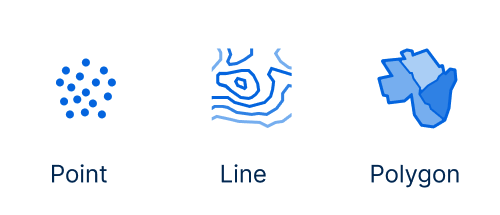
Builder supports simple features stored as geometry or geography in cloud data warehouses. These simple features are defined as a standard which specifies digital storage of geographical data, usually point, line or polygon, storing both spatial and non-spatial features.
## Supported spatial column types
CARTO identifies the geo column of a source from the column type reported by the data warehouse. This table shows the type of simple features (`geography` or `geometry`) supported on each data warehouse:
| | **Geography** | **Geometry** |
| ------------------------ | ------------- | ------------- |
| **BigQuery** | ✅ | Not Supported |
| **CARTO Data Warehouse** | ✅ | Not Supported |
| **Snowflake** | ✅ | Not Supported |
| **Databricks** | Not Supported | ✅ |
| **Amazon Redshift** | Not Supported | ✅ |
| **PostgreSQL** | Not Supported | ✅ |
| **Oracle** | Not Supported | ✅ |
Geometries stored in **text columns** (WKT, GeoJSON) or in **generic binary columns** (WKB in a `BYTES`, `BINARY`, `VARBYTE` or `BYTEA` column) are not detected as geo columns. Cast them to the spatial type of your data warehouse in the SQL Query of your source, or materialize a table with a proper spatial column.
{% hint style="info" %}
**Converting between geography and geometry**
If your column uses the type that is not supported by your provider, you can convert it:
* **Snowflake:** convert `GEOMETRY` to `GEOGRAPHY`, for example with the [Geometry to Geography](/carto-user-manual/workflows/components/data-preparation.md#geometry-to-geography) component in Workflows.
* **Amazon Redshift** and **PostgreSQL:** convert `GEOGRAPHY` to `GEOMETRY`, for example with the [Geography to Geometry](/carto-user-manual/workflows/components/data-preparation.md#geography-to-geometry) component in Workflows.
{% endhint %}
### Coordinate reference systems
| | **Projection support** |
| ----------------------------------------------------- | ------------------------------------------------------------------------------------------------------------------------------------------------------------------------------------- |
| **BigQuery**, **CARTO Data Warehouse**, **Snowflake** | `GEOGRAPHY` values are always WGS84 (`EPSG:4326`). Nothing to configure. |
| **Databricks** | Coordinates are expected to be WGS84 (`EPSG:4326`) longitude/latitude. CARTO does not reproject Databricks geometries, so data in another projection will not display correctly. |
| **PostgreSQL**, **Amazon Redshift**, **Oracle** | Any SRID is supported as long as it is set on the geometries. CARTO reads the SRID from the data and reprojects on the fly when needed. If the SRID is unset (`0`), WGS84 is assumed. |
Reprojecting on every tile request has a cost. For the best performance, store your geometries in the projection recommended for each data warehouse and make sure the SRID is set — check the [performance considerations](/carto-user-manual/maps/performance-considerations.md) section for details.
## Limitations
{% hint style="info" %}
When working with simple features in Builder, ensure that your spatial column contains only a single type of geometry—either points, lines, or polygons. Mixing different geometry types within the same spatial column is not supported. To handle multiple geometry types, use separate sources for each type.
The single-part and multi-part variants of the same family can be mixed: `POINT`/`MULTIPOINT` are both rendered as points, `LINESTRING`/`MULTILINESTRING` as lines, and `POLYGON`/`MULTIPOLYGON` as polygons.
{% endhint %}
{% hint style="warning" %}
**GEOMETRYCOLLECTION is not supported**
If your data contains GEOMETRYCOLLECTION geometry types, you'll need to convert them to individual geometry components before visualization. Use the ST\_Dump function in your SQL query to explode geometry collections.
{% endhint %}
{% hint style="warning" %}
**Provider-specific limitations**
* **Oracle:** only two-dimensional `SDO_GEOMETRY` values are supported (`SDO_GTYPE` `2001`, `2002`, `2003` and `2007`). Geometries with a Z or M dimension are not supported.
* **Databricks:** native `GEOMETRY` and `GEOGRAPHY` types require Databricks Runtime 17.1 or above (Spark 4.0.0), which is a [requirement for creating a Databricks connection](/carto-user-manual/connections/databricks.md#setup-requirements). Legacy Databricks connections instead store geometries as WKB in binary columns and need the [Prepare for Visualization](/carto-user-manual/workflows/components/spatial-operations.md#prepare-for-visualization) component before they can be visualized.
{% endhint %}
## Visualizing simple features
Builder ensures performance experience when rendering simple features on a map as data is loaded progressively via vector tiles. The data for these tiles is extracted by pushing down SQL queries to the data warehouse, and they are requested as you zoom in and out or pan the map.
Note these queries in Builder are cached. To understand more how caching works and different methods to keep your data fleshed, check this link in our [documentation](/carto-user-manual/maps/data-sources/managing-data-freshness.md).
Find more information about performance consideration for this data source type in [this section](/carto-user-manual/maps/performance-considerations.md).
---
# Agent Instructions
This documentation is published with GitBook. GitBook is the documentation platform designed so that both humans and AI agents can read, navigate, and reason over technical content effectively. Learn more at gitbook.com.
## Querying This Documentation
If you need additional information that is not directly available in this page, you can query the documentation by asking a question.
Perform an HTTP GET request on the following URL with the `ask` and `goal` query parameters:
```
GET https://docs.carto.com/carto-user-manual/maps/data-sources/simple-features.md?ask=&goal=
```
`ask` is the immediate question: it should be specific, self-contained, and written in natural language.
`goal` is what the user is ultimately trying to achieve, the reason they need the answer. Sharing it helps GitBook give you a better, more relevant answer. A goal is most helpful when it describes the outcome the user wants rather than restating the question. For example, with `ask=how do I create an API token`, a goal like `automate deployments from our CI pipeline` lets GitBook tailor the answer to that use case.
The response will contain a direct answer to the question and relevant excerpts and sources from the documentation.
Use this mechanism when the answer is not explicitly present in the current page, you need clarification or additional context, or you want to retrieve related documentation sections.