LogoLogo
Home Academy Login Try for free
  • Welcome
  • What's new
    • Q3 2024
    • Q2 2024
    • Q1 2024
    • Q4 2023
    • Q3 2023
    • Q2 2023
    • Q1 2023
    • Q4 2022
    • Q3 2022
  • FAQs
    • Accounts
    • Migration to the new platform
    • General
    • Builder
    • Workflows
    • Data Observatory
    • Analytics Toolbox
    • Development Tools
    • Deployment options
    • Support Packages
    • CARTO for Education
    • Security and Compliance
  • Getting started
    • What is CARTO?
    • Quickstart guides
      • Connecting to your data
      • Creating your first map
      • Creating your first workflow
      • Developing your first application
    • CARTO Academy
  • CARTO User Manual
    • Overview
      • Creating your CARTO organization
      • CARTO Cloud Regions
      • CARTO Workspace overview
    • Maps
      • Data sources
        • Managing data freshness
      • Layers
        • Layer style
        • Zoom to layer
      • Widgets
        • Formula widget
        • Category widget
        • Pie widget
        • Histogram widget
        • Range widget
        • Time Series widget
        • Table widget
      • SQL Parameters
        • Date parameter
        • Text parameter
        • Numeric parameter
        • Publishing SQL parameters
      • Interactions
      • Legend
      • Basemaps
      • SQL Analyses
      • Map view modes
      • Map description
      • Feature Selection tool
      • Search locations
      • Measure distances
      • Exporting data
      • Download PDF reports
      • Managing maps
      • Publishing and sharing maps
        • Map settings for viewers
        • Map preview for editors
        • Collaborative maps
        • Embedding maps
        • URL parameters
      • Performance considerations
    • Workflows
      • Workflow canvas
      • Results panel
      • Components
        • Aggregation
        • Custom
        • Data Enrichment
        • Data Preparation
        • Generative AI
        • Input / Output
        • Joins
        • Parsers
        • Raster Operations
        • Spatial Accessors
        • Spatial Analysis
        • Spatial Constructors
        • Spatial Indexes
        • Spatial Operations
        • Statistics
        • Tileset Creation
      • Data Sources
      • Scheduling workflows
      • Sharing workflows
      • Using variables in workflows
      • Executing workflows via API
      • Temporary data in Workflows
      • Managing workflows
      • Workflows best practices
    • Data Explorer
      • Creating a map from your data
      • Creating a tileset from your data
      • Importing data
      • Geocoding data
      • Enriching data
      • Optimizing your data
    • Data Observatory
    • Connections
      • Google BigQuery
      • Snowflake
      • Amazon Redshift
      • PostgreSQL
      • Databricks
      • CARTO Data Warehouse
      • Sharing a connection
      • Deleting a connection
      • Required permissions
      • IP whitelisting
      • Customer data responsibilities
    • Applications
    • Settings
      • Understanding your organization quotas
      • Users and Groups
        • Inviting users to your organization
        • Managing user roles
        • Deleting users
        • Groups
        • SSO
        • Mapping groups to user roles
      • Customizations
        • Configuring your organization basemaps
        • Customizing appearance and branding
      • Advanced Settings
        • Managing applications
        • Configuring S3 Bucket for Redshift Imports
        • Configuring OAuth connections to Snowflake
        • Configuring S3 Bucket integration for RDS for PostgreSQL Exports in Builder
      • Deleting your organization
    • Developers
      • Managing Credentials
        • API Base URL
        • API Access Tokens
        • SPA OAuth Clients
        • M2M OAuth Clients
  • Data and Analysis
    • Analytics Toolbox Overview
    • Analytics Toolbox for BigQuery
      • Getting access
        • Projects maintained by CARTO in different BigQuery regions
        • Manual installation in your own project
        • Installation in a Google Cloud VPC
        • Core module
      • Key concepts
        • Tilesets
        • Spatial indexes
      • SQL Reference
        • accessors
        • clustering
        • constructors
        • cpg
        • data
        • http_request
        • import
        • geohash
        • h3
        • lds
        • measurements
        • placekey
        • processing
        • quadbin
        • random
        • raster
        • retail
        • routing
        • s2
        • statistics
        • telco
        • tiler
        • transformations
      • Guides
        • Creating and visualizing tilesets
        • Running queries from Builder
        • Working with Raster data
      • Release notes
      • About Analytics Toolbox regions
    • Analytics Toolbox for Snowflake
      • Getting access
        • Manual installation
      • Key concepts
        • Spatial indexes
        • Tilesets
      • SQL Reference
        • accessors
        • clustering
        • constructors
        • data
        • http_request
        • import
        • h3
        • lds
        • measurements
        • placekey
        • processing
        • quadbin
        • random
        • raster
        • retail
        • s2
        • statistics
        • tiler
        • transformations
      • Guides
        • Creating and visualizing tilesets
        • Running queries from Builder
        • Working with Raster data
      • Release Notes
    • Analytics Toolbox for Redshift
      • Getting access
        • Manual installation in your database
        • Installation in an Amazon Web Services VPC
        • Core version
      • Key concepts
        • Tilesets
        • Spatial indexes
      • SQL Reference
        • clustering
        • constructors
        • data
        • http_request
        • import
        • lds
        • placekey
        • processing
        • quadbin
        • random
        • s2
        • statistics
        • tiler
        • transformations
      • Guides
        • Creating and visualizing tilesets
        • Running queries from Builder
      • Release Notes
    • Analytics Toolbox for Databricks
      • Getting access
        • Single User cluster
        • Shared cluster
      • Reference
        • tiler
      • Guides
      • Release Notes
    • Analytics Toolbox for PostgreSQL
      • Getting access
        • Manual installation
        • Core version
      • Key concepts
        • Tilesets
        • Spatial Indexes
      • SQL Reference
        • h3
        • quadbin
        • tiler
      • Guides
        • Creating and visualizing tilesets
        • Creating spatial index tilesets
        • Running queries from Builder
      • Release Notes
    • Data Observatory
      • Terminology
      • Guides
        • Accessing and browsing the spatial data catalog
        • Accessing free data samples
        • Subscribing to public and premium datasets
        • Managing your subscriptions
        • Accessing your subscriptions from your data warehouse
        • Visualizing Data Observatory datasets
      • Example Tilesets
    • CARTO + Python
      • Installation
      • Authentication Methods
      • Visualizing Data
      • Working with Data
        • How to work with your data in the CARTO Data Warehouse
        • How to access your Data Observatory subscriptions
        • How to access CARTO's Analytics Toolbox for BigQuery and create visualizations via Python notebooks
        • How to access CARTO’s Analytics Toolbox for Snowflake and create visualizations via Python notebooks
        • How to visualize data from Databricks
      • Reference
  • CARTO for Developers
    • Overview
    • Key concepts
      • Connections
      • APIs
      • Authentication methods
        • API Access Tokens
        • OAuth Access Tokens
        • OAuth Clients
      • Visualization
      • Summary
    • Quickstart
      • How to make my first API call
      • Visualize your first dataset
    • Guides
      • Build a public application
      • Build a private application
      • Build a private application using SSO
      • Visualize massive datasets
      • Integrate CARTO in your existing application
      • Use Boundaries in your application
    • CARTO + deck.gl
      • Reference
      • Examples
      • Rapid Map Prototyping
      • Release Notes
    • Basemaps
      • CARTO Basemap
      • Google Maps
        • Examples
          • Gallery
          • Getting Started
          • Basic Examples
            • Hello World
            • BigQuery Tileset Layer
            • Data Observatory Tileset Layer
          • Advanced Examples
            • Arc Layer
            • Extrusion
            • Trips Layer
        • What's New
      • Amazon Location
        • Examples
          • Hello World
          • CartoLayer
        • What's New
    • API Reference
    • CARTO for React
      • Guides
        • Getting Started
        • Views
        • Data Sources
        • Layers
        • Widgets
        • Authentication and Authorization
        • Basemaps
        • Look and Feel
        • Query Parameters
        • Code Generator
        • Sample Applications
        • Deployment
        • Upgrade Guide
      • Examples
      • Library Reference
        • Introduction
        • API
        • Auth
        • Basemaps
        • Core
        • Redux
        • UI
        • Widgets
      • Release Notes
  • CARTO Self-Hosted
    • Overview
    • Key concepts
      • Architecture
      • Deployment requirements
    • Quickstarts
      • Single VM deployment
      • Orchestrated container deployment
    • Guides
      • Configure your own buckets
      • Configure an external in-memory cache
      • Enable Google Basemaps
      • Enable the CARTO Data Warehouse
      • Configure an external proxy
      • Enable BigQuery OAuth connections
      • Configure Single Sign-On (SSO)
      • Use Workload Identity in GCP
      • High availability configuration for CARTO Self-Hosted
      • Configure your custom service account
    • Maintenance
      • Updates
      • Backups
      • Uninstall
      • Rotating keys
      • Monitoring
      • Change the Admin Console password
    • Support
    • CARTO Self-Hosted Legacy
      • Key concepts
        • Architecture
        • Deployment requirements
      • Quickstarts
        • Single VM deployment
        • Orchestrated container deployment
      • Guides
        • Configure your own buckets
        • Configure an external in-memory cache
        • Enable Google Basemaps
        • Enable the CARTO Data Warehouse
        • Configure an external proxy
        • Enable BigQuery OAuth connections
        • Configure Single Sign-On (SSO)
        • Enable Redshift imports
        • Use Workload Identity in GCP
        • Configure your custom service account
        • Advanced customizations
        • Migrating CARTO Self-Hosted installation to an external database
      • Maintenance
        • Updates
        • Backups
        • Uninstall
        • Rotating keys
        • Monitoring
      • Support
    • Release Notes
  • Get Help
    • Legal & Compliance
    • Previous libraries and components
Powered by GitBook

Welcome to the CARTO Documentation Center! All of the resources you need to unlock the power of the platform.

Getting started with CARTO

CARTO is the only cloud-first spatial platform built for accelerated, modern GIS. It runs natively on top of your cloud data warehouse platform (e.g. Google BigQuery, Snowflake, AWS Redshift, etc.), providing easy access to highly scalable spatial analysis and visualization capabilities in the cloud — be it for analytics, app development, data engineering, and more.

CARTO Platform

CARTO unlocks the power of spatial analysis in the cloud, extending the visualization, analysis and development capabilities of the leading cloud data warehouse platforms, such as Google BigQuery, Snowflake and Amazon Redshift.

Find out how to get the most out of our Location Intelligence platform with our product documentation:

Data and Analysis

Development tools

APIs

Get Help

NextWhat's new

Last updated 2 months ago

On this page
  • Getting started with CARTO
  • CARTO Platform
  • Data and Analysis
  • Development tools
  • APIs
  • Get Help

Was this helpful?

Export as PDF

What is CARTO?

An introduction to our cloud-native platform benefits and its different components.

Quickstart guides

Step-by-step guides to build your first maps, workflows, and applications.

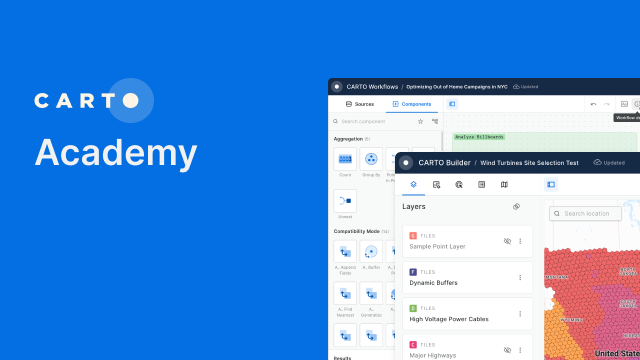
CARTO Academy

Access detailed tutorials, videos and templates to learn more about geospatial analytics and to become a proficient user of the CARTO platform.

CARTO User Manual

How to create connections to your data warehouse, build interactive maps and analytical workflows, subscribe to external data, and more.

FAQs

Frequently Asked Questions about the CARTO platform and its components.

What's New

Learn about the latest features, improvements and bug fixes in our product.

CARTO Self-hosted

Deploy CARTO on your own infrastructure. Learn about recommended architecture, requirements, and follow installation guides to get started.

Analytics Toolbox for BigQuery

Unlock Spatial Analytics on your BigQuery.

Analytics Toolbox for Snowflake

Unlock Spatial Analytics on your Snowflake.

Analytics Toolbox for Redshift

Unlock Spatial Analytics on your Redshift.

Analytics Toolbox for Databricks (Beta)

Unlock Spatial Analytics on your Databricks.

Analytics Toolbox for PostgreSQL

Unlock Spatial Analytics on your PostgreSQL.

Data Observatory

Gain access to thousands of public and premium spatial datasets, and save time on gathering, cleaning, and analyzing data.

CARTO + Python

A set of Python packages to allow data scientists to work with CARTO from Python notebooks.

CARTO + deck.gl

Build large-scale geospatial apps using deck.gl, the WebGPU-based framework for data visualization.

CARTO for React

Build compelling spatial apps using CARTO, React and deck.gl.

CARTO + Google Maps

Integrate CARTO layers with Google Maps API and basemaps.

CARTO API

The CARTO API allows you to interact with your data in an external data warehouse to create performant cloud-native geospatial solutions.

Contact Support

Get in touch with our team of first-class geospatial specialists.

Join our community of users in Slack

Our community of users is a great place to ask questions and get help from CARTO experts.

All previous libraries and components

Including API v2, CARTO.js, CartoCSS, Torque.js, CARTOframes and others.

Page cover image
Cover
Cover
Cover
Cover
Cover
Cover
Cover
Cover
Cover
Cover
Cover
Cover
Cover
Cover
Cover
Cover
Cover
Cover
Cover
Cover
Cover