> For the complete documentation index, see [llms.txt](https://docs.carto.com/llms.txt). Markdown versions of documentation pages are available by appending `.md` to page URLs; this page is available as [Markdown](https://docs.carto.com/carto-user-manual/ai-agents/iterate-and-refine-your-agent.md).
# Iterate and refine your Agent
Building an effective AI Agent is an iterative process. Even well-designed agents need refinement based on real-world usage. This section guides you through systematic testing and improvement.
## Testing your Agent
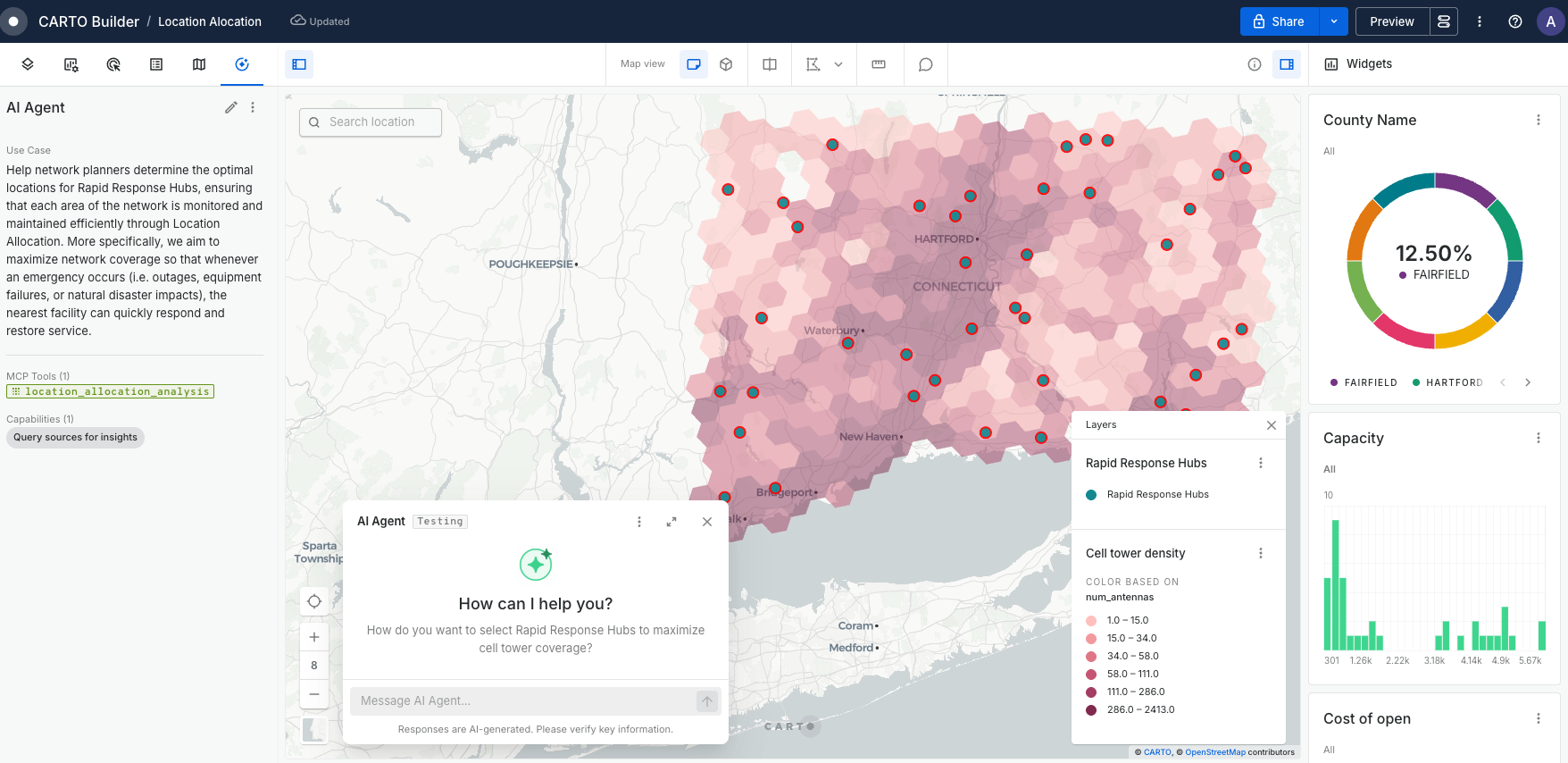
Once your Agent is created, test it in Preview mode to validate behavior as your viewers will experience it. From the Agent Config dialog, click **Test in Preview** — Builder will switch to Preview mode and open the agent conversation. After creating a new agent you can also click **Preview** in the confirmation notification to jump straight to the conversation.
{% hint style="info" %}
The AI Agent chat panel is only available in Viewer and Public modes. Testing in Preview gives you the same experience your end users will have.
{% endhint %}
### **Testing methodology**
#### **1. Start with core functionality**
* Test your primary use case first.
* Verify the Agent uses the correct data sources and tools.
* Ensure basic queries return expected results.
#### **2. Expand to edge cases**
* Try ambiguous queries: "Show me the best locations"
* Test boundary conditions: "What about areas with no data?"
* Use incorrect inputs: "Analyze store #99999"
* Mix multiple requests: "Compare regions and also forecast next quarter"
#### **3. Validate different user personas**
* Technical user: "Execute a spatial join between stores and demographics"
* Business user: "Where should we expand?"
* Executive: "Give me the most profitable regions for California"
#### **What to observe**
During testing, monitor these key behaviors:
**Tool execution**
* Is the Agent selecting the most efficient tools?
* Are queries running successfully within timeout limits?
* Do visualizations appear correctly on the map?
**Response quality**
* Are insights accurate and actionable?
* Does the formatting match your intended audience?
* Is the Agent avoiding technical jargon when instructed?
**Error handling**
* How does the Agent respond to unavailable data?
* Are error messages helpful or confusing?
* Does it offer alternatives when it can't complete a request?
## Common refinement patterns
Based on testing, you'll typically need to refine these areas:
### **Refining Use Case and context**
**Problem:** Agent misinterprets user intent
```markdown
# Before
Analyze store performance
# After
Analyze store performance by comparing actual revenue against target revenue.
Default to current quarter unless specified. Flag stores below 80% of target.
```
### **Data definitions**
**Problem:** Agent uses wrong fields or calculations
```markdown
# Before
Use revenue data for analysis
# After
$stores.gross_revenue: Total revenue including tax (use for reports)
$stores.net_revenue: Revenue after tax (use for profitability)
$stores.target_revenue: Monthly targets set by regional managers
```
### **Tool preferences**
**Problem:** Agent creates new queries when widgets exist
```markdown
# Before
Provide revenue insights
# After
For revenue summaries, first check the 'Revenue KPI' widget.
Only generate new queries for time periods not covered by existing widgets.
```
### **Response formatting**
**Problem:** Responses too technical for intended audience
```markdown
# Before
Provide analysis results
# After
Format responses for non-technical executives:
- Lead with business impact (dollars or percentage)
- Use simple terms (not "spatial join" but "combine location data")
- Include one clear recommendation
```
### Performance optimization
If your Agent is slow or hitting timeout limits:
* Break multi-step analyses into separate tasks.
* Use asynchronous Workflows as MCP tools for heavy computations.
* Pre-aggregate data in your map sources where possible.
* Refine query patterns ensuring filtering is applied to avoid full table computations.
### Maintenance considerations
Your Agent requires ongoing maintenance:
* **Data schema changes**: Update field references in Instructions when source schemas change.
* **New tool availability**: Incorporate new MCP Tools as they become available.
* **Usage pattern evolution**: Refine based on actual user queries from production usage.
* **Model updates**: Re-test when switching to newer model versions.
---
# Agent Instructions
This documentation is published with GitBook. GitBook is the documentation platform designed so that both humans and AI agents can read, navigate, and reason over technical content effectively. Learn more at gitbook.com.
## Querying This Documentation
If you need additional information that is not directly available in this page, you can query the documentation by asking a question.
Perform an HTTP GET request on the following URL with the `ask` and `goal` query parameters:
```
GET https://docs.carto.com/carto-user-manual/ai-agents/iterate-and-refine-your-agent.md?ask=&goal=
```
`ask` is the immediate question: it should be specific, self-contained, and written in natural language.
`goal` is what the user is ultimately trying to achieve, the reason they need the answer. Sharing it helps GitBook give you a better, more relevant answer. A goal is most helpful when it describes the outcome the user wants rather than restating the question. For example, with `ask=how do I create an API token`, a goal like `automate deployments from our CI pipeline` lets GitBook tailor the answer to that use case.
The response will contain a direct answer to the question and relevant excerpts and sources from the documentation.
Use this mechanism when the answer is not explicitly present in the current page, you need clarification or additional context, or you want to retrieve related documentation sections.