> For the complete documentation index, see [llms.txt](https://docs.carto.com/llms.txt). Markdown versions of documentation pages are available by appending `.md` to page URLs; this page is available as [Markdown](https://docs.carto.com/whats-new/older-entries.md).
# Older entries
Archived release notes from 2022 and 2023
{% hint style="info" %}
These are archived What's New entries from 2022 and 2023. For the latest updates, see [What's new](/whats-new.md).
{% endhint %}
{% updates %}
{% update date="2023-12-20" tags="improvement,builder" %}
## Enhancements to export data from Builder maps
We've upgraded the [export functionality](/carto-user-manual/maps/exporting-data.md) in Builder maps, shifting the data export process to work in server-side mode for an enhanced efficiency and data integrity. This improvement ensures a more reliable data retrieval experience.
Additionally, when exporting data as CSV, it now includes the geometry column in WKT (Well-Known Text) format, if applicable. This enhancement simplifies data handling and boosts compatibility with various geospatial tools, making integrations smoother.
Looking to leverage this enhanced functionality for RDS for PostgreSQL data sources? Don't forget to set up the necessary S3 bucket integration to enable the export feature. For more details and guidance, check out our [documentation](/carto-user-manual/settings/advanced-settings/configuring-s3-bucket-integration-for-rds-for-postgresql-exports-in-builder.md).
\\
{% endupdate %}
{% update date="2023-12-18" tags="new,workflows" %}
## ML Generate Text component available for Workflows
We have added a [new component](/carto-user-manual/workflows/components/generative-ai.md#ml-generate-text) to Workflows that leverages [BigQuery ML Generate Text](https://cloud.google.com/bigquery/docs/reference/standard-sql/bigqueryml-syntax-generate-text) capabilities to allow embedding Generative AI functionalities into your geospatial analytical pipelines.
It can be used to help analyze the result of an enrichment; to generate labels or categories based on variables on your table; or could also generate new content for each row on your data, using different variables to compose a prompt that will be evaluated on each row.
With this new addition, Generative AI capabilities are handy and readily available from Workflows.
{% endupdate %}
{% update date="2023-11-28" tags="new,workflows" %}
## Export Workflows results to a bucket
We have just released a [new component in Workflows](/carto-user-manual/workflows/components/input-output.md#export-to-bucket) that allows exporting the result from any node in a workflow to a storage bucket.
The node's data will be exported as a series of files, which URLs will be stored in a table. Just inspect the Data tab in the results panel to access the links to each file.
This component is currently available for all CARTO Data Warehouse and BigQuery connections.
{% endupdate %}
{% update date="2023-11-27" tags="improvement,workflows" %}
## Improvements to the results panel in Workflows
We have added a few improvements to the results panel in Workflows that are focused on better usability and data exploration capabilities:
* Renovated, sleeker design;
* See when the workflow was executed for the last time;
* Easily find the number of columns and rows of a result;
* Explore the complete result with pagination for optimal performance;
* Copy the content of a page to the clipboard, ready to be pasted into a spreadsheet;
* Analyze statistics of each column:
* Frequency of the Top 20 categories for string, date and timestamp columns;
* Maximum and minimum values, average and sum for numeric columns.
* SQL control code is hidden to facilitate readability.
Find all the documentation about these improvements [here](/carto-user-manual/workflows/results-panel.md).
{% embed url="" %}
{% endupdate %}
{% update date="2023-11-22" tags="new,workspace" %}
## Support for OAuth connections in Snowflake
You can now set up an OAuth integration to connect CARTO and Snowflake. This allows users to follow their usual Snowflake login flow (**Snowflake OAuth**) to set up their connections in CARTO, which has security benefits and is a more familiar process for all Snowflake users.
If you have an external identity provider integrated in Snowflake such as Azure Active Directory or Okta, we also support **External OAuth** to achieve the same process.
Read more about [Configuring OAuth connections to Snowflake](/carto-user-manual/connections/snowflake.md#connecting-to-snowflake-via-oauth).
{% endupdate %}
{% update date="2023-11-16" tags="new,builder" %}
## Measure point-to-point distances in Builder maps
We're excited to announce the latest feature in Builder - a [distance measure](/carto-user-manual/maps/measure-distances.md) tool that will allow users to measure distances between two points on their maps.
This new functionality is ideal for a diverse range of use cases, from planning tasks to gaining a deeper understanding of spatial relationships between various map elements.
{% endupdate %}
{% update date="2023-11-06" tags="new,builder" %}
## Style qualitative data using hex color codes
In Builder, you now have the capability to style your qualitative data using hex color codes pulled directly from your table or SQL query sources. If you're curious about generating these hex color codes, we've prepared a [tutorial](https://academy.carto.com/building-interactive-maps/data-visualization/style-qualitative-data-using-hex-color-codes) to assist you, detailing the steps using either Workflows or SQL. What's especially exciting? The range of possibilities this opens up. Whether you're aligning with your company's branding, looking to automatically style a high number of categories, or exploring diverse color schemes, the choice is all yours.
{% endupdate %}
{% update date="2023-10-25" tags="new,workflows" %}
## Collection of Workflows examples
We have just published a new collection of workflows examples, designed with a hands-on approach to empower users and ease the learning curve for using CARTO Workflows.
It showcases a wide range of scenarios, from simple building blocks for your geospatial analysis to more complex, industry-specific workflows tailored to suit specific use cases.
Take a look at our catalog of workflows examples [**here**](https://academy.carto.com/creating-workflows/workflow-templates)!
{% embed url="" %}
{% endupdate %}
{% update date="2023-10-25" tags="new,workflows" %}
## Improved import capabilities in Workflows
We have added a new mechanism to [**import a workflow into your account**](/carto-user-manual/workflows/sharing-workflows.md#import-a-workflow-from-a-sql-file). Just download an example from the gallery, drag and drop into your CARTO Workspace (or browse a file from your computer) and the workflow will be automatically re-created in your account.
And also we have just added a new way to [**import data into a workflow**](/carto-user-manual/workflows/workflow-canvas.md#import-a-file-to-your-workflow). Either from a local file in your computer, or from a URL, this new feature facilitates the task of incorporating data into your analytical pipelines.
{% embed url="" %}
{% endupdate %}
{% update date="2023-10-18" tags="new,builder" %}
## New Pie Widget available in Builder
The new [Pie Widget](/carto-user-manual/maps/widgets/pie-widget.md) is designed to simplify the visualization of complex categorical data in Builder, making it more user-friendly and insightful.
Thanks to this new feature you can quickly and easily analyze data proportions and category weights, allowing for better understanding of each data category within your dataset. This enhancement empowers users to make more informed decisions by providing a clearer view of their data.
{% endupdate %}
{% update date="2023-09-30" tags="improvement,builder" %}
## Multiple series and custom temporal aggregations in the Time Series Widget
We have upgraded our Time Series Widget in Builder to boost your temporal data analysis experience. These enhancements bring a new level of customization to your data exploration, offering:
* **Enhanced temporal precision:** Our upgraded Time Series Widget empowers you with precise control over temporal data aggregation. You can now extract insights using custom time intervals and enjoy greater granularity, resulting in more accurate analyses.
* **Analysis of multiple time series:** Unlock the ability to analyze multiple time series simultaneously within the widget, enabling seamless concurrent analysis over time.
{% endupdate %}
{% update date="2023-09-30" tags="new,workflows" %}
## New components in Workflows for data enrichment, statistics and retail analytics
We have released a new set of components in Workflows for **Data Enrichment**:
* [Enrich Points](/carto-user-manual/workflows/components/data-preparation.md#enrich-points)
* [Enrich Polygons](/carto-user-manual/workflows/components/data-preparation.md#enrich-polygons)
* [Enrich H3 Grid](/carto-user-manual/workflows/components/data-preparation.md#enrich-h3-grid)
* [Enrich Quadbin Grid](/carto-user-manual/workflows/components/data-preparation.md#enrich-quadbin-grid)
Each of them allows to enrich different types of geospatial data, and all of them allow using both a [Data Observatory](/carto-user-manual/data-observatory.md) subscription or a custom table as source for the enrichment data.
Additionally, we have released a new component for advanced **Statistics** and for **Retail Analytics**, initially supported in Google BigQuery:
* [Geographically Weighted Regression](/carto-user-manual/workflows/components/statistics.md#gwr-grid)
* [Commercial Hotspots](https://github.com/CartoDB/gitbook-documentation/blob/master/whats-new/broken-reference/README.md)
These additions to Workflows will make it a lot easier to leverage data enrichment and advanced statistical capabilities in CARTO, integrating these complex processes as just another step in a workflow.
{% embed url="" %}
{% endupdate %}
{% update date="2023-09-07" tags="improvement,carto-for-developers" %}
## Leveraging SSO in applications built with CARTO
Developers building applications with CARTO can now leverage their existing [Single Sign-On (SSO)](/carto-user-manual/settings/sso.md) integration enabled in their organization to authenticate users.
Given the right setup, these applications will now be able to manage existing users and also first-time users coming from the SSO Identity Provider (IdP) that didn't exist previously in CARTO. The experience for these new users is seamless, without any action or step required. This is an extension of the [Just-in-time provisioning](/carto-user-manual/settings/sso.md#just-in-time-provisioning) setting available in CARTO Workspace.
The changes needed to fully leverage SSO and Just-in-time provisioning are covered:
* **For custom applications:** in a new [Build a private application using SSO](/carto-for-developers/guides/build-a-private-application-using-sso.md) guide.
* **For new and existing CARTO for React applications:** in the [Authentication](/carto-for-developers/carto-for-react/guides/authentication-and-authorization.md) guide.
{% embed url="" %}
{% endupdate %}
{% update date="2023-09-05" tags="new,workflows" %}
## Data Observatory subscriptions as data sources in Workflows
We have just made [Data Observatory](/carto-user-manual/data-observatory.md) subscriptions available in the Data Sources panel in Workflows.
This will make premium and public datasets a lot easier to work with: just drag and drop your available samples or subscriptions to the canvas and start building your workflow.
With this new addition to Workflows, the largest catalog of curated geospatial datasets is readily available to be integrated with your cloud native analytical pipelines with just a few clicks. Check this new feature documentation [here](/carto-user-manual/workflows/data-sources.md#data-observatory-subscriptions-as-data-sources).
{% embed url="" %}
{% endupdate %}
{% update date="2023-09-04" tags="new,builder" %}
## Richer descriptions for Builder maps
We're delighted to announce the next level of map description functionality in CARTO Builder: Richer map descriptions with support for Markdown. This upgrade takes our previous map description feature to a whole new level.
With the new richer map descriptions, you're not just adding text; you're crafting a more engaging user experience. The support for Markdown syntax allows you to include various text formats, headers, links, images, and even bullet-point lists, elevating the user's understanding and interaction with your map. To learn how to add Richer Map Descriptions to your maps, [click here](/carto-user-manual/maps/map-description.md).
{% endupdate %}
{% update date="2023-08-09" tags="new,builder" %}
## Support for Numeric SQL Parameter
\
We're thrilled to unveil our newest addition to CARTO Builder - the Numeric SQL Parameter, expanding our portfolio of supported SQL parameter types. This innovative feature offers users enhanced interaction with numerical data within Builder.
Leveraging the Numeric SQL parameter, users can seamlessly **retrieve single or pair numeric values from a Control UI** to update the underlying data sources. It's an excellent option for those requiring to filter data by specific numeric ranges or adjusting analytical outputs based on numerical inputs.
Learn more about how to set up and use SQL Parameters in your maps [here](/carto-user-manual/maps/sql-parameters.md).
{% endupdate %}
{% update date="2023-07-24" tags="new,workspace" %}
## Sharing controls for Applications
We have added the possibility to control the visibility of [Applications](/carto-user-manual/applications.md) in CARTO through the usual sharing options (private, entire organization...), including the ability to share an application only with specific groups of users.
This is especially interesting to customize what applications are shown for each user in the CARTO Workspace depending on the groups that they belong to, and also to start developing applications privately, without the app shortcut being shown to other users. You will find more information for these use cases and other details in the [Managing Applications](/carto-user-manual/developers/managing-credentials.md) section in this documentation.
{% endupdate %}
{% update date="2023-07-20" tags="improvement,workspace" %}
## Mapping groups to user roles in CARTO
Administrators in CARTO now have the possibility to **automatically assign a role to their users based on the groups that they belong to**. To do so, just enable this feature and map each group to a user role. For example, you can map the group `acme_data_analysts` to get the editor role in CARTO, and new users belonging to that group will automatically get the editor role as well.
This is a powerful approach to quickly onboard dozens or hundreds of users into CARTO while maintaining effortless and enterprise-grade controls over the privileges of each user. [Learn more about mapping groups to user roles](/carto-user-manual/settings/users-and-groups/mapping-groups-to-user-roles.md).
{% endupdate %}
{% update date="2023-07-13" tags="new,workspace" %}
## Viewer credentials mode when sharing BigQuery connections
Previously, whenever you created a BigQuery connection using OAuth ("Sign in with Google") it had to remain private, to prevent other users from impersonating your personal credentials.
With the addition of the new [**viewer credentials**](/carto-user-manual/connections/sharing-a-connection.md#require-viewer-credentials) mode when sharing connections, we're unlocking several benefits for organizations using BigQuery:
* Now you can [collaborate in maps](/carto-user-manual/maps/sharing-and-collaboration.md#collaborative-maps) using a shared BigQuery OAuth connection
* Instead of creating one connection per user, you can create just one connection and share it with everyone, with fewer management issues.
* By requiring viewer credentials, you can leverage [row-level security and other policies](/carto-user-manual/connections/sharing-a-connection.md#row-level-security-and-other-policies) set in your data warehouse.
{% endupdate %}
{% update date="2023-07-06" tags="new,builder" %}
## Search locations by latitude and longitude in Builder
We are thrilled to introduce the enhanced [Search Location Bar](/carto-user-manual/maps/search-locations.md#address-search-bar), formerly known as the *Address Search Bar*. This feature now includes the ability to search for locations using coordinates. Simply input latitude and longitude values, and instantly visualize the corresponding location on the map.
Whether you're exploring remote areas, analyzing specific points of interest, or seeking valuable insights, our coordinate search feature empowers you to navigate with precision and seamlessly uncover new possibilities.
{% endupdate %}
{% update date="2023-06-30" tags="new,workflows" %}
## Explain your Workflows with rich markdown notes and custom node names
We have just added a couple of new features in Workflows that are going to improve a lot the explainability of your multi-step analytical pipelines.
* Rich notes supporting [Markdown](https://www.markdownguide.org/basic-syntax/) syntax.
* Update nodes with more relevant and descriptive names.
{% embed url="" %}
{% endupdate %}
{% update date="2023-06-30" tags="improvement,workspace" %}
## Remove CARTO footer from public and embedded maps
Starting today, users with the ability to customize branding and appearance can also remove the CARTO brand and social icons from their public and embedded maps.
This is a setting that is applied to all maps created in the organization. Additionally, administrators can decide whether new users receive the generic CARTO onboarding materials, to further customize the experience for new users. [Learn more about how to activate these customizations](/carto-user-manual/settings/customizations/customizing-appearance-and-branding.md).
{% endupdate %}
{% update date="2023-06-27" tags="new,builder" %}
## Custom aggregation operations for Formula Widget
We are excited to introduce the latest enhancement to the [Formula Widget](/carto-user-manual/maps/widgets/formula-widget.md) in Builder, which allows users to create their own custom aggregation operations.
This new feature provides advanced capabilities for users to tailor calculations and derive precise insights from their data using SQL Expressions.
With custom aggregation operations, users have the flexibility to define calculations that align precisely with their unique analytical requirements. They can incorporate business-specific formulas and apply complex mathematical operations to single or multiple columns from their data source.
This level of customization empowers users to unlock valuable insights and perform advanced calculations that go beyond standard aggregations.
{% endupdate %}
{% update date="2023-06-26" tags="new,workflows" %}
## Define geospatial inputs by drawing custom features in Workflows
While working with Workflows, in some occasions a component needs to be defined as a custom geography (point, line or polygon). This is currently the case with "[*Table from GeoJSON*](https://docs.carto.com/carto-user-manual/workflows/components/parsers#table-from-geojson)" but this tool will also be used in other components that might need a custom geospatial input.
We have developed a new tool, accessible through the "*Draw features*" button to define custom geographies as inputs for components.
This new tool come in quite handy in cases where one or more steps in an analysis have to be defined by a manual input, allowing faster prototyping a providing a much better user experience.
{% embed url="" %}
{% endupdate %}
{% update date="2023-06-20" tags="improvement,workspace" %}
## Define a custom schema when importing files
When importing geospatial data to a cloud data warehouse, one of the challenges is to select the correct data type for each of the columns in the file, also known as schema. And in most cases, CARTO automatically does the job for you, because we analyze a sample of the data and infer the data type from it.
For those cases where the automatic detection isn't exactly what you need, CARTO now allows you to **manually defined the schema of the imported file,** both through CARTO Workspace and Builder, and through our [Imports API](/carto-for-developers/reference/carto-api.md).
An example where this new feature is useful is when dealing with postal codes, that depending on the country could be automatically detected as numbers instead of strings — it doesn't make sense to calculate the *average* postal code.
To read more about how to select a custom schema in your imports, read our [Importing data documentation](/carto-user-manual/data-explorer/importing-data.md).
{% endupdate %}
{% update date="2023-06-14" tags="new,workflows" %}
## New batch of components to enable more powerful workflows and provide further flexibility in data transformation pipelines
We have released a new batch of components in Workflows to keep increasing the possibilities and the value of this tool to enable the creation of data pipelines and spatial analyses for our users. The majority of components in this new batch are oriented towards providing more flexibility when manipulating and getting your data ready for the analysis. Here's the list of new components:
* Multi-Col Formula: it computes new values based on a given expression and a set of fields to apply the expression to;
* Multi-Row Formula: it creates a new table containing a new column computed using a multi-row formula based on one or several input columns;
* Find Replace: it finds a string in one column of a table and replaces it with the specified value from another table;
* Refactor columns: it refactors the columns in a table, allowing to change names and data types, and to select only certain columns from a table;
* Transpose: it rotates table columns into rows;
* Text to Columns: it adds new columns based on splitting the text string in a text column;
* Unique: it separates unique rows and duplicated rows;
* Row Number: it creates a new table with an additional column containing row numbers;
* Quadbin To Parent: it adds a new column named quadbin\_parent with the value of the parent quadbin at a specific resolution;
* H3 To Parent: it adds a new column named h3\_parent with the value of the parent h3 at a specific resolution;
* H3 KRing: it returns the neighboring indexes in all directions under the K distance size;
* H3 Distance: it computes the H3 grid distance between two H3 index column.
{% endupdate %}
{% update date="2023-06-06" tags="new,analytics-toolbox" %}
## New function to generate point-to-point routes for different transportation modes in the Analytics Toolbox for BigQuery, Snowflake and Redshift
In the lds module of the last release of the [Analytics Toolbox](https://docs.carto.com/data-and-analysis/analytics-toolbox-overview) for BigQuery, Snowflake and Redshift we have now added the function to CREATE\_ROUTES between given sets of origins and destinations (points) in a query, supporting different transportation modes and other advanced parameters. The function generates a new table with the columns of the input query plus a column with the resulting routes. Note that the routes are calculated by calling one of our external location data services providers. This functionality is also available from CARTO’s [LDS API](/carto-for-developers/reference/carto-api.md).
{% endupdate %}
{% update date="2023-06-06" tags="new,analytics-toolbox" %}
## Space-time cluster analysis now available in the Analytics Toolbox for BigQuery
In the last release of the [Analytics Toolbox for BigQuery](https://docs.carto.com/data-and-analysis/analytics-toolbox-for-bigquery) we have available a new set of functions in order to perform space-time cluster analysis, for when data has both a spatial and a temporal component and you want to identify clusters looking at both dimensions at the same time (e.g. hotspots of demand for food delivery services in different periods of the day). Our implementation computes the space temporal Getis-Ord Gi\* statistic for each area and timestamp according to the method described in this [paper](https://www.tandfonline.com/doi/abs/10.1080/00330124.2019.1709215?journalCode=rtpg20). This is supported now with two new functions in the [statistics module](https://docs.carto.com/data-and-analysis/analytics-toolbox-for-bigquery/sql-reference/statistics) of the toolbox, namely [GETIS\_ORD\_SPACETIME\_QUADBIN](https://docs.carto.com/data-and-analysis/analytics-toolbox-for-bigquery/sql-reference/statistics#getis_ord_spacetime_quadbin) for quadbin indexes and [GETIS\_ORD\_SPACETIME\_H3](https://docs.carto.com/data-and-analysis/analytics-toolbox-for-bigquery/sql-reference/statistics#getis_ord_spacetime_h3) for H3 indexes.
{% endupdate %}
{% update date="2023-05-16" tags="new,builder" %}
## Focus maps on user's device location
Finding your current location on CARTO maps is finally possible. This feature is specially helpful when users require the map zoom in to their current position in a seamlessly manner to obtain insights from their surroundings.
This is how it works:
1. Click the Focus on User's Device Location button.
2. Enable Location Services on your browsers if required.
The map display zooms in to your current location and a blue icon indicates your position on the map.
{% embed url="" %}
{% endupdate %}
{% update date="2023-05-08" tags="improvement,workspace" %}
## Access to the CARTO Data Warehouse SQL console
The [CARTO Data Warehouse](/carto-user-manual/connections/carto-data-warehouse.md) is a connection that comes pre-created for every CARTO organization, and it's fully managed by CARTO.
Until this release, it wasn't possible to manage the data available to this connection other than what was already available through Builder and Workflows.
Now, all users can introduce a *Google account* that they'll use to access the console. Once inside, you can run any SQL query, copy and edit existing tables or use other built-in features to import and migrate your data. Read more on [how to get access to the CARTO Data Warehouse console](/carto-user-manual/connections/carto-data-warehouse.md#accessing-the-console).
{% endupdate %}
{% update date="2023-05-05" tags="new,analytics-toolbox" %}
## New module in the Analytics Toolbox for Snowflake providing access to a set of geostatistical functions
Users of our [Analytics Toolbox for Snowflake](https://docs.carto.com/data-and-analysis/analytics-toolbox-for-snowflake) have now access to a new module named “statistics” offering functions to compute statistical measures on top of your spatial data. In this last release we have added support for computing the [Moran’s I spatial autocorrelation](https://en.wikipedia.org/wiki/Moran's_I) and the Getis-ord Gi\* statistics used for the identification of hotspots based on an input feature.
{% endupdate %}
{% update date="2023-05-05" tags="new,analytics-toolbox" %}
## Support for operating with H3 indices in the Analytics Toolbox for PostgreSQL
In this last release of the [Analytics Toolbox for PostgreSQL](https://docs.carto.com/data-and-analysis/analytics-toolbox-for-postgresql), we have added a new module named “h3” with a set of functions providing users support for operating over the [H3](https://h3geo.org/) spatial index. H3 is a multi-resolution hexagonal global grid system with hierarchical indexing developed by Uber, offering important benefits when performing spatial analytics at scale. To learn more about Spatial Indexes and H3 in particular, please have a look at our [Spatial Indexes 101](https://go.carto.com/report-spatial-indexes-101) report and our [documentation](https://docs.carto.com/data-and-analysis/analytics-toolbox-for-postgresql/key-concepts/spatial-indexes).
{% endupdate %}
{% update date="2023-05-05" tags="new,analytics-toolbox" %}
## New functions to compute the “Area of Applicability” of a model built with BigQuery ML in the Analytics Toolbox for BigQuery
Some areas due to their intrinsic characteristics or the data available are not suitable for running the predictive models given the large differences within the data used when training those models (e.g. training a model on big cities and then running predictions in areas of low population density). We have added new functions in the [statistics](https://docs.carto.com/data-and-analysis/analytics-toolbox-for-bigquery/sql-reference/statistics) module to allow users to compute the Area of Applicability (AOA) of a BigQuery ML model. It generates a metric which tells the user where the results from a Machine Learning (ML) model can be trusted when the predictions are extrapolated outside the training space (i.e. where the estimated cross-validation performance holds).
In the case of our [Analytics Toolbox for BigQuery](https://docs.carto.com/data-and-analysis/analytics-toolbox-for-bigquery), this functionality is particularly useful when working with our [BUILD\_REVENUE\_MODEL](https://docs.carto.com/data-and-analysis/analytics-toolbox-for-bigquery/sql-reference/retail#build_revenue_model) and [PREDICT\_REVENUE\_AVERAGE](https://docs.carto.com/data-and-analysis/analytics-toolbox-for-bigquery/sql-reference/retail#predict_revenue_average) procedures of the [retail](https://docs.carto.com/data-and-analysis/analytics-toolbox-for-bigquery/sql-reference/retail) module.
{% endupdate %}
{% update date="2023-04-24" tags="new,builder" %}
## Support for SQL Parameters in Builder
SQL Parameters are placeholders that can be used on any SQL Query data source in Builder.
Once defined, the actual value for the parameter can be set through a control UI in the right side panel’s '*Parameters*' tab. This allows to manipulate the actual SQL Query through an UI, by both Editor and Viewer users.
Among many different use cases, some applications for this new feature are:
* Create 'Text' or 'Dates' parameters.
* Reduce the size of a data source before rendering the map.
* Allow viewer users to define custom values in the data source in a controlled way.
* Use the same parameter in one or more queries.
* Filter a dataset before aggregating it to a spatial index grid (H3 or Quadbin).
Learn more about how to set up and use SQL Parameters in your maps [here](/carto-user-manual/maps/sql-parameters.md).
{% embed url="" %}
{% endupdate %}
{% update date="2023-04-21" tags="new,workspace" %}
## Easier authentication for developers with our API Access Tokens UI
Developers looking to create geospatial applications at scale usually face an authentication challenge: how to build the application so that data is accessed in a granular and secure way. And there are different solutions depending on your needs: from static API Access Tokens for simple, public applications to dynamic authentication using the CARTO login (with or without Single Sign-On).
Today we're making the creation and management of **API Access Tokens** much simpler, with a **complete user interface to create, edit and delete tokens**.
API Access Tokens are now the recommended method to start working with [CARTO for deck.gl](https://github.com/CartoDB/gitbook-documentation/blob/master/carto-for-developers/key-concepts/carto-for-deck.gl) and the CARTO APIs, and we've updated the documentation and [API reference](/carto-for-developers/reference/carto-api.md) accordingly.
Learn here [how to create and manage your API Access Tokens](/carto-user-manual/developers/managing-credentials/api-access-tokens.md).
{% endupdate %}
{% update date="2023-04-13" tags="new,workspace" %}
## Optimize your data for geospatial analysis in just a few clicks with our Table Optimization wizard
CARTO is the ideal solution for geospatial visualization and analysis of large scale datasets, due to the scalability of the cloud data warehouses (eg: BigQuery, Snowflake, Redshift, Databricks...). However, dealing with such large datasets requires special attention into performance and optimizations.
Now, whenever we detect that one of your tables could perform better according to our [performance considerations](/carto-user-manual/maps/performance-considerations.md), we'll show a warning in Data Explorer and Builder, and you'll be able to take action immediately.
In just a few clicks, **you'll overwrite or generate an optimized copy of your data**, that will perform faster and save computing costs.
To understand in detail how these optimizations work, head to the [Optimizing your data](/carto-user-manual/data-explorer/optimizing-your-data.md) guide.
{% endupdate %}
{% update date="2023-04-10" tags="new,workspace" %}
## Default role for new users and SSO just-in-time provisioning
We are adding two new features for admins to manage new users more easily and predictably:
* **Default role for new users**: Admins can now choose which role should be applied to new users, and by default it will be set to "viewers" following the least-privilege principle. Find more information about [roles in CARTO](/carto-user-manual/settings/users-and-groups/managing-user-roles.md) and [about this setting](/carto-user-manual/settings/users-and-groups/managing-user-roles.md#default-role-for-new-users).
* **SSO Just-in-time provisioning:** Admins that have integrated their own SSO login can now decide whether new users will get additional questions when onboarding or not. If it's enabled, we'll just provision their user as soon as they login, without any needed step. This new setting has been included in the [documentation about SSO at CARTO](/carto-user-manual/settings/sso.md).
{% endupdate %}
{% update date="2023-04-06" tags="new,builder" %}
## Supporting labels in tile layers
CARTO Builder now supports adding labels to point layers loaded via tiles, with a set of improved features:
* Support for primary and secondary label on each point.
* Now using a better typography, increasing readability.
* Collision control: Now labels are displayed in a way that they don’t collision with each other, adapting dynamically on each zoom level.
* Custom colors for the font and outline, allowing much better customization capabilities.
{% endupdate %}
{% update date="2023-04-03" tags="new,analytics-toolbox" %}
## Enabling users to create spatial scores using the Analytics Toolbox for BigQuery
In this month's release of the Analytics Toolbox for BigQuery, we have published a new functionality that consists of a set of procedures within the statistics module to enable users to [create spatial scores](https://academy.carto.com/advanced-spatial-analytics/spatial-analytics-for-bigquery/step-by-step-tutorials/how-to-create-a-composite-score-with-your-spatial-data) (also known as [composite indicators](https://www.oecd.org/sdd/42495745.pdf) or indexes) derived from a combination of different features. We have included 3 different procedures:
* [CREATE\_SPATIAL\_COMPOSITE\_SUPERVISED](/data-and-analysis/analytics-toolbox-for-bigquery/sql-reference/statistics.md#create_spatial_composite_supervised): to compute a spatial composite score as the residuals of a regression model which is used to detect areas of under- and over-prediction.
* [CREATE\_SPATIAL\_COMPOSITE\_UNSUPERVISED](/data-and-analysis/analytics-toolbox-for-bigquery/sql-reference/statistics.md#create_spatial_composite_unsupervised): to perform an aggregation of individual variables, scaled and weighted accordingly, into a spatial composite score.
* [CRONBACH\_ALPHA\_COEFFICIENT](/data-and-analysis/analytics-toolbox-for-bigquery/sql-reference/statistics.md#cronbach_alpha_coefficient): to measure the internal consistency of the variables used to derive the spatial composite score.
{% endupdate %}
{% update date="2023-03-28" tags="improvement,workspace" %}
## Introducing a new Usage quota and a new Location Data Services credits system
In order to give more flexibility to our users, we have removed a lot of the quotas that were feature-specific, such as *maps, public maps, apps* or *connections,* and we have replaced them with a combined usage metric, the **Usage quota**, that will be the main driver of consumption for all new customers through the CARTO platform.
The Usage quota is related to the number of successful API calls, excluding the metadata. Learn more about how it's calculated and how it applies to your subscription in our [documentation](/carto-user-manual/settings/quotas-and-rate-limits/understanding-your-organization-quotas.md#usage-quota).
Additionally, we have changed the way **LDS credits** are calculated. Before, they were monthly and separated by service: geocoding and isolines. Now, we've combined them into a single annual quota that results in more capacity and better flexibility.
{% endupdate %}
{% update date="2023-03-14" tags="improvement,workspace" %}
## Importing geospatial files into Amazon Redshift using CARTO
Starting today, CARTO supports [importing geospatial files](/carto-user-manual/data-explorer/importing-data.md) through an **Amazon Redshift** connection leveraging the [CARTO Import API](/carto-for-developers/reference/carto-api.md).
With this new functionality, CARTO users working with Amazon Redshift will be able to quickly get their geospatial data ready for advanced analysis and visualization, from no-code tools like Builder or Workflows to geospatial development libraries such as CARTO for deck.gl.
Additionally, we are giving all customers the option to [configure the AWS S3 Bucke](/carto-user-manual/settings/advanced-settings/configuring-s3-bucket-for-redshift-imports.md)t used to import files (instead of the default bucket provided by CARTO in cloud instances).
{% endupdate %}
{% update date="2023-03-07" tags="new,analytics-toolbox" %}
## Merchant universe matching analysis to understand market penetration for CPG players available in the Analytics Toolbox for BigQuery
In this month's release of the Analytics Toolbox for BigQuery, we have published a new functionality within the [CPG module](/data-and-analysis/analytics-toolbox-for-bigquery/sql-reference/cpg.md) that allows our users to perform the merchant universe matching analysis in order to derive insights on market penetration and to identify expansion opportunities. With this analysis, CPG players can match their current universe of merchants/customers against the total universe of all potential ones on a given market, in order to identify in which merchants their products are still not present.
This analysis is performed with two new procedures in the Analytics Toolbox: [UNIVERSE\_MATCHING](/data-and-analysis/analytics-toolbox-for-bigquery/sql-reference/cpg.md#universe_matching) which performs a fuzzy match between two POI datasets based on location and name similarity, and [UNIVERSE\_MATCHING\_REPORT](/data-and-analysis/analytics-toolbox-for-bigquery/sql-reference/cpg.md#universe_matching_report) that generates report-like tables summarizing market penetration insights.
{% endupdate %}
{% update date="2023-03-03" tags="new,builder" %}
## New Builder SQL Analyses available for Redshift and Snowflake connections
A set of new analyses have been added to Builder, to reach the same level of support on different data warehouses:
* **Create buffers:** Available now for Redshift and Snowflake connections.
* **Intersect and aggregate:** Available now for Snowflake connections.
* **K-means clustering:** Available now for Redshift and Snowflake connections.
Check the list of analyses available for each data warehouse and further documentation about each of them [here](broken://pages/sWKFdHIhTix6GB8GTYY1).
{% endupdate %}
{% update date="2023-02-24" tags="beta,workflows" %}
## Enabling users to share workflows with their organization
From today, users can start [sharing workflows](/carto-user-manual/workflows/sharing-workflows.md) with the rest of users within their CARTO organization; who will then be able to open the shared workflow in view mode, and in the case of Editor users duplicate the workflow and edit the copied version as they wish.
Additionally, we have adapted the Workflows main page in the Workspace to allow searching workflows and managing the existing ones, in line with what’s available in the Maps section.
{% embed url="" %}
{% endupdate %}
{% update date="2023-02-01" tags="beta,workflows" %}
## CARTO Workflows in public beta now with support for Snowflake, Redshift and PostgreSQL
From today, customers on Snowflake, Redshift and PostgreSQL have the possibility to use the public beta version of CARTO Workflows with data sources from their data warehouse connections. Note that CARTO Workflows is a new tool that enables users of all types and skill levels to harness the power of cloud data warehouses, [spatial SQL](https://carto.com/spatial-sql/), and advanced spatial analytics.
To learn more about this new development, please check our [product documentation](/carto-user-manual/workflows.md).
{% endupdate %}
{% update date="2023-01-31" tags="beta,analytics-toolbox" %}
## New functions to generate routing matrices and isolines natively in BigQuery
In the January 2023 release of the Analytics Toolbox for BigQuery, we have published a new and improved version of the [`routing`](https://docs.carto.com/data-and-analysis/analytics-toolbox-for-bigquery/sql-reference/routing) module. This new version includes procedures [`ROUTING_MATRIX`](https://docs.carto.com/data-and-analysis/analytics-toolbox-for-bigquery/sql-reference/routing#routing_matrix) to calculate origin-destination matrices and [`ROUTING_ISOLINES`](https://docs.carto.com/data-and-analysis/analytics-toolbox-for-bigquery/sql-reference/routing#routing_isolines) to compute isolines around a set of locations, both supporting multiple transportation modes (car, bike, and walk). These new functions run on top of [CARTO’s road network](https://carto.com/spatial-data-catalog/browser/geography/cdb_road_networ_81badfc2/) (derived from OSM segments) that is available as a public subscription in the [Data Observatory](https://docs.carto.com/data-and-analysis/data-observatory/overview/getting-started). Please note that these improvements imply breaking changes with the previous version of the routing module.
To learn more about these new procedures please check our [product documentation](https://docs.carto.com/data-and-analysis/analytics-toolbox-for-bigquery/sql-reference/routing). We have also published a [guide](https://academy.carto.com/advanced-spatial-analytics/spatial-analytics-for-bigquery/step-by-step-tutorials/using-the-routing-module) to illustrate how to benefit from this module of the Analytics Toolbox.
{% endupdate %}
{% update date="2023-01-31" tags="beta,analytics-toolbox" %}
## Adding raster support in BigQuery with a new module in the Analytics Toolbox
In the January 2023 release of the Analytics Toolbox for BigQuery, we have launched in beta our new [`raster`](https://docs.carto.com/data-and-analysis/analytics-toolbox-for-bigquery/sql-reference/raster) module. This feature offers a set of functions to operate with raster data natively in BigQuery, benefiting from the processing speeds and scalability of this data warehouse.
Alongside the raster module in the Analytics Toolbox, we have also made available our [Raster Loader](https://raster-loader.readthedocs.io/en/latest/), built in collaboration with [Makepath](https://makepath.com/). This publicly available Python library works as a tool for loading and optimizing GIS raster data into cloud-based data warehouses.
In order to learn more about this new module please check our [product documentation](https://docs.carto.com/data-and-analysis/analytics-toolbox-for-bigquery/sql-reference/raster). We have also published an [example](https://academy.carto.com/advanced-spatial-analytics/spatial-analytics-for-bigquery/step-by-step-tutorials/using-raster-and-vector-data-to-calculate-total-rooftop-pv-potential-in-the-us) that illustrates how to use some of our functionality to combine raster and vector data to solve a spatial analysis.
{% endupdate %}
{% update date="2023-01-26" tags="new,workspace" %}
## New space for private data available for every user in the CARTO Data Warehouse
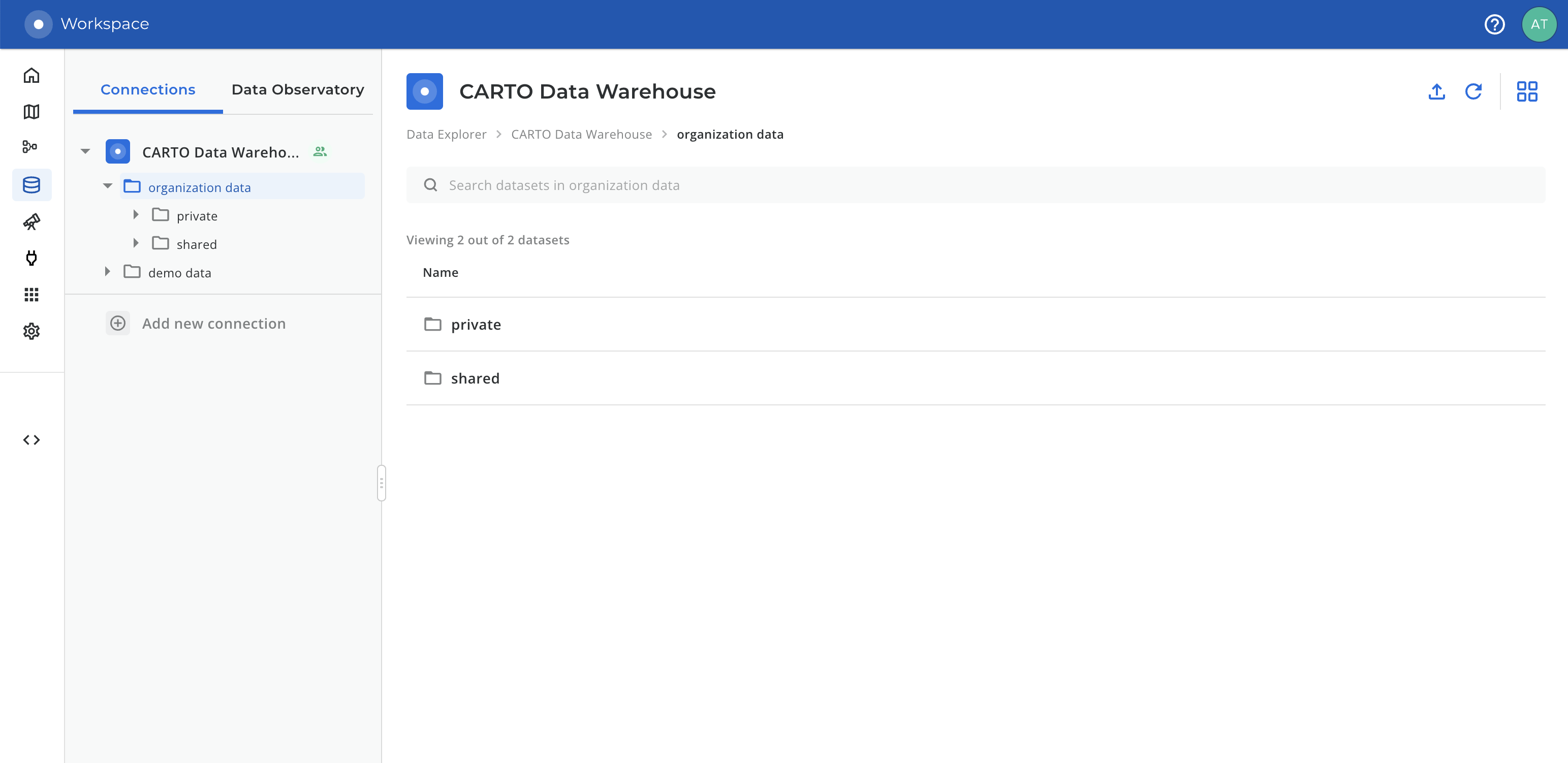
Starting with this release, users that explore their CARTO Data Warehouse connection in [Data Explorer](/carto-user-manual/data-explorer.md) will find two datasets (represented as folders) inside their organization data: **private** and **shared**.
The new dataset *"private"* is a unique dataset for each user, and all the tables and tilesets in this dataset will **only be available to that user**. Private datasets have a unique qualified name that identifies the user, extracted from their email.
The "*shared*" dataset will remain available to all the editor users in that organization. You can find all the documentation for this feature in the [CARTO Data Warehouse documentation](/carto-user-manual/connections/carto-data-warehouse.md#private-private).
{% endupdate %}
{% update date="2023-01-24" tags="improvement,builder-workspace" %}
## Search, list view and breadcrumbs when browsing your data in Builder and Workspace
An important step of most processes in CARTO is to browse and select data sources and data locations:
* A data source (eg: adding a [source in Builder](/carto-user-manual/maps/data-sources.md), using a [SQL Analysis](broken://pages/sWKFdHIhTix6GB8GTYY1)...)
* A future location to save results (eg: [creating a tileset](https://github.com/CartoDB/gitbook-documentation/blob/master/whats-new/broken-reference/README.md), [importing data](/carto-user-manual/data-explorer/importing-data.md), [running an enrichment](https://github.com/CartoDB/gitbook-documentation/blob/master/whats-new/broken-reference/README.md)...)
We have improved the user experience for these cases by **adding a search bar** that works at every level of your data, **adding a new view: the list view,** and adding **breadcrumbs** to help you navigate your data. The list view is similar to the one used in [Data Explorer](/carto-user-manual/data-explorer.md) (including the search bar and breadcrumbs) and will now make the experience more consistent across the CARTO platform. If you would rather focus on the hierarchy of your data, the tree view is still available on the top right.
This is especially beneficial if you have a large number of projects/databases, schemas/datasets, or tables and tilesets: where previously you would need to scroll indefinitely, now you can perform a quick search.
{% embed url="" %}
{% endupdate %}
{% update date="2023-01-23" tags="new,builder" %}
## Dynamic aggregation of point layers into Quadbin grids
With this new feature, point layers can be [transformed dynamically into an aggregated grid](https://docs.carto.com/carto-user-manual/maps/layer/layer-styles#dynamic-aggregation-of-points-into-quadbin-grids) leveraging our Quadbin spatial index.
This produces a very significant increment in performance, but also allows aggregating data from the original features to make sure that all data is taken into consideration.
Some highlights:
* Available for all point tile layers from all data warehouses
* Implemented with pure SQL in our Maps API, no external dependencies such as the Analytics Toolbox or third-party libraries.
* It allows aggregating properties from the original points and also the number of points per cell.
* Inherits all the advantages and features of the previously existing Spatial Index layers.
* The aggregation happens transparently so no need to manually type any SQL code to aggregate the points.
{% embed url="" %}
{% endupdate %}
{% update date="2023-01-18" tags="beta,workflows" %}
## CARTO Workflows in public beta with support for Google BigQuery and CARTO Data Warehouse
Today we are excited to announce that CARTO Workflows is now publicly available in beta with support for Google BigQuery and CARTO Data Warehouse. CARTO Workflows is a new tool that enables users of all types and skill levels to harness the power of cloud data warehouses, [spatial SQL](https://carto.com/spatial-sql/), and advanced spatial analytics.
CARTO Workflows provides a visual language to design and execute multi-step spatial analytics procedures, reducing the complexity and the high dependance on specialist knowledge to leverage the power of location intelligence. To learn more about this new development, please check our [product documentation](/carto-user-manual/workflows.md).
In the coming weeks we will add support to run CARTO Workflows on Snowflake, Redshift and PostgreSQL-based data warehouses, if you want to know more about that please contact us through our [Support team](/faqs/support-packages.md).
{% embed url="" %}
{% endupdate %}
{% update date="2023-01-18" tags="improvement,documentation" %}
## New documentation layout
Our documentation portal just got a new look and feel! This new layout should provide the following benefits:
* Cleaner look that uses more screen space if available
* A search bar to quickly find content
* All the documentation is organized and available on the left menu
* All pages now have an "*On this page*" index on the right sidebar \_\_ to quickly locate sections
Hopefully, you'll have a better experience using this documentation. If you have any feedback about it, contact us through our [Support team](/faqs/support-packages.md). We'll keep working on documentation improvements during the following weeks.
{% endupdate %}
{% update date="2023-01-13" tags="new,builder" %}
## Multiple editor users working on the same map
Collaborating on CARTO maps is finally possible, in asynchronous mode. This is helpful in setups such as production-ready maps, where the original owner might be out of the office; or in situations where the data, analysis, and cartography are each accomplished by different users. This is how it works:
1. The map owner first needs to **enable collaboration** for that map.
2. From that moment, all editors with access to the map will be able to edit it.
3. If two editors try to edit at the same time, the last one will be locked out, with the option of requesting to take over editing.
Happy collaboration!
{% embed url="" %}
{% endupdate %}
{% update date="2022-12-29" tags="new,builder" %}
## Builder SQL Analyses available for PostgreSQL connections
Customers relying on [PostgreSQL](https://www.postgresql.org/) and [PostGIS](https://postgis.net/) for their geospatial data will now be able to create and execute analyses directly from Builder.
These analyses are created as dynamically generated SQL queries that are pushed down to a PostgreSQL database through a [CARTO connection](https://docs.carto.com/carto-user-manual/connections/creating-a-connection/#connection-to-postgresql).
The result can be visualized, used as input for another step of the analysis, or persisted into a new table.
{% embed url="" %}
{% endupdate %}
{% update date="2022-12-27" tags="improvement,analytics-toolbox" %}
## Additional options to configure the creation of isolines in the Analytics Toolbox
In the last release of the Analytics Toolbox for [BigQuery](https://docs.carto.com/analytics-toolbox-bigquery/release-notes/), [Snowflake](https://docs.carto.com/analytics-toolbox-snowflake/release-notes/) and [Redshift](https://docs.carto.com/analytics-toolbox-redshift/release-notes/) we have added the possibility to configure more options as parameters when executing the functions to CREATE\_ISOLINES. These new options, which depend on the LDS service provider, allow the user to configure more transportation modes such as truck or bike, the possibility of specifying departure or arrival times allowing the creation of reverse isolines, and other options like different routing modes. Additionally, we have added new confidence/relevance metadata to the results of the geocoding function GEOCODE\_TABLE.
{% endupdate %}
{% update date="2022-12-27" tags="improvement,workspace" %}
## Importing geospatial files into PostgreSQL databases through CARTO Workspace
CARTO Workspace now supports [importing geospatial files](https://docs.carto.com/carto-user-manual/data-explorer/importing-data/) through a PostgreSQL connection leveraging [CARTO Import API](/carto-for-developers/reference/carto-api.md).
With this new functionality, CARTO users working with a PostgreSQL database will be able to get their geospatial data ready for advanced analysis and visualization in Builder and [CARTO for deck.gl](https://docs.carto.com/deck-gl/getting-started/).
{% endupdate %}
{% update date="2022-12-27" tags="beta,analytics-toolbox" %}
## New function to identify similar locations, such as merchants or stores, based on the characteristics of their trade areas in the Analytics Toolbox for BigQuery
We have released within the [cpg module](https://docs.carto.com/whats-new/analytics-toolbox-bigquery/sql-reference/cpg/) of the [Analytics Toolbox for BigQuery](https://docs.carto.com/analytics-toolbox-bigquery/overview/getting-started/) a new function named [FIND\_SIMILAR\_LOCATIONS](https://docs.carto.com/analytics-toolbox-bigquery/sql-reference/cpg/#find_similar_locations) that allows users to identify which locations (e.g. merchants, stores) are more similar to a chosen location (e.g. top performant) based on the characteristics of their surrounding areas (or trade areas), which can be configured to be based on demographic features, environmental, nearby points of interest, footfall, etc. In [this example](https://docs.carto.com/analytics-toolbox-bigquery/examples/similar-locations-iowa/) we illustrate how to use this new analysis function to solve the aforementioned use-case.
{% endupdate %}
{% update date="2022-12-05" tags="improvement,workspace" %}
## Improvements for Google BigQuery connections: re-connect and billing project
We’ve improved some scenarios for users who created a [Google BigQuery connection](https://docs.carto.com/whats-new/carto-user-manual/connections/creating-a-connection/#connection-to-bigquery):
* Now CARTO should behave smoothly when your credentials *(Service Account or OAuth)* have access to **more than 2000 projects**. You should be able to select any of them as your billing project, and the Data Explorer will also let you explore all of them in a quick search.
* Now it’s possible to **repair Google OAuth connections**. Before, if you connected using “Sign in with Google” (often referred as OAuth), this connection could break after this authorization is revoked. This could happen automatically after changing your password, for example. Using the new re-connect flow will authorize CARTO again in the same connection, so all your maps will continue working as usual.
{% endupdate %}
{% update date="2022-11-29" tags="beta,analytics-toolbox" %}
## Assisted process to install the Analytics Toolbox for Snowflake from the CARTO Workspace
Today we are making available the option for Admin users to install the Analytics Toolbox in their Snowflake accounts with a simplified process assisted by the CARTO UI.
From the Settings section of the CARTO Workspace users can now install, update and uninstall the [Analytics Toolbox for Snowflake](https://docs.carto.com/analytics-toolbox-snowflake/overview/getting-started/) without external support. All details for setting up your Snowflake resources and to carry out the installation process can be found in [our documentation](http://docs.carto.com/analytics-toolbox-snowflake/overview/getting-access/#assisted-installation-from-the-carto-workspace).
{% embed url="" %}
{% endupdate %}
{% update date="2022-11-18" tags="new,developer-tools" %}
## Announcing CARTO for React 1.4.7
A new version of [CARTO for React](https://docs.carto.com/react/overview/) has been released with the following main highlights:
* Support for parameterized queries. Now, a user can define queries that allow for external parameters to be injected into the query and create more powerful dynamic queries without having to modify the SQL; this, will result in filtering being applied from the backend side to the sources and will be reflected in layers and widgets. For more information, a guide has been included in our documentation and can be accessed [here](https://docs.carto.com/react/guides/query-parameters/).
* Several bug fixes.
{% endupdate %}
{% update date="2022-11-15" tags="new,applications" %}
## Batch simulation of locations in Site Selection application
Batch simulation of candidate locations is now possible in the Site Selection application. Instead of simulating locations one by one, users can now use a CSV template to upload in bulk the location details of their candidates. They can subsequently edit and remove their locations in the application as they see fit before running a batch simulation.
This feature enables users to process in bulk lists of candidate locations often provided by separate research teams, rather than one by one.
{% embed url="" %}
{% endupdate %}
{% update date="2022-11-15" tags="new,applications" %}
## Feature importance widget for revenue predictions in Site Selection application
Users can now explore the impact of the revenue prediction model features directly through the Site Selection application.
For each simulated location and associated predicted revenue, the widget showcases the magnitude of the impact of the features included in the model (i.e. population, mobility, POIs, etc.), as well as whether they contribute to predictions positively or negatively.
{% embed url="" %}
{% endupdate %}
{% update date="2022-11-15" tags="new,builder" %}
## Logarithmic scales in Builder
Logarithmic scales are now available as a data classification option in Builder.
While they’re available for all kind of sources, a logarithmic scales based on powers of `10` will be the default option for [aggregated data sources](https://docs.carto.com/carto-user-manual/maps/data-sources/#aggregated-grids).
This new addition will make it easier to create better cartography when working with spatial indexes, as well as a handy additional method of classification for other types of maps.
{% endupdate %}
{% update date="2022-11-07" tags="improvement,workspace" %}
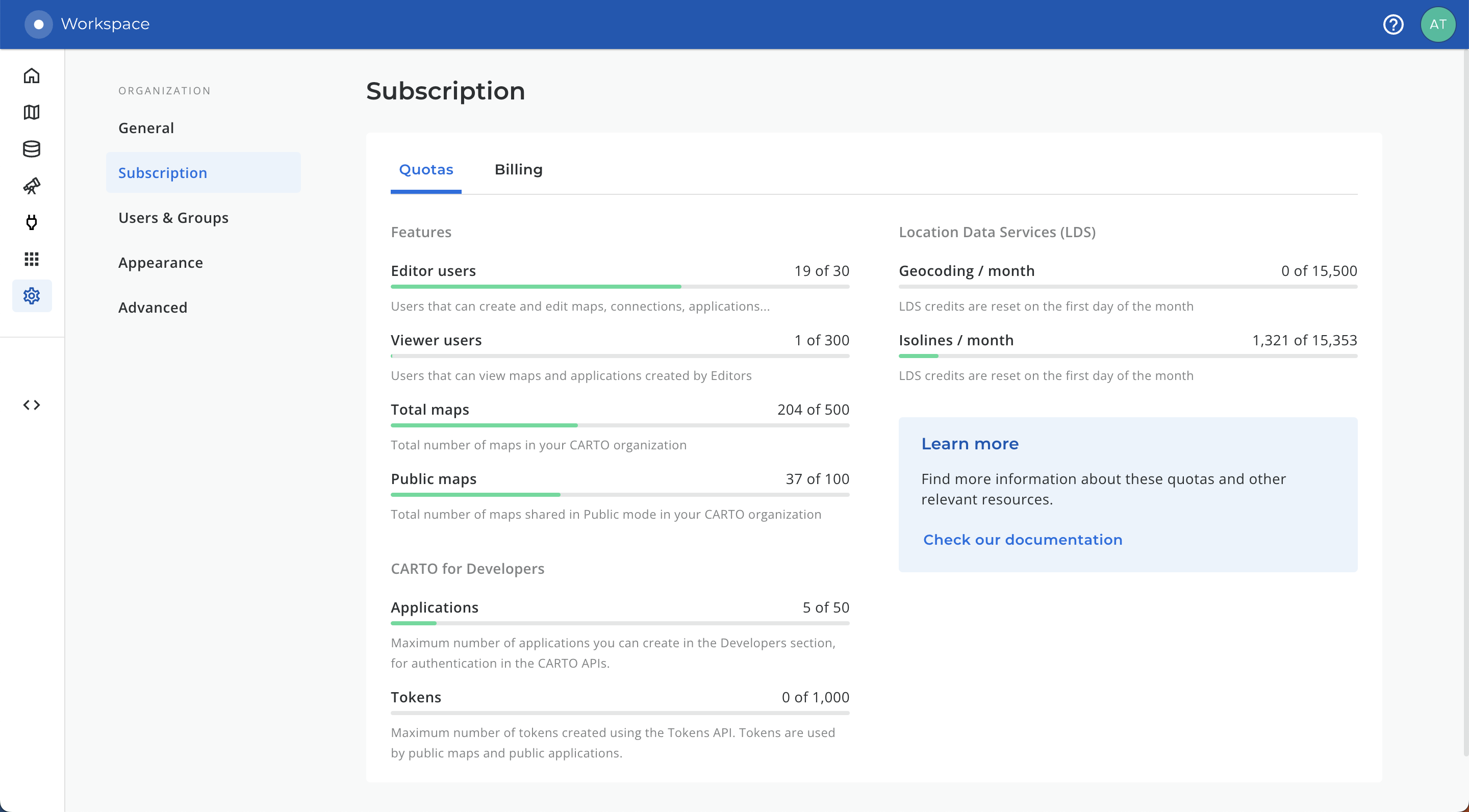
## Geocoding, Isolines and Tokens quotas now available for tracking in Workspace
Following the release of [geocoding and isolines for Google BigQuery](https://docs.carto.com/whats-new/geocoding-and-isolines-in-google-bigquery/), and the [new layout for the Settings](https://docs.carto.com/whats-new/new-layout-in-settings-section/), we’re adding new trackers for quotas in Workspace so users can understand and predict their consumption.
1. We added a new **“CARTO for Developers”** section, including:
* Existing quota: *Applications*, for applications created using Workspace
* A new quota: *Tokens*, for tokens generated using the Tokens API
2. We also added a new **“Location Data Services”** section, including tracking for **Geocoding** and **Isolines** operations. These quotas are reset every month, and each unit represents a row processed.
3. Finally, the “Connections” quota was removed, and will be gradually removed so users can create as many connections as needed without any warnings.
{% endupdate %}
{% update date="2022-11-07" tags="new,builder" %}
## Resolution selector and aggregation methods for categorical data in spatial index layers
Users working with Spatial Indexes data (Quadbin or H3) in Builder have a couple of new additions that will help them create better and more insightful visualizations:
* The possibility of adjusting the aggregation resolution for a finer control over the aggregation.
* Aggregation operations for categories: `MODE` to get the most frequent category in the aggregated cells; `ANY VALUE` to get *any* of the aggregated categories.
{% embed url="" %}
{% endupdate %}
{% update date="2022-10-27" tags="new,analytics-toolbox" %}
## Visualize very large datasets based on H3 thanks to our support for spatial index tilesets in Databricks
Starting today, our Databricks users have the possibility to generate [spatial index tilesets based on H3](https://docs.carto.com/analytics-toolbox-databricks/reference/tiler/#create_spatial_index_tileset) natively in Databricks.
The tiler is a module of our advanced Analytics Toolbox for Databricks that allows to process and visualize very large spatial datasets stored in Databricks. If you are interested in it, please contact with to receive more information about it.
{% embed url="" %}
{% endupdate %}
{% update date="2022-10-25" tags="new,analytics-toolbox" %}
## Data Enrichment functions in the Analytics Toolbox for AWS Redshift
Users can now enrich their data tables in Amazon Redshift with features from both their Data Observatory subscriptions and from their other 1st party data tables.
Procedures for Data Enrichment are now included in the Data module of the Analytics Toolbox for Redshift, specific for working with point data, polygons or spatial indexes. Please check out our [documentation](https://docs.carto.com/analytics-toolbox-redshift/sql-reference/data/#data) to find all the details and examples.
{% embed url="" %}
{% endupdate %}
{% update date="2022-10-18" tags="improvement,workspace" %}
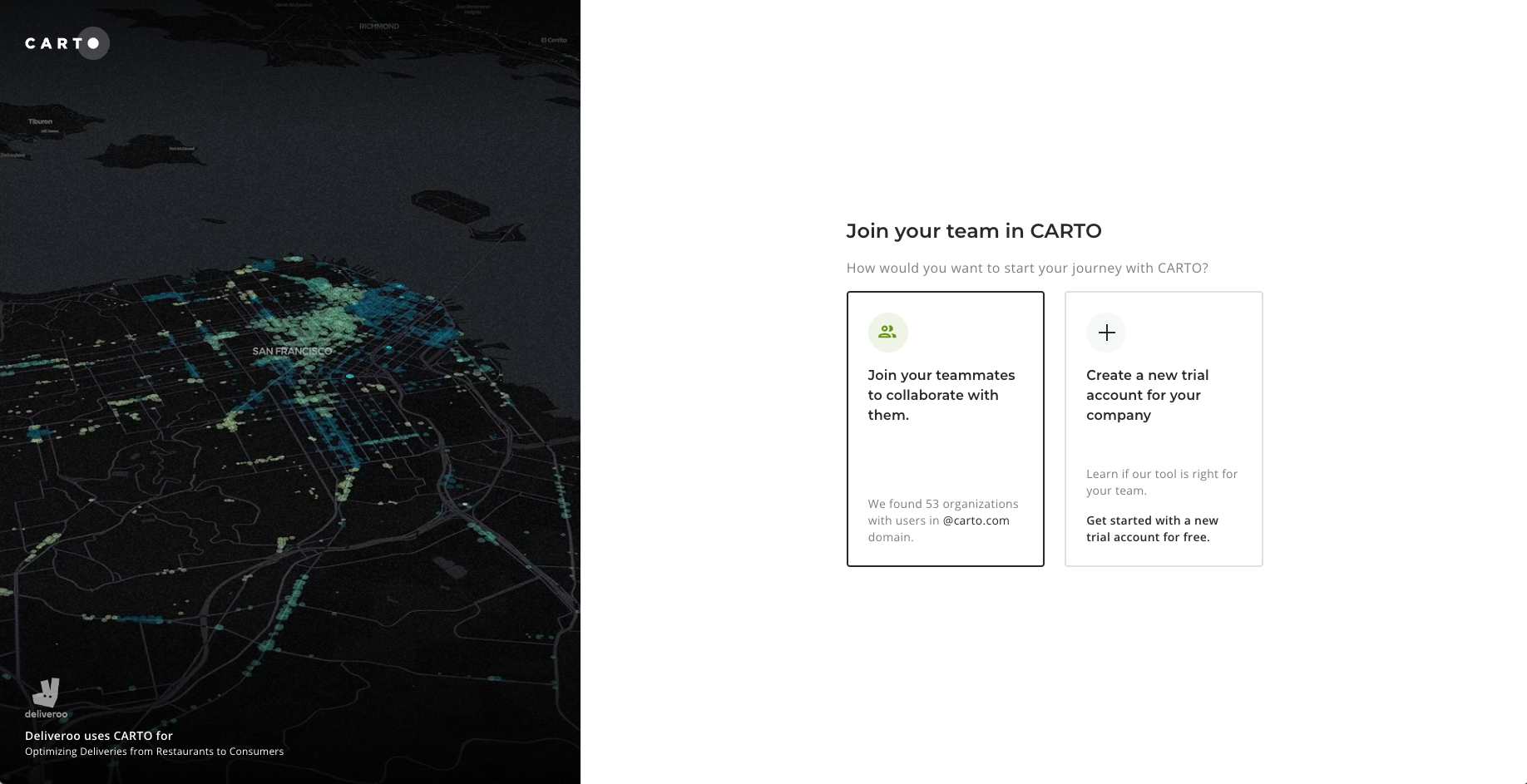
## Improvements and new design in login and signup
Continuing our efforts to improve our sign up and login processes, we’re now launching a new experience. Users should be able to join CARTO in a more smooth way with these new additions:
* A screen now will offer users the chance to create a new organization or join an existing one if there are users from the same domain.
* The list of organizations to join now has details about the users, the plan and a search bar to find the desired organization.
* When you [request to join](https://docs.carto.com/carto-user-manual/overview/getting-started/#joining-an-existing-organization) an organization you can now cancel that request (if it was undesired or the admin is unresponsive).
* When following an invitation the signup form will now be already pre-filled.
* The process to join an organization is now simpler with less steps.
* Multiple bug fixes and minor improvements.
{% endupdate %}
{% update date="2022-10-18" tags="beta,analytics-toolbox" %}
## Leverage CARTO’s Analytics Toolbox and visualize data natively from your data warehouse without leaving your Python notebook
CARTO now provides a set of [Python packages](http://docs.carto.com/carto-python/overview/) to allow data scientists to work with our platform from within Python notebooks. These packages allow users to work with geospatial data in a fully cloud native way without having to leave their Python environment, and taking advantage of all the potential that [Analytics Toolbox](https://docs.carto.com/analytics-toolbox/about-the-analytics-toolbox/) provides to execute advanced spatial analytics in [Spatial SQL](https://carto.com/spatial-sql/) natively within the leading cloud data warehouse platforms.
{% embed url="" %}
{% endupdate %}
{% update date="2022-10-18" tags="private-beta,builder" %}
## Multiple editor users working on the same map
{% hint style="info" %}
**Update January 13th, 2023:** this feature is now in General Availability and it's available to all CARTO cloud users. [Read all details here](/whats-new.md#multiple-editor-users-working-on-the-same-map).
{% endhint %}
Collaborating on CARTO maps is finally possible, in asynchronous mode. This is helpful in setups such as production-ready maps, where the original owner might be out of the office; or in situations where the data, analysis, and cartography are each accomplished by different users.
{% endupdate %}
{% update date="2022-10-13" tags="new,workspace" %}
## Spatial Index and Point Aggregation tilesets available from Data Explorer
Starting today, it is available to all users the possibility of generating both Spatial Index and Point Aggregation tilesets on their own data tables directly from the Data Explorer UI. This feature complements the [existing workflow](https://docs.carto.com/carto-user-manual/data-explorer/creating-a-tileset-from-your-data/), with the possibility of generating tilesets of large datasets based on spatial index (H3 and quadbin) and points, by defining aggregations on the interested features. The platform detects automatically if the table is based on spatial indexes or points and provides the new options in the “Create Tileset” wizard.
{% embed url="" %}
{% endupdate %}
{% update date="2022-10-11" tags="new,builder" %}
## New filter to select date ranges in your temporal data when creating maps in Builder
We have just added a new exciting component to Builder. The new [**Date Filter**](/carto-user-manual/maps/sql-parameters.md) allows you to reduce the size of a data source by selecting a specific time range from a date or timestamp column in your data.
It is available for dynamically tiled data sources, which basically means tables bigger than 30MB and Custom SQL queries. Find more information about data source sizes [here](https://docs.carto.com/carto-user-manual/maps/performance-considerations).
When dealing with temporal series it is very common to find overlapping points, repeated geometries or spatial indexes… which make the analysis and visualization of the data cumbersome and difficult to visualize. This new component lets the user select a specific time range to filter their data, making all these problems easier to work around.
This new filter actually pushes down a SQL filter, which reduces the amount of data processed and transferred, while the [Time-Series widget](/carto-user-manual/maps/widgets/time-series-widget.md) allows filtering the data when it has already been loaded in the browser. They can play very well together, using the filter to pre-select a time range to work with, and the Time-Series widget for finer client-side filtering, visualizing the series, animations, etc
As an Editor, you can decide whether or not to include the Date selector in the public map. This allows deeper data exploration for viewer and public users.
{% embed url="" %}
{% endupdate %}
{% update date="2022-10-06" tags="beta,analytics-toolbox" %}
## New analytical functions to run Customer Segmentation use-cases for the CPG industry
We have released in beta a new domain-specific module in the [Analytics Toolbox for BigQuery](https://docs.carto.com/analytics-toolbox-bigquery/overview/getting-started/) to solve advanced geospatial analysis for the CPG / FMCG sector, starting with [customer segmentation](https://docs.carto.com/analytics-toolbox-bigquery/sql-reference/cpg/). We now offer a set of procedures that allow users in that industry to solve this use-case end-to-end, from the generation of trade areas to running multiple segmentation scenarios of merchants based on a customisable set of spatial features. In this [recent blogpost](https://carto.com/blog/trade-area-analysis-cpg-merchants/) we showcase how to use these analytical routines with a specific example.
{% endupdate %}
{% update date="2022-09-19" tags="new,builder" %}
## Custom Markers in Builder
Now users can include [custom icons as marker](/carto-user-manual/maps/layers/point.md)[s](/carto-user-manual/maps/layers/point.md) for point data in Builder maps.This feature includes two differents ways of selecting an icon:
* Using one from our preset collection; based on the well-known Maki icon library, which is designed for cartography purposes;
* Uploading a custom icon in .png or .svg formats.
Different markers can also be defined by the values of a categorical column, and can even be rotated based on a numeric value; which enables different use-cases such as rotating an arrow based on azimuth for telecommunication antennas or the wind direction in weather maps.
{% embed url="" %}
{% endupdate %}
{% update date="2022-09-16" tags="improvement,apis" %}
## Caching performance improvements
We have released a few changes in how we cache API requests in the CDN that will produce a significant improvement in the overall performance of the platform; specifically applying to Builder maps and applications developed using our APIs. Learn more about such changes in our documentation for developers in the [CARTO API Reference](/carto-for-developers/reference/carto-api.md); each end-point in Maps API and SQL API now contains a reference about our caching strategies.
In Builder, users have new a couple of new features:
* “Refresh data source”: to make sure users get non-cached versions of the data. Note that with this option your map will be skipping the CDN and getting the data each time from your data warehouse.
* “Refresh data source every X”: to allow the user to control the update frequency of the data displayed on public maps.
{% endupdate %}
{% update date="2022-09-15" tags="improvement,workspace" %}
## New layout in Settings section
We have improved the layout in the Settings section in the CARTO Workspace; providing a better way to organize different areas by topic and providing a smoother interface for explaining the different Settings options for your CARTO account.
{% endupdate %}
{% update date="2022-09-13" tags="improvement,apis" %}
## Performance improvements in Dynamic Tiling
A couple important fixes have been implemented to our [Dynamic Tiling](https://docs.carto.com/carto-user-manual/maps/performance-considerations/#medium-size-datasets-and-sql-queries) strategies. Dynamic Tiling is the technology CARTO has developed to dynamically generate tiles for medium sized dataset and layers loaded as SQL Queries from your cloud data warehouse.
* When working with points, many times widgets were not showing data due to our “visual aggregation” strategy when points were very close to each other. We have now removed this type of aggregation, and we are only applying a limit of 200k points per tile to prevent performance issues. If now you encounter widgets not showing data, you just need to zoom in to reduce the number of points per tile.
* With our previous strategy some polygons or lines that were falling in the intersection of multiple tiles were splitted for visualization purposes, which was making the same data point count multiple times in widgets. We have solved this problem by asking the user to identify a unique id property for the data source at the time of creating widgets.
{% endupdate %}
{% update date="2022-09-07" tags="improvement,workspace" %}
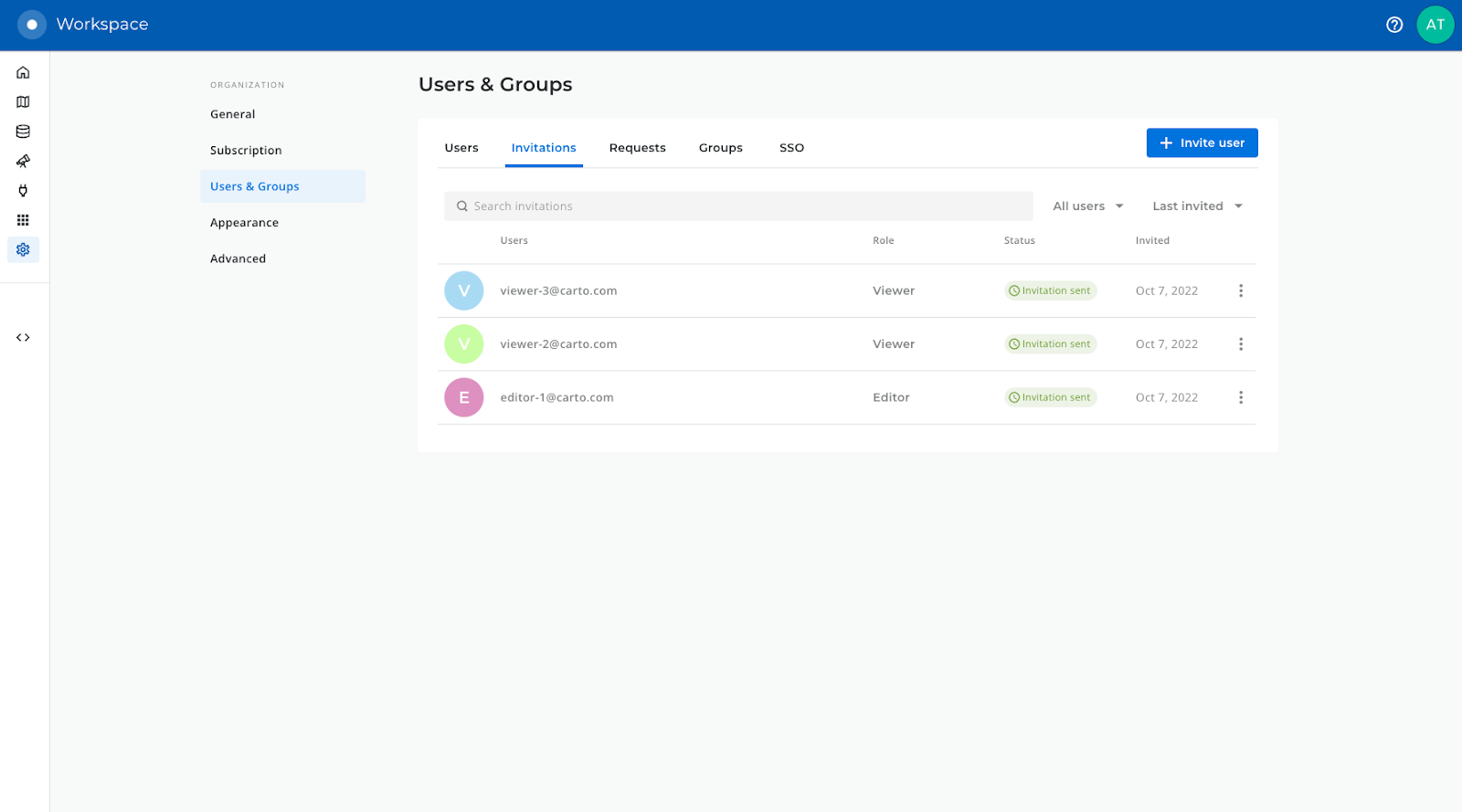
## Improvements in invitation & request management for Admin users
As part of an active taskforce to improve our sign up and login processes, we have now released an improved interface for Admin users to [manage invitations](https://docs.carto.com/carto-user-manual/settings/inviting-users-to-your-organization/) to join the CARTO organization and to manage user requests to join it.
{% endupdate %}
{% update date="2022-08-26" tags="new,analytics-toolbox,builder,workspace" %}
## Geocoding and isolines in Google BigQuery
We are very excited to announce that users of Google BigQuery can now geocode their tables with address data and create trade areas around locations based on drive/walk time isolines natively from their data warehouse. These procedures call external location data service providers such as TomTom, HERE and Mapbox. Please check the [SQL Reference](https://docs.carto.com/analytics-toolbox-bigquery/sql-reference/lds/) of our [Analytics Toolbox for BigQuery](https://docs.carto.com/analytics-toolbox-bigquery/overview/getting-started/) for more details, and also refer to our examples on how to [geocode your data](https://docs.carto.com/analytics-toolbox-bigquery/examples/geocoding-your-address-data/) and [create isolines](https://docs.carto.com/analytics-toolbox-bigquery/examples/trade-areas-based-on-isolines/).
Note that these functionalities are also enabled from the Data Explorer and Builder tools.
{% embed url="" %}
{% endupdate %}
{% update date="2022-08-26" tags="new,analytics-toolbox" %}
## Geostatistics functions in the Analytics Toolbox for AWS Redshift
Users of AWS Redshift can now access a new set of [geostatistics functions](https://docs.carto.com/analytics-toolbox-redshift/sql-reference/statistics/) to expand the spatial capabilities of their data warehouse with CARTO’s Analytics Toolbox. We have released [Getis-ord Gi\*](https://docs.carto.com/analytics-toolbox-redshift/sql-reference/statistics/#getis_ord_quadbin), [Moran’s I](https://docs.carto.com/analytics-toolbox-redshift/sql-reference/statistics/#morans_i_quadbin) and [p-value](https://docs.carto.com/analytics-toolbox-redshift/sql-reference/statistics/#p_value) methods that can run natively with your data hosted in Redshift. Learn more about these analytical functions in our [product documentation](https://docs.carto.com/analytics-toolbox-redshift/sql-reference/statistics/).
{% endupdate %}
{% update date="2022-08-05" tags="new,builder" %}
## New Range widget in Builder
From today, users of Builder can add a new type of widgets to their interactive maps. The [Range widget](/carto-user-manual/maps/widgets/range-widget.md) allows you to filter data based on precise numeric ranges.
{% embed url="" %}
{% endupdate %}
{% update date="2022-08-04" tags="new,analytics-toolbox" %}
## Cannibalization Analysis available in the Retail module of the Analytics Toolbox for BigQuery
Retailers working with Google BigQuery and CARTO can now analyze the potential cannibalization cased by a set of new stores into their existing networks, based on the overlap of the different trade areas in terms of geographic area but also in terms of any other spatial feature that the user wants to use in the analysis (e.g. population, number of households). Check out [our documentation](https://docs.carto.com/analytics-toolbox-bigquery/sql-reference/retail/#cannibalization_overlap) and [this example](https://docs.carto.com/analytics-toolbox-bigquery/examples/store-cannibalization/) to learn more about how to run this analysis with our [Analytics Toolbox for BigQuery](https://docs.carto.com/analytics-toolbox-bigquery/overview/getting-started/).
{% endupdate %}
{% update date="2022-07-28" tags="improvement,builder" %}
## Renaming of data sources in Builder
Users can now rename the [data sources](https://docs.carto.com/carto-user-manual/maps/data-sources/#data-sources) added to a Builder map; although seemingly a small product addition, this new feature brings a big improvement in terms of user experience for our users.
{% embed url="" %}
{% endupdate %}
{% update date="2022-07-15" tags="improvement,workspace" %}
## New Data Explorer UI
We have introduced a new design in the [Data Explorer](https://docs.carto.com/carto-user-manual/data-explorer/introduction/) that brings a good amount of improvements for our users: it allows to search and sort data objects within connections, provides pagination and infinite scrolling for connections with access to thousands of tables, facilitates access to Data Observatory subscriptions, includes shortcuts for creating new connections and importing data, etc.
{% endupdate %}
{% update date="2022-07-15" tags="new,analytics-toolbox" %}
## Spatial Index tilesets for Postgresql
Postgresql users can now generate tilesets based on spatial index data (i.e. H3, Quadbin) natively in their databases. This [new functionality](https://docs.carto.com/analytics-toolbox-postgres/sql-reference/tiler/#create_spatial_index_tileset) from our [Analytics Toolbox for Postgresql](https://docs.carto.com/analytics-toolbox-postgres/overview/getting-started/) enables our users to build high performance data visualizations from very large datasets. Check out [this example](https://docs.carto.com/analytics-toolbox-postgres/examples/creating-spatial-index-tilesets/) to learn more about how to use this feature.
{% endupdate %}
{% update date="2022-07-12" tags="new,developer-tools" %}
## CARTO for React 1.3
We are excited to announce a new release of our CARTO for React library, packed with awesome new features to extend the CARTO platform and provide more capabilities for building custom solutions:
* We have added support for [spatial indexes](https://docs.carto.com/react/guides/data-sources#spatial-indexes), so now you can visualize layers and add widgets when you are working with datasets using H3 and Quadbin indexes, in addition to traditional geometries. This is specially useful when you are dealing with large datasets.
* We have support now for dynamic tiling. By default the CartoLayer will work with [dynamic tiles](https://docs.carto.com/react/guides/upgrade-guide/) and the widgets have been updated to work with them.
* Widgets now have two different [modes](https://docs.carto.com/react/guides/widgets#modes-behavior): viewport and global.
* The [GeocoderWidget](https://docs.carto.com/react/library-reference/widgets#geocoderwidget) now is compatible with the new [LDS API](/carto-for-developers/reference/carto-api.md).
* We have a new [BarWidget](https://docs.carto.com/react/library-reference/widgets#barwidget) to display categorical/qualitative data using vertical bars.
{% endupdate %}
{% update date="2022-07-08" tags="new,workspace" %}
## Sharing maps and connections with groups
You can now synchronize the user groups coming from your Single Sign-On (SSO) directory (e.g. SAML, LDAP, etc.) with CARTO. Thanks to this new feature users can now share maps and connections with those inherited groups. You can access full details in our documentation on [sharing with groups](https://docs.carto.com/carto-user-manual/maps/publishing-and-sharing-maps/#sharing-with-certain-groups) and [group management](https://docs.carto.com/carto-user-manual/settings/managing-user-groups/).
{% endupdate %}
{% update date="2022-07-07" tags="new,builder" %}
## Custom Pop-ups in Builder maps
We have released a new feature for [pop-up windows](/carto-user-manual/maps/interactions.md) in Builder maps. Now users can customize their pop-ups using HTML and a templating system that allows accessing feature’s properties. This kind of flexibility allows users to add dynamic content to their maps, such as: Google Street View images, custom links based on data properties, images, logos, GIFs, etc. Check out this [blogpost](https://carto.com/blog/google-street-view-pop-ups-with-carto/) to see some examples of this feature in action.
{% embed url="" %}
{% endupdate %}
{% update date="2022-07-01" tags="new,developer-tools" %}
## CARTO for deck.gl 8.8
We are really happy to announce a new release of “CARTO for deck.gl” to allow developers to build even more awesome apps and map visualizations with the CARTO platform. This new release comes from:
* Support in the CartoLayer for datasets using spatial indexes such as H3 and Quadbin. You can now build visualizations with very large datasets without the need of geometry data at an incredible performance and reduced costs.
* You can now leverage our Dynamic Tiling system with SQL Queries, providing great scaling capabilities to your maps.
* deck.gl code base is now migrated to TypeScript. This improves the robustness and maintainability of TypeScript apps using deck.gl as well as the deck.gl codebase itself.
{% embed url="" %}
{% endupdate %}
{% endupdates %}
---
# Agent Instructions
This documentation is published with GitBook. GitBook is the documentation platform designed so that both humans and AI agents can read, navigate, and reason over technical content effectively. Learn more at gitbook.com.
## Querying This Documentation
If you need additional information that is not directly available in this page, you can query the documentation by asking a question.
Perform an HTTP GET request on the following URL with the `ask` and `goal` query parameters:
```
GET https://docs.carto.com/whats-new/older-entries.md?ask=&goal=
```
`ask` is the immediate question: it should be specific, self-contained, and written in natural language.
`goal` is what the user is ultimately trying to achieve, the reason they need the answer. Sharing it helps GitBook give you a better, more relevant answer. A goal is most helpful when it describes the outcome the user wants rather than restating the question. For example, with `ask=how do I create an API token`, a goal like `automate deployments from our CI pipeline` lets GitBook tailor the answer to that use case.
The response will contain a direct answer to the question and relevant excerpts and sources from the documentation.
Use this mechanism when the answer is not explicitly present in the current page, you need clarification or additional context, or you want to retrieve related documentation sections.
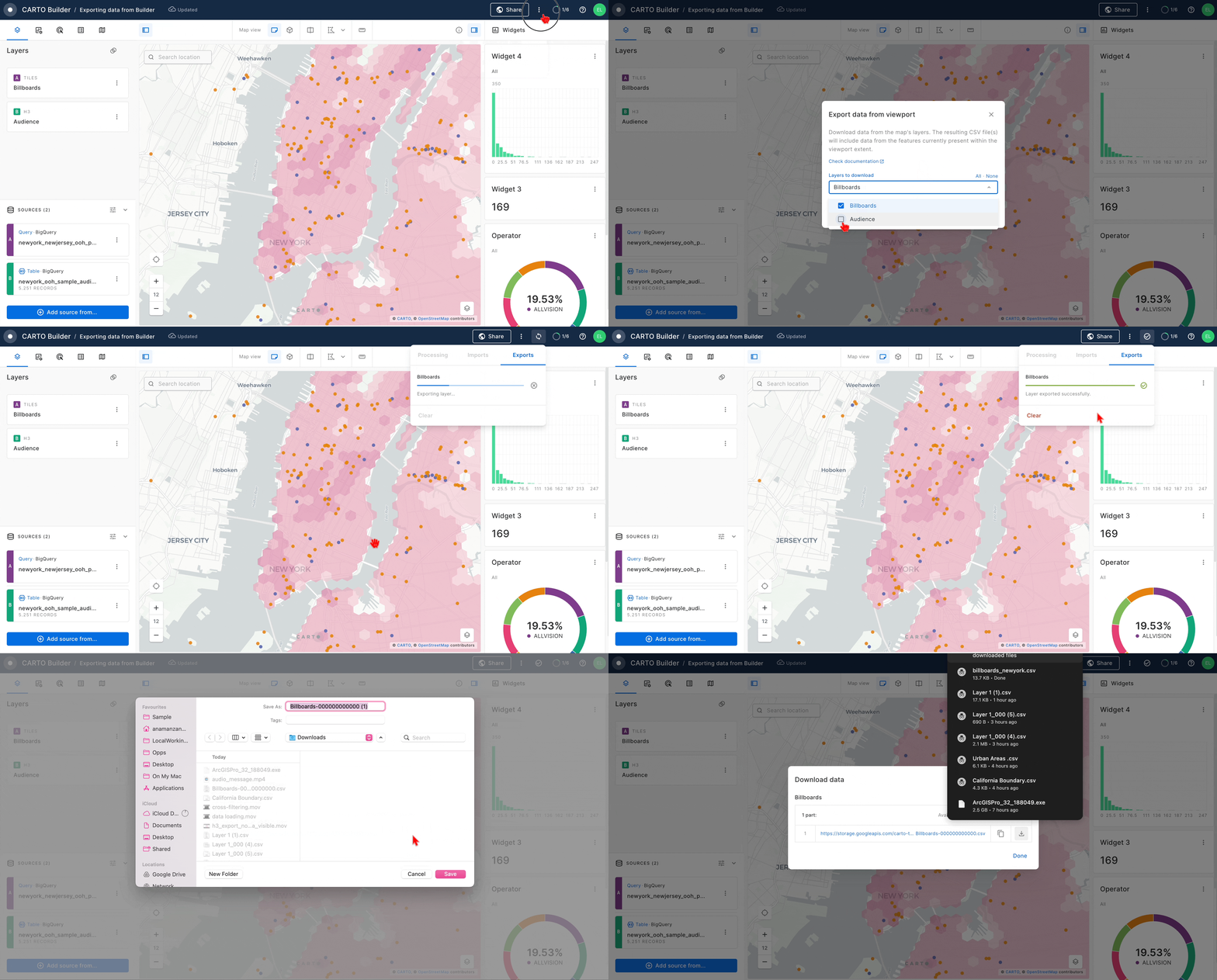
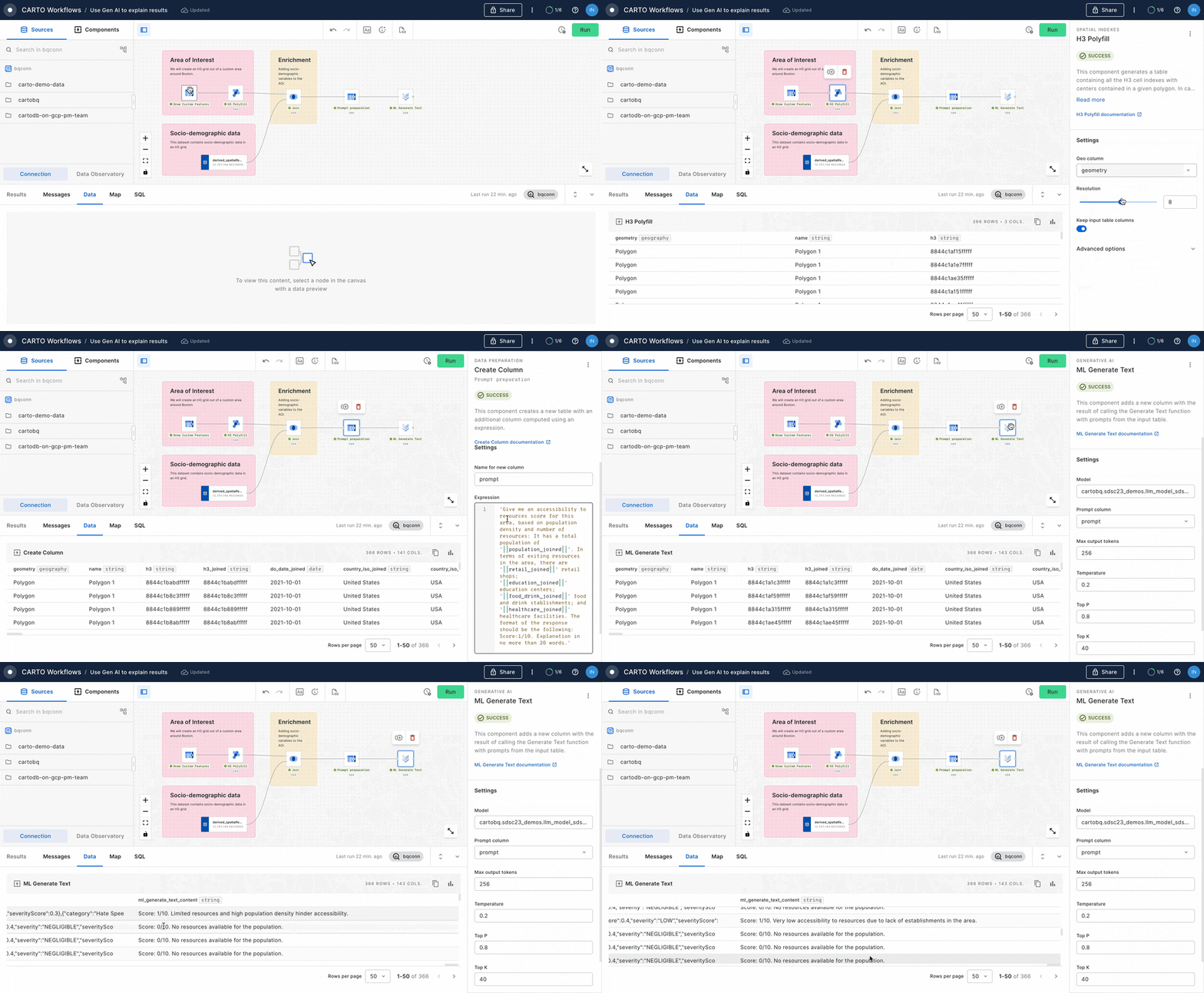
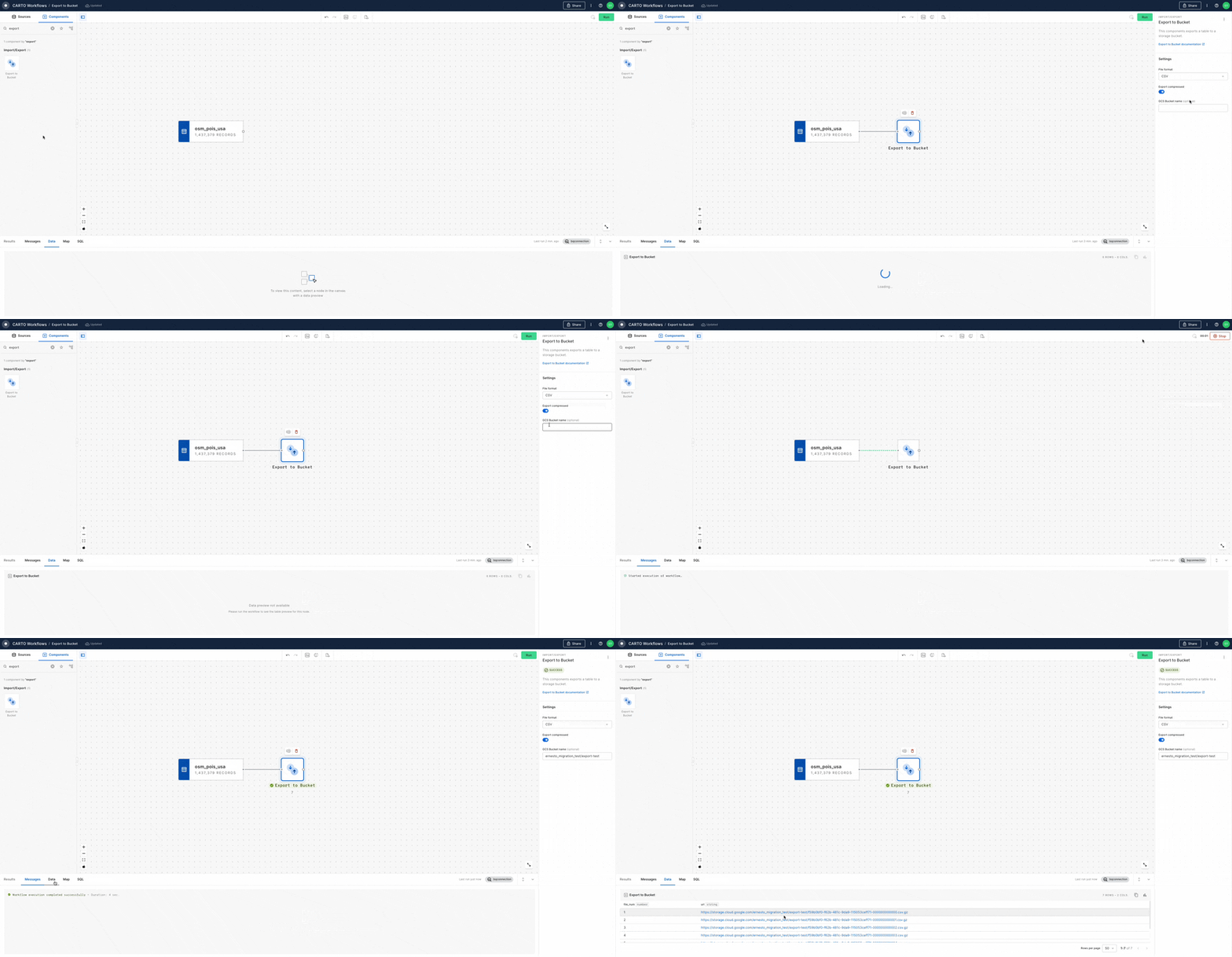
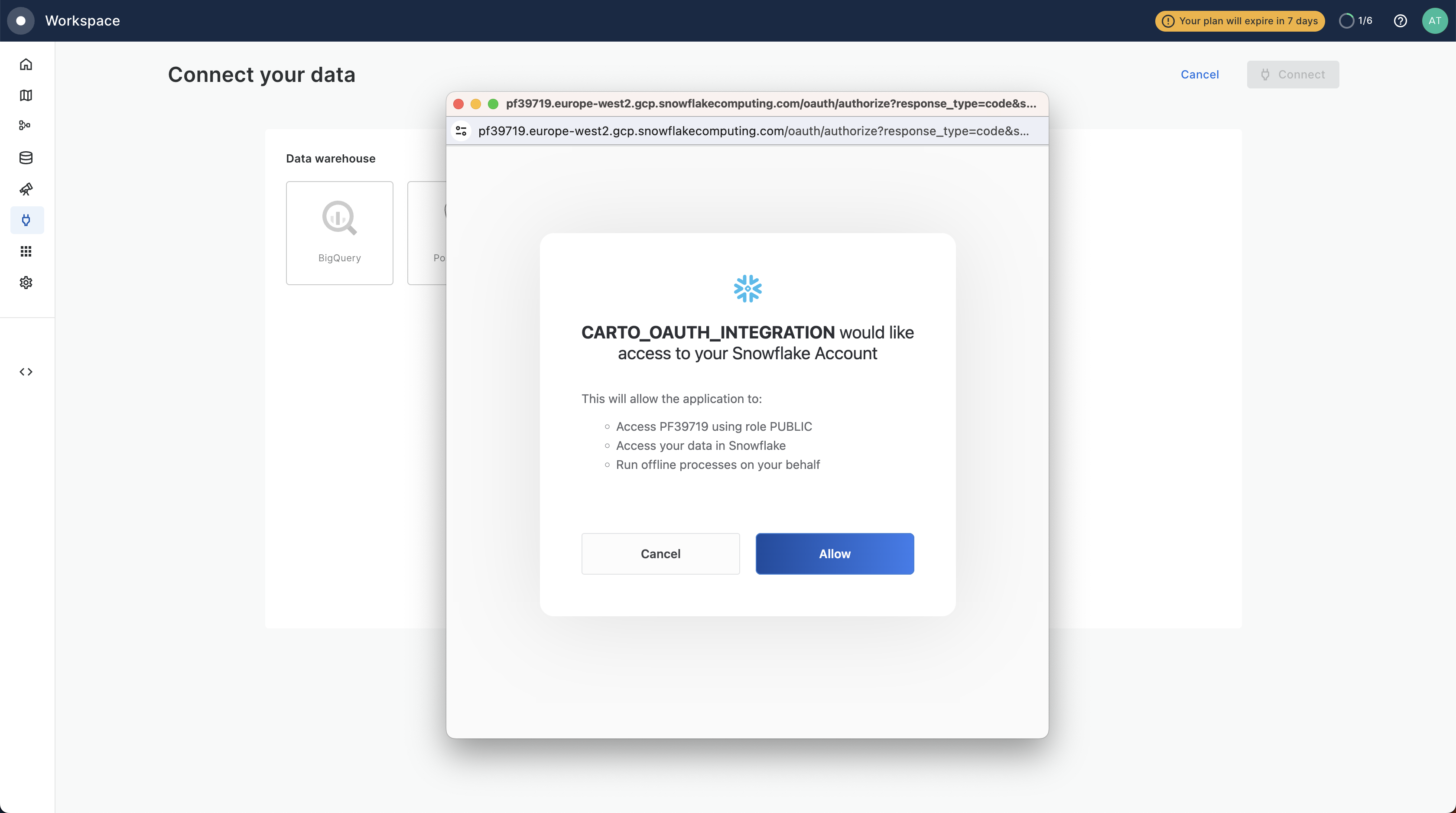
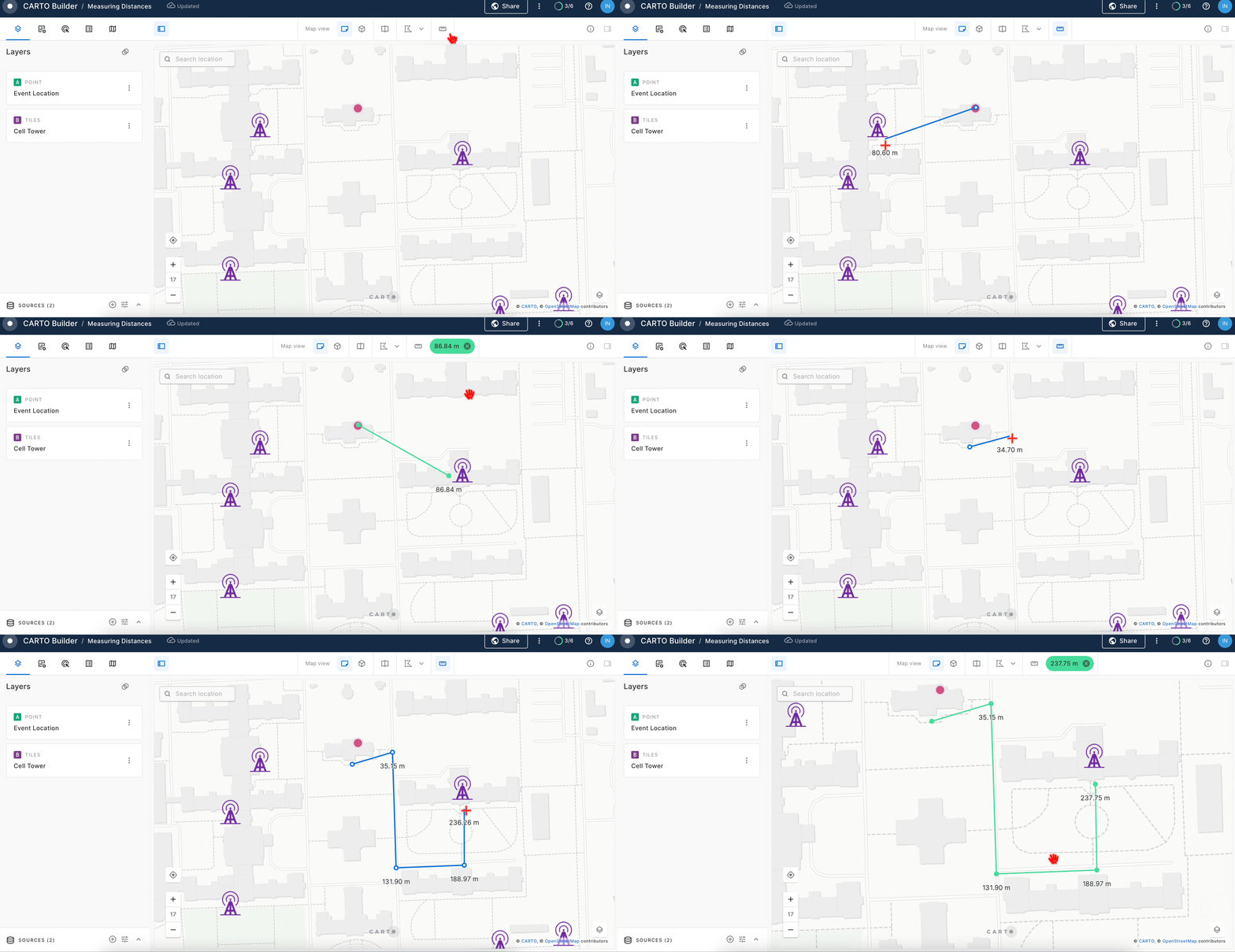
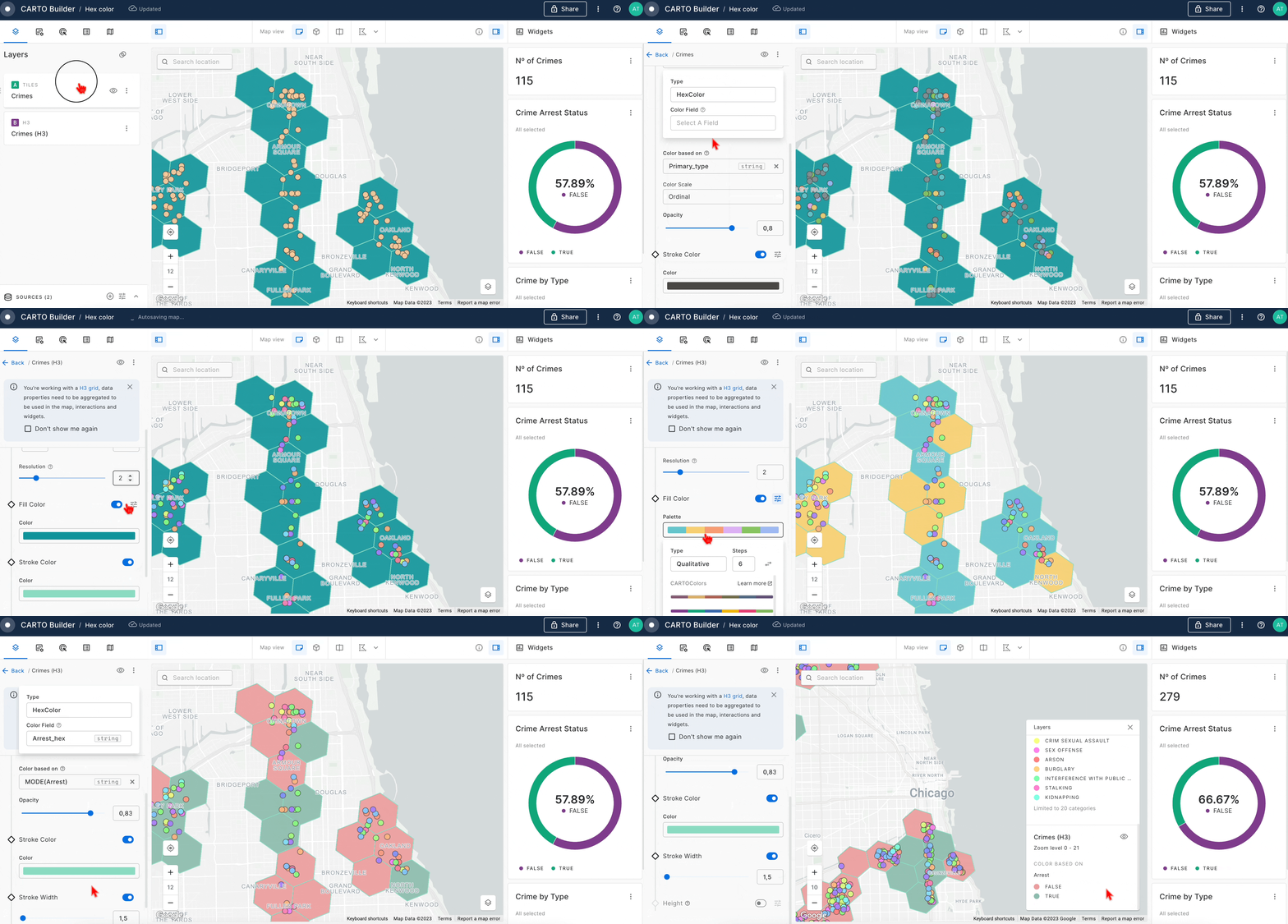
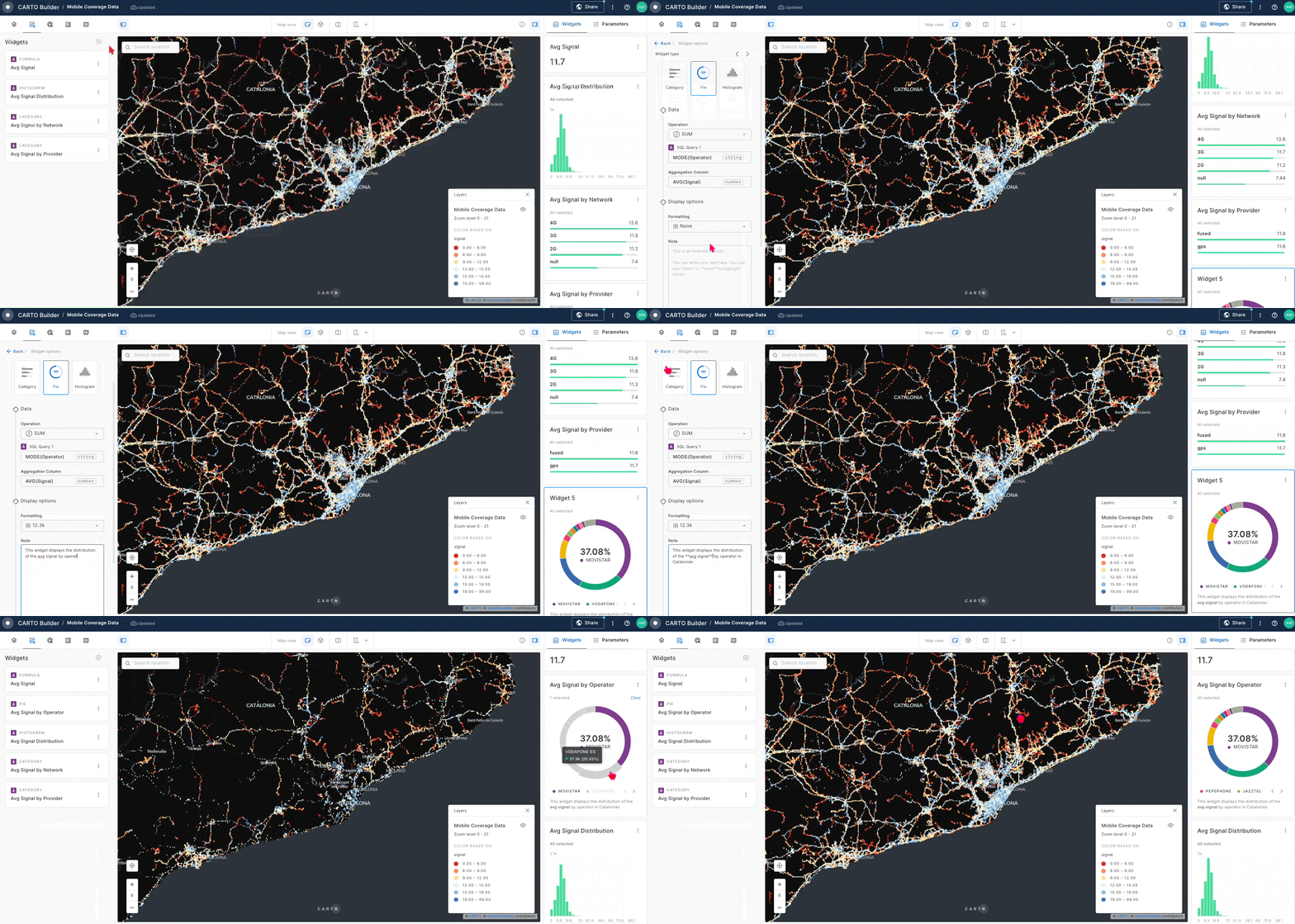
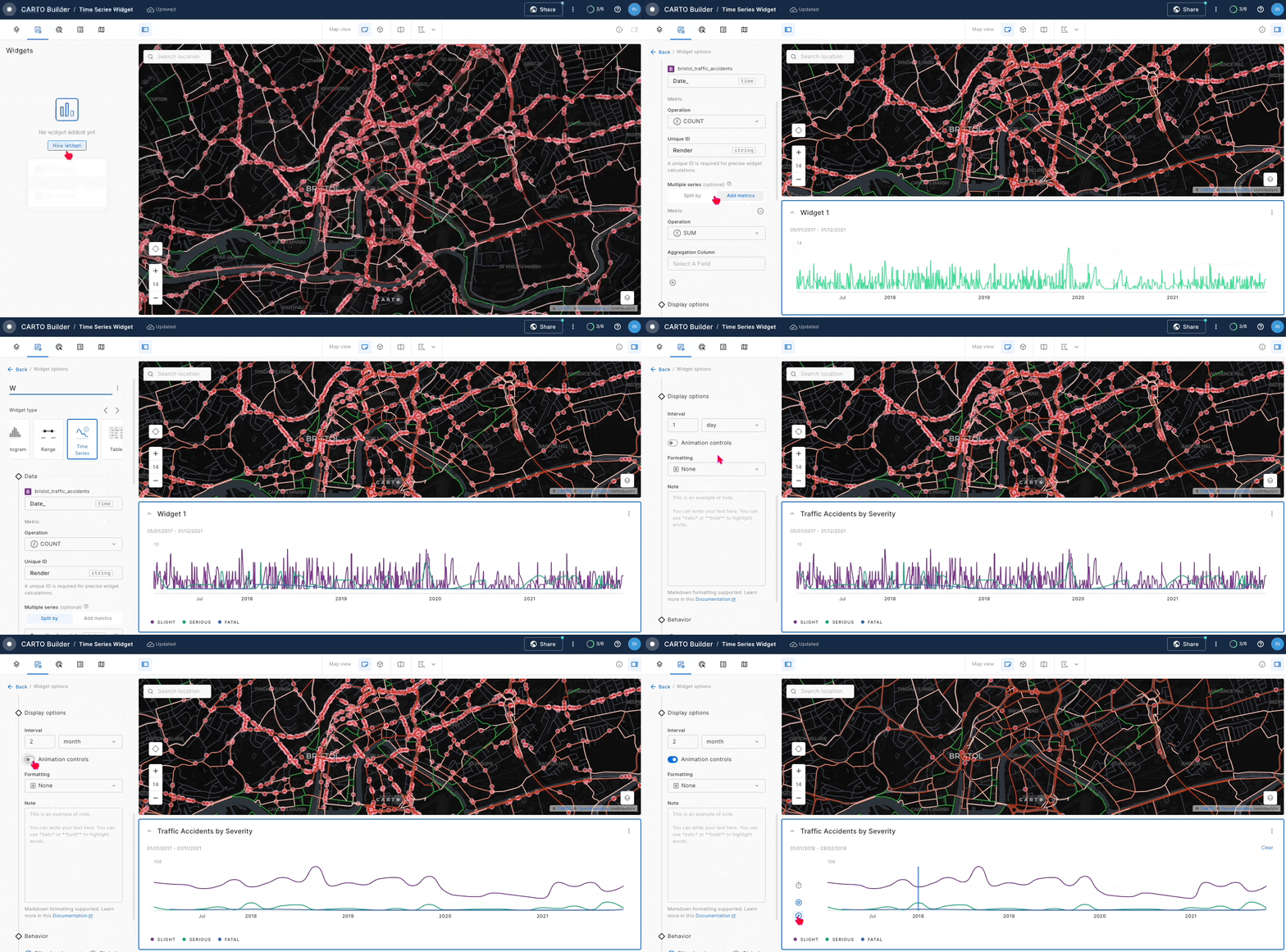
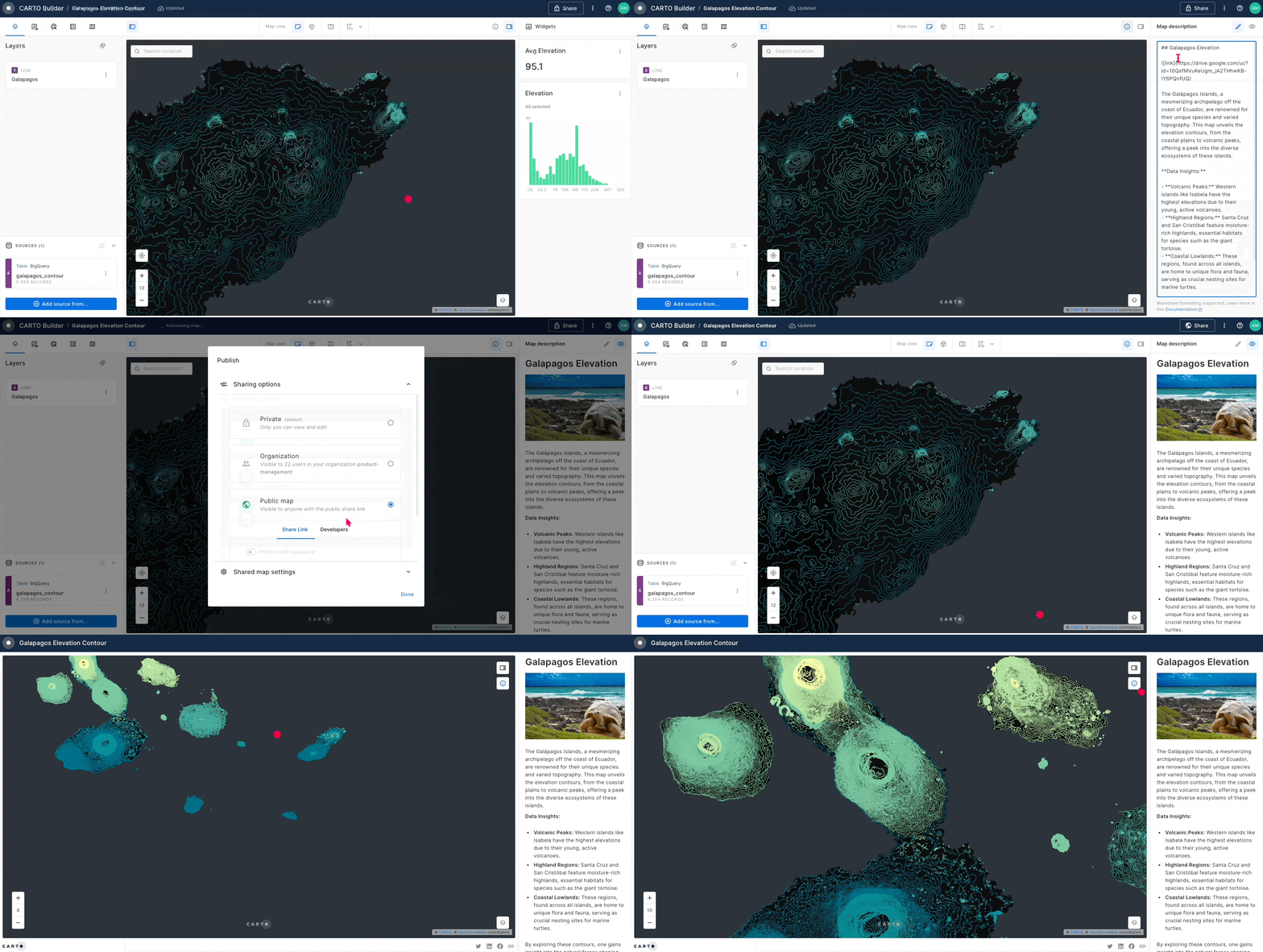
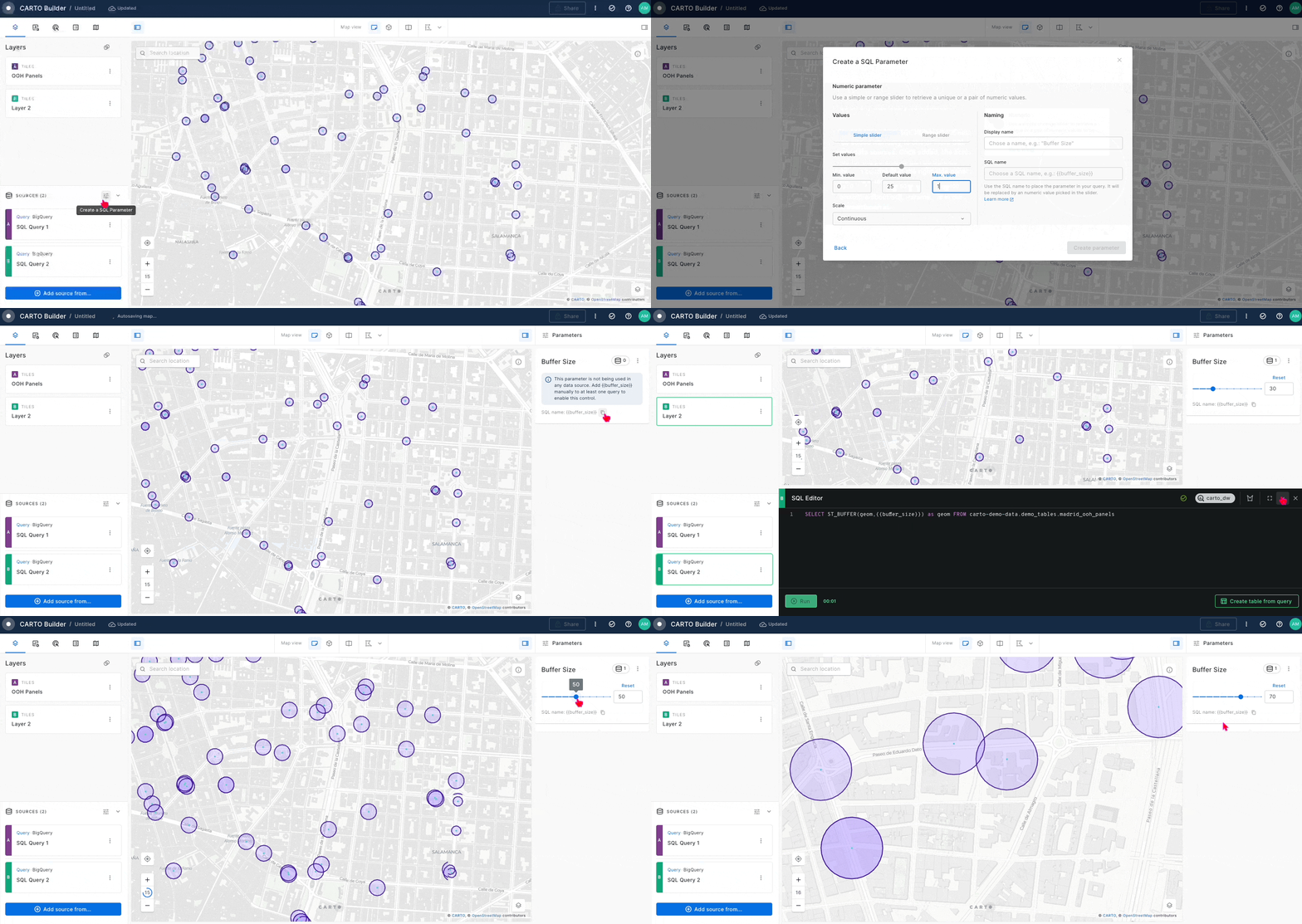
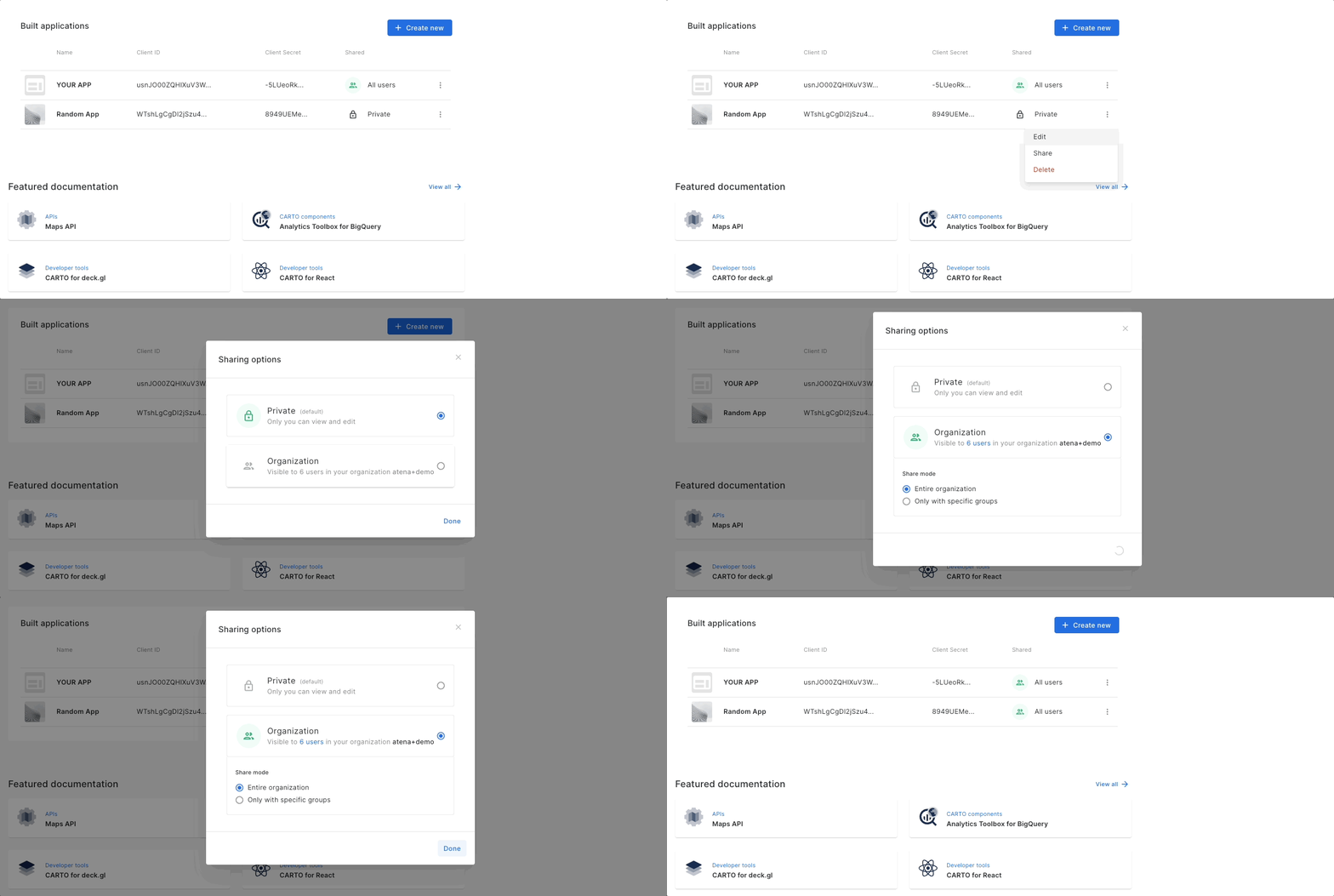
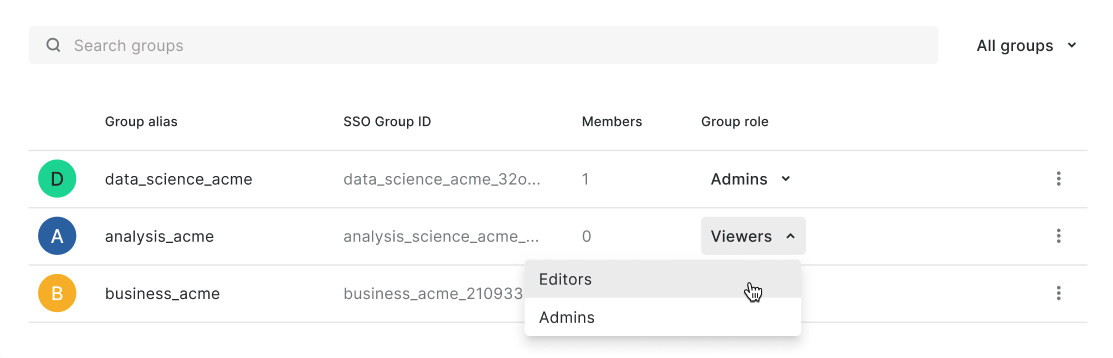
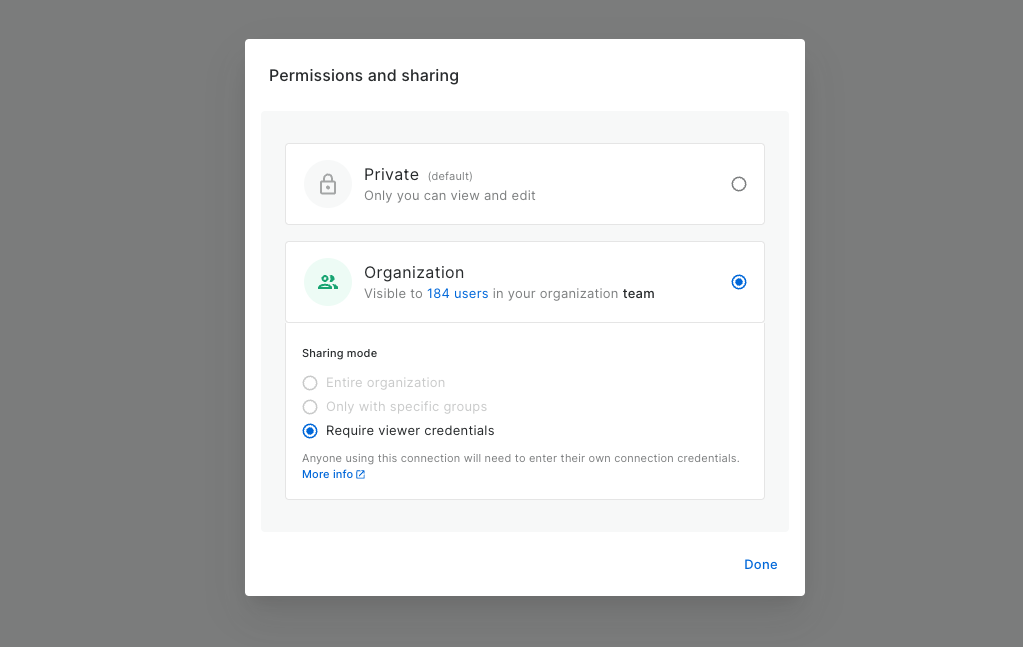
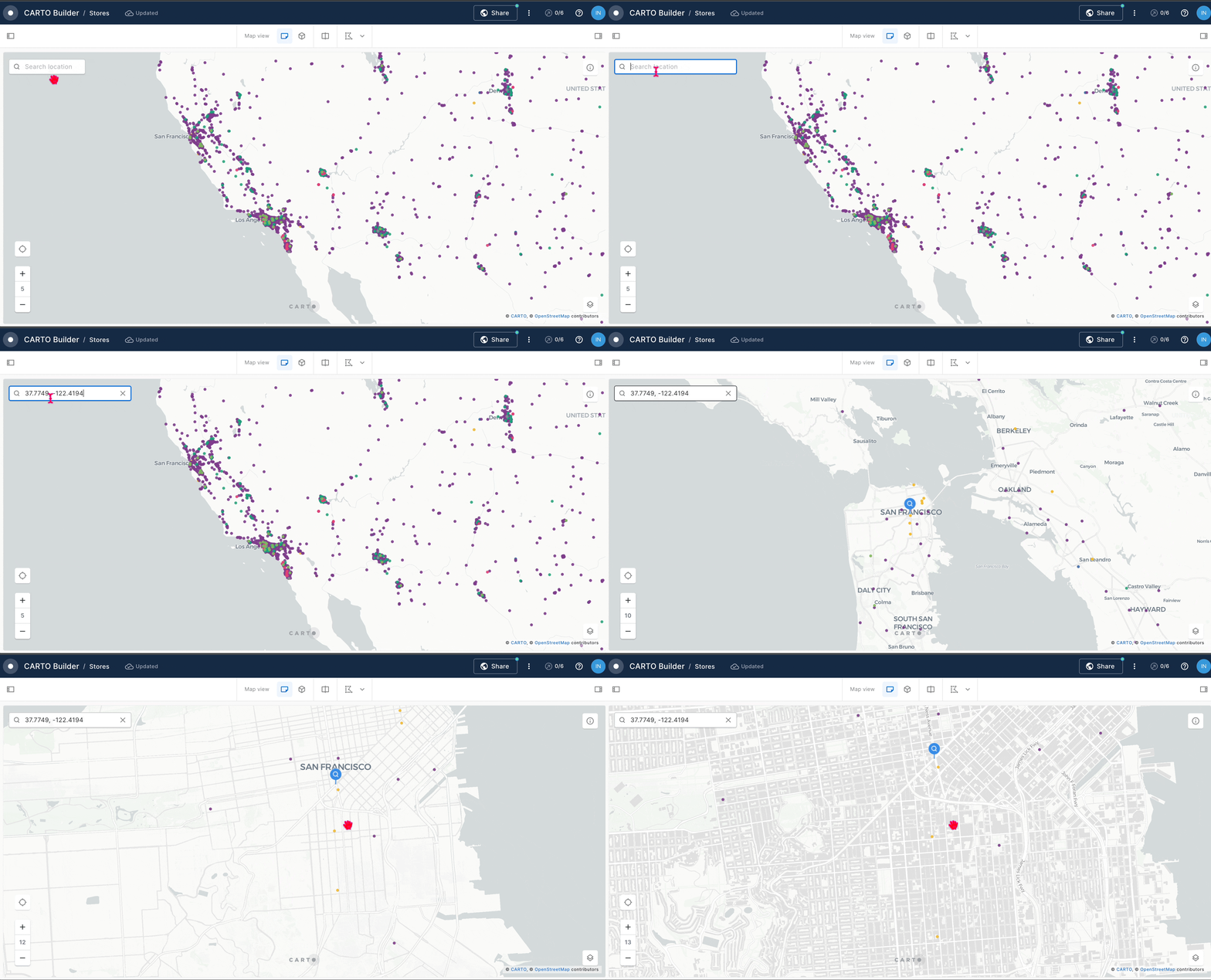
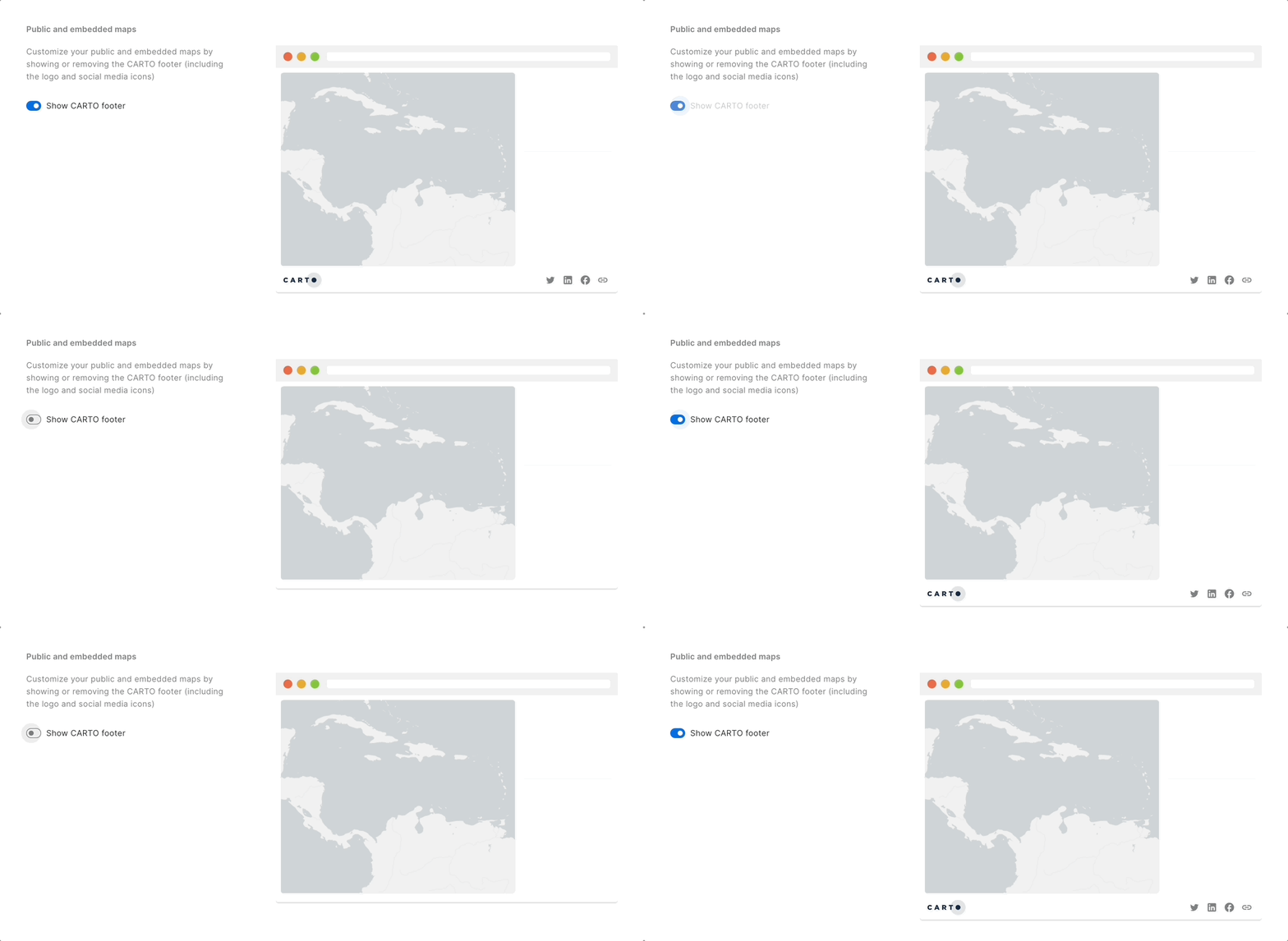
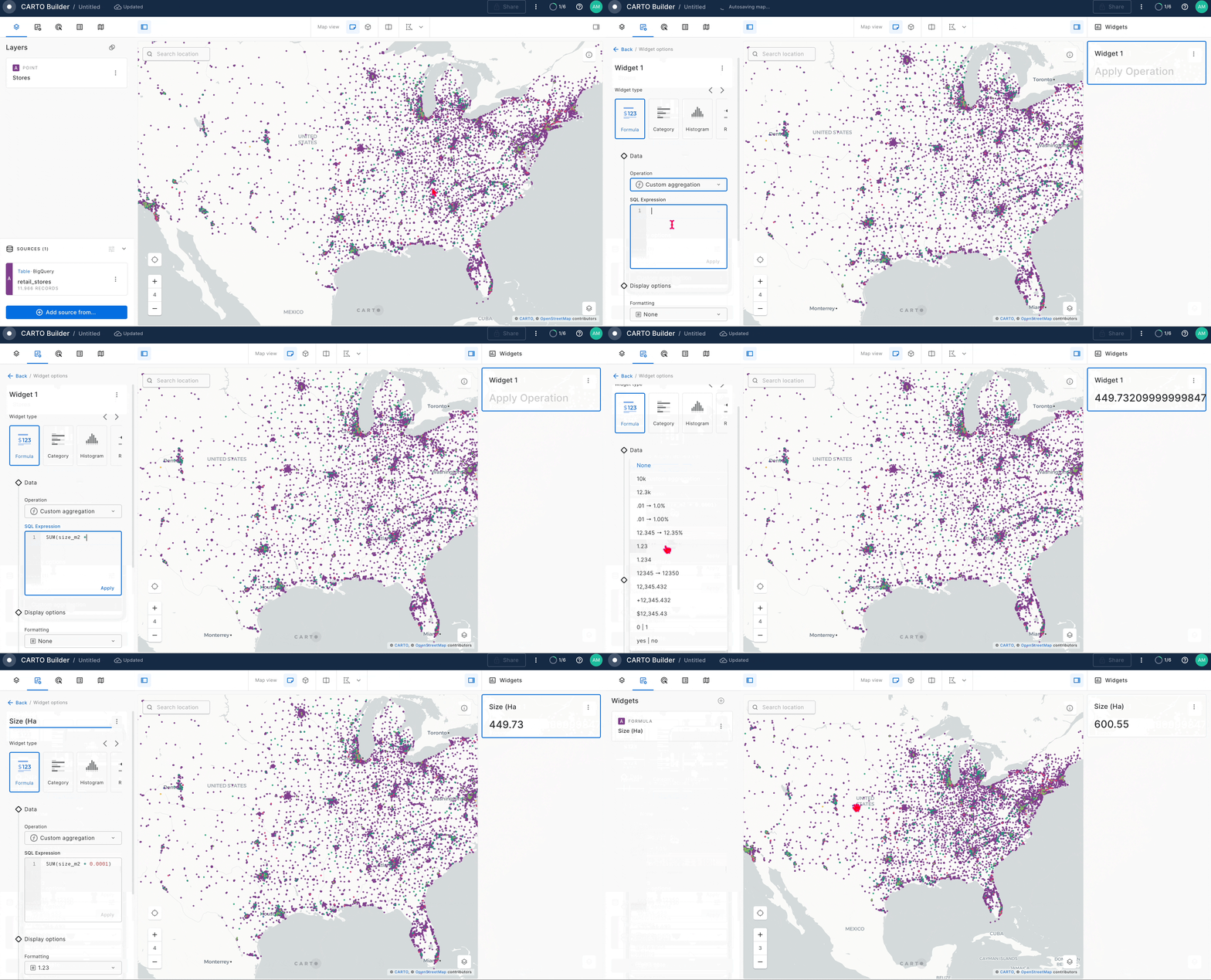
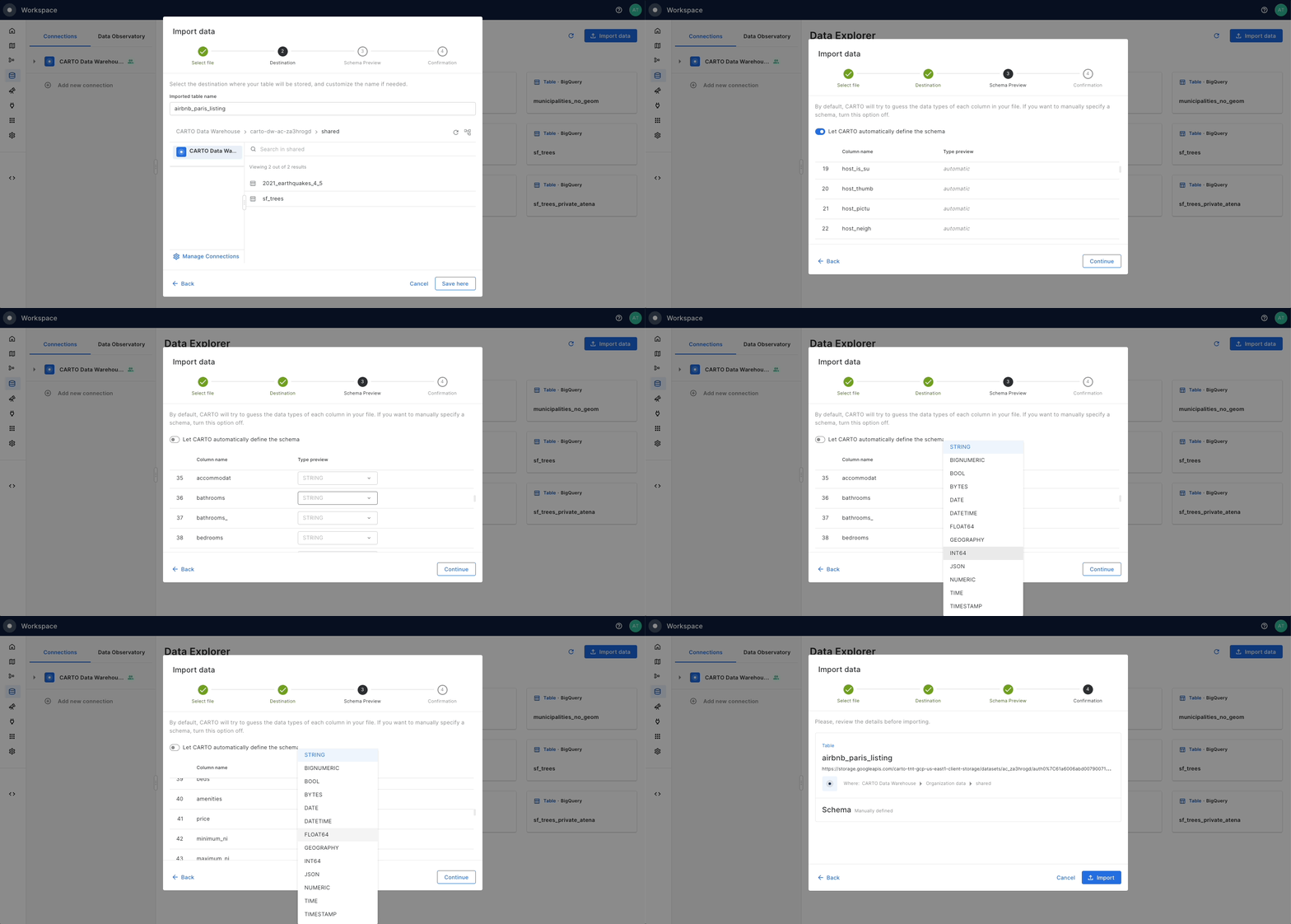
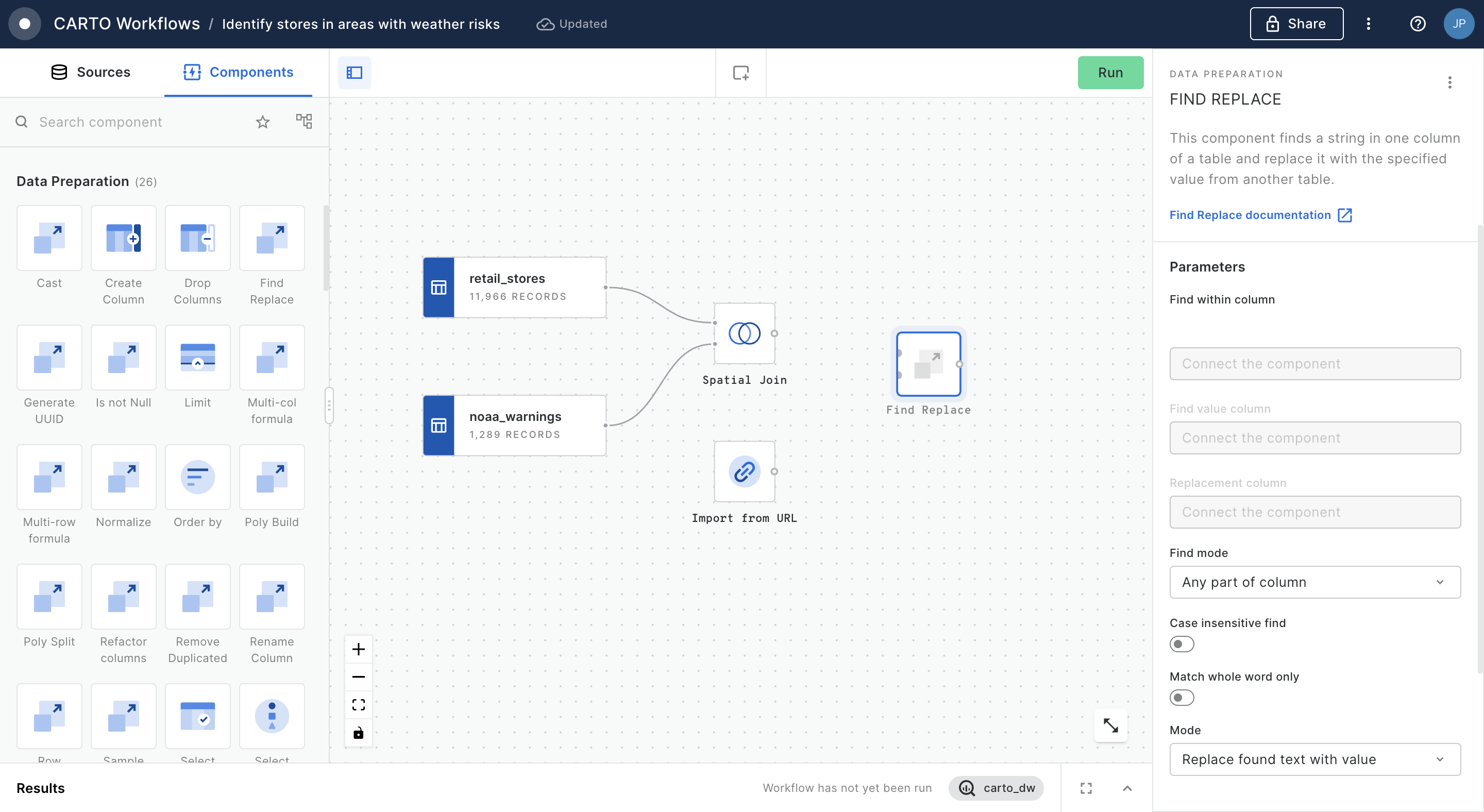
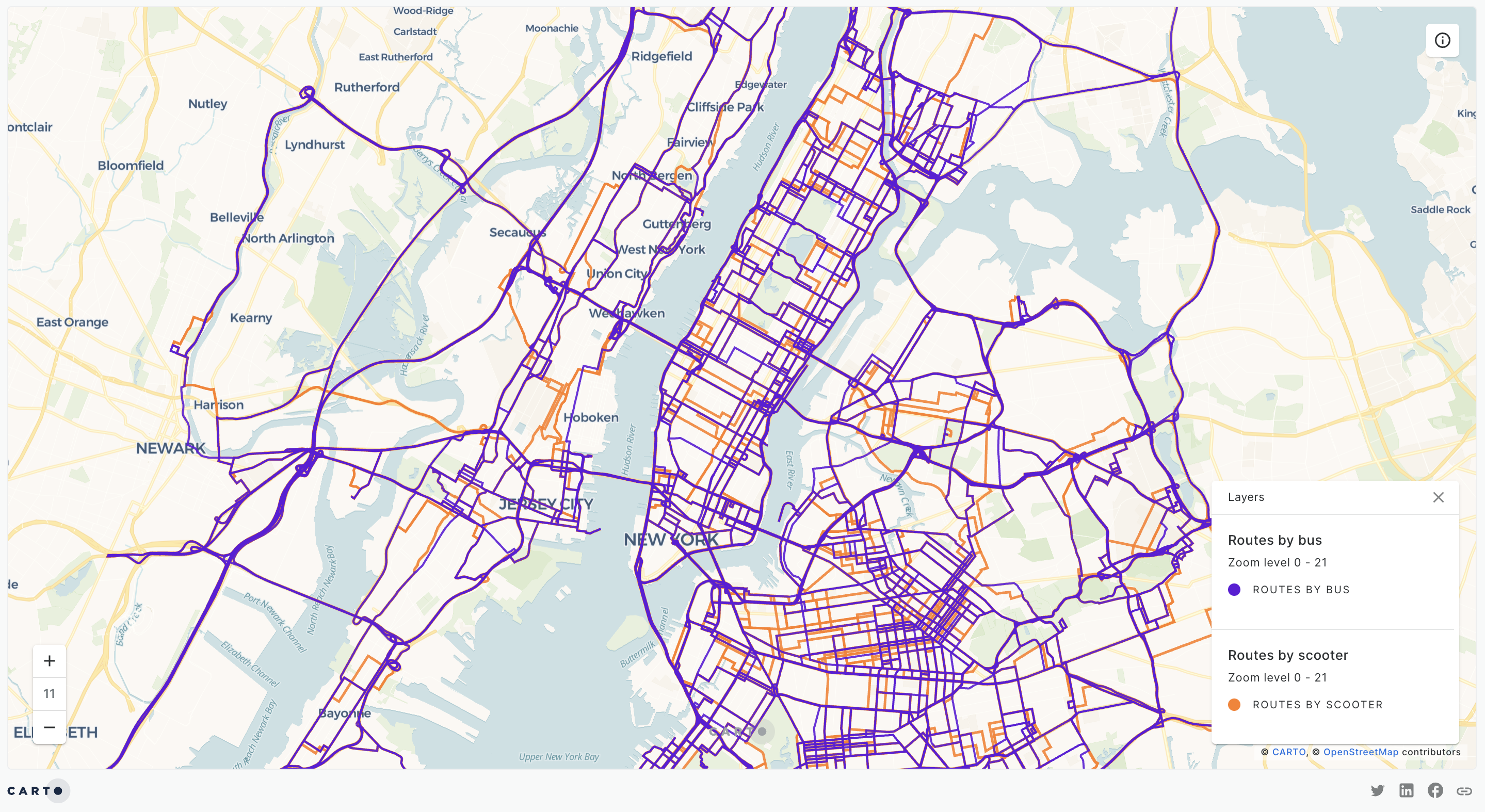
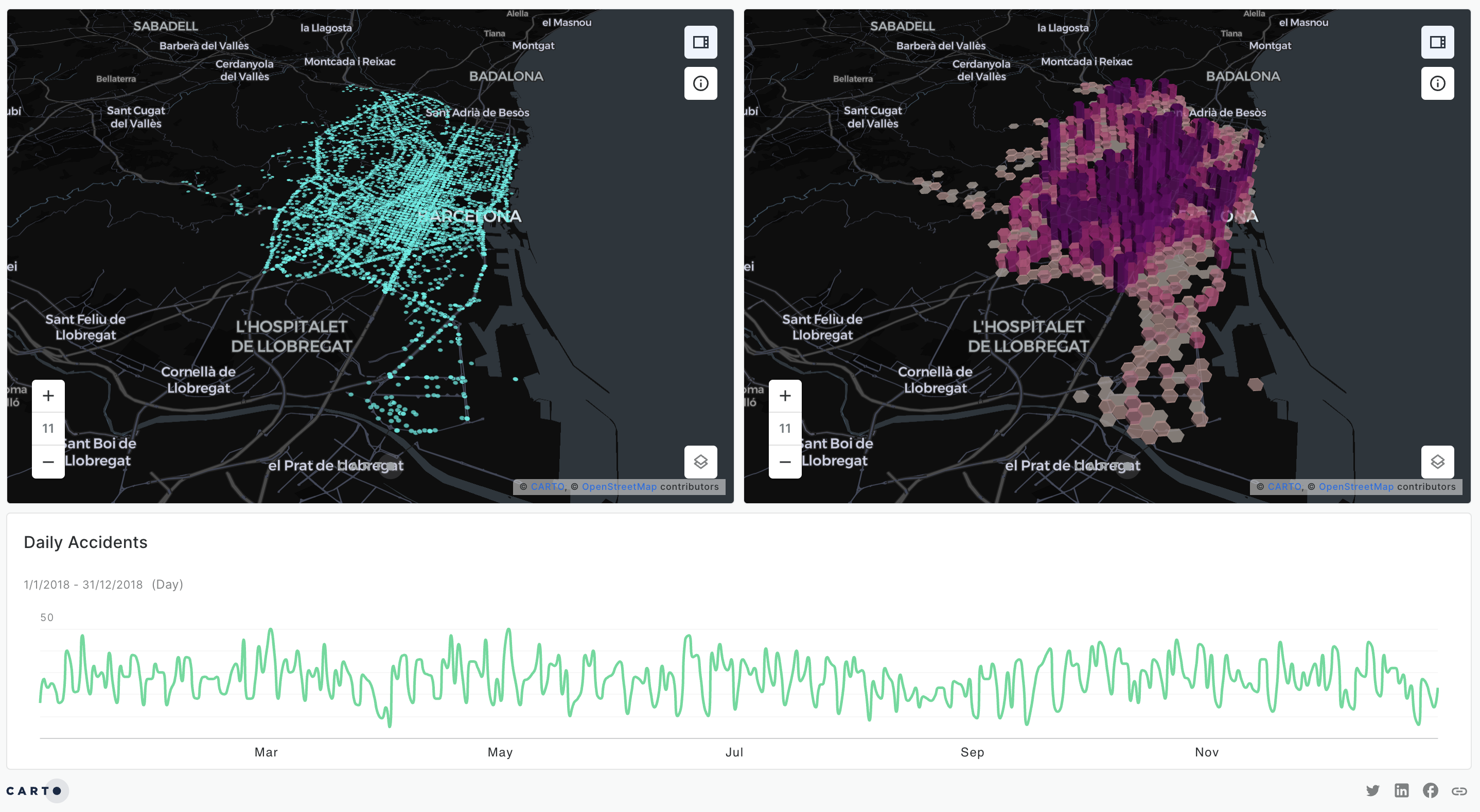
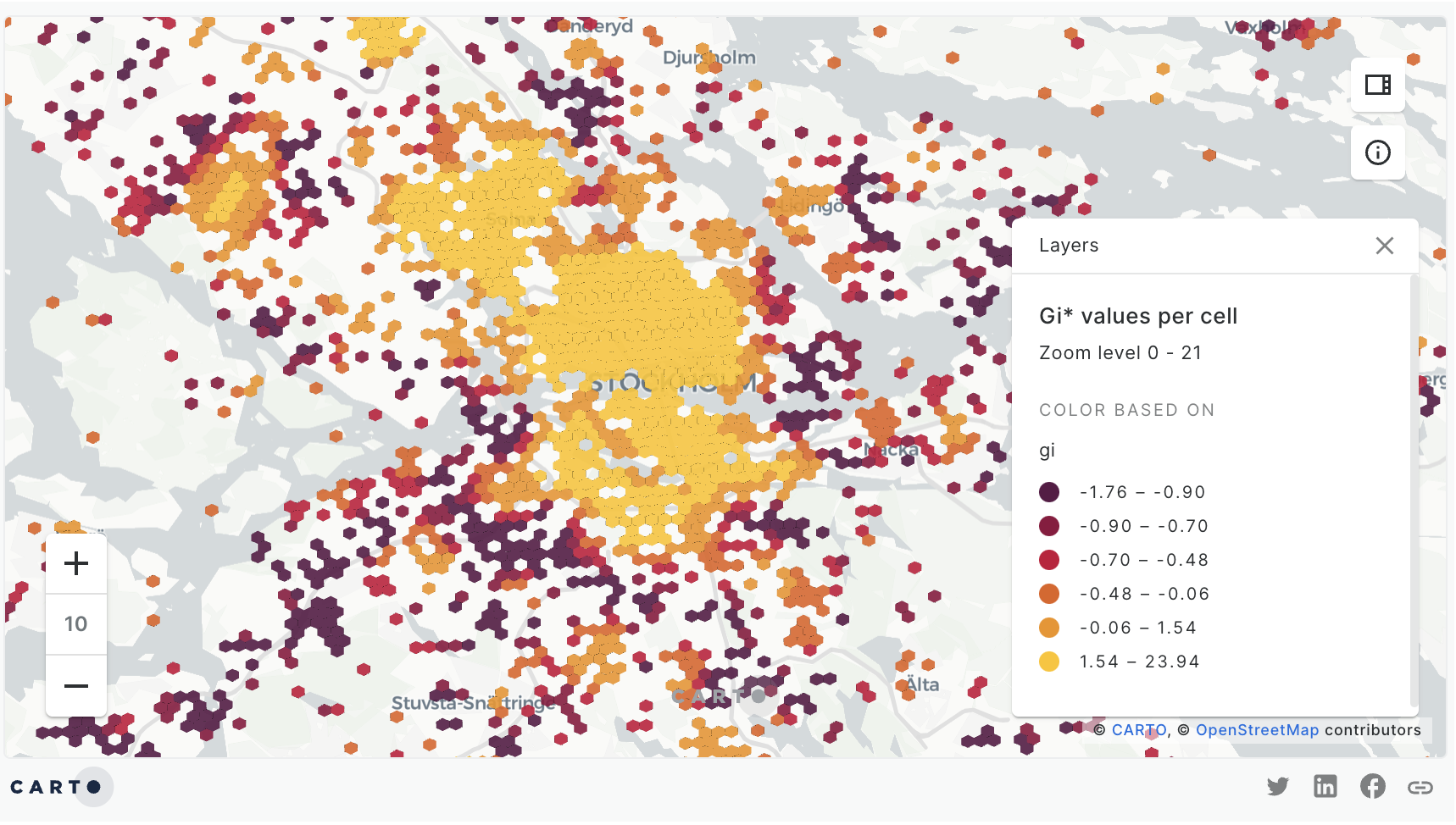

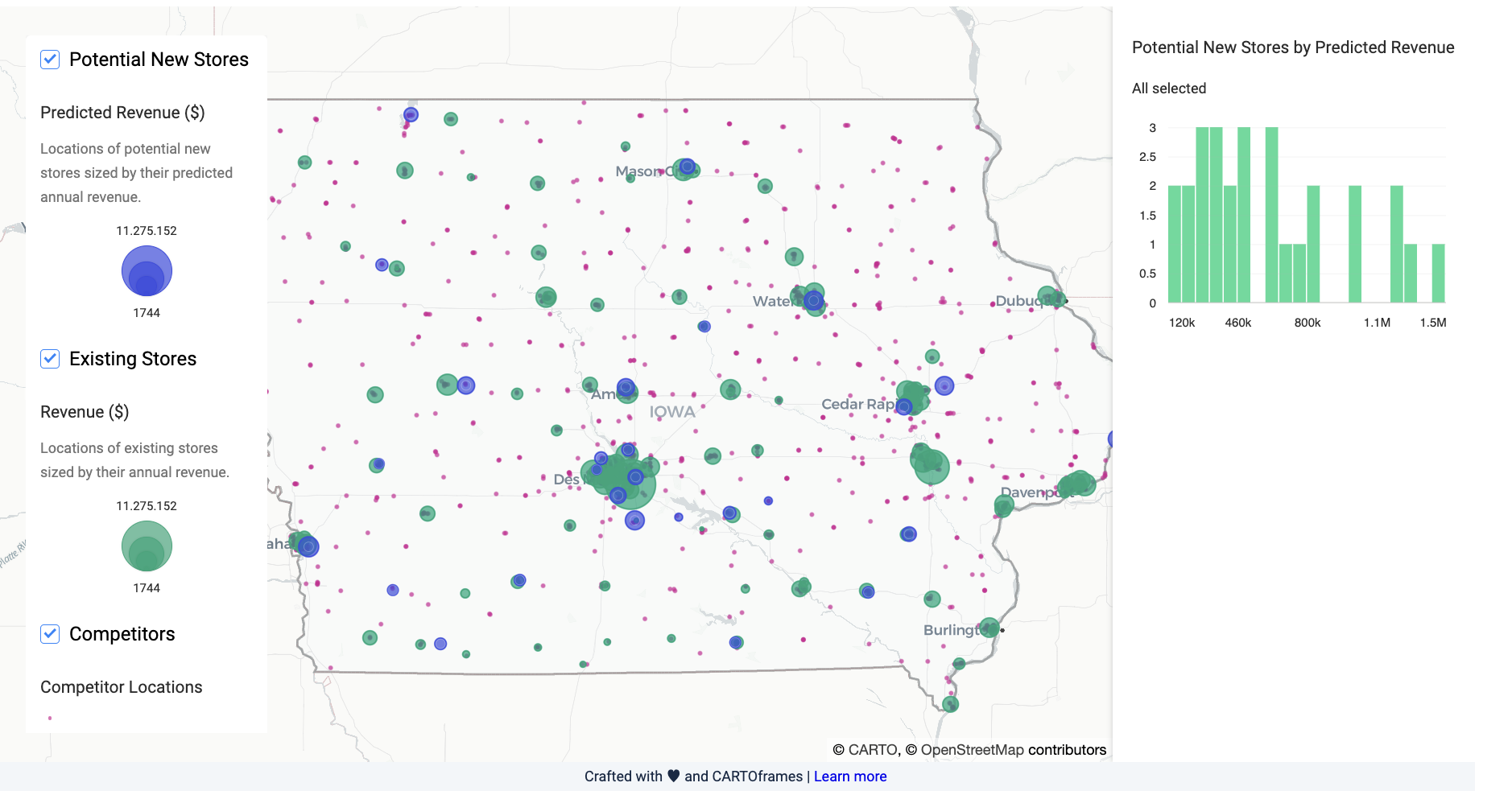
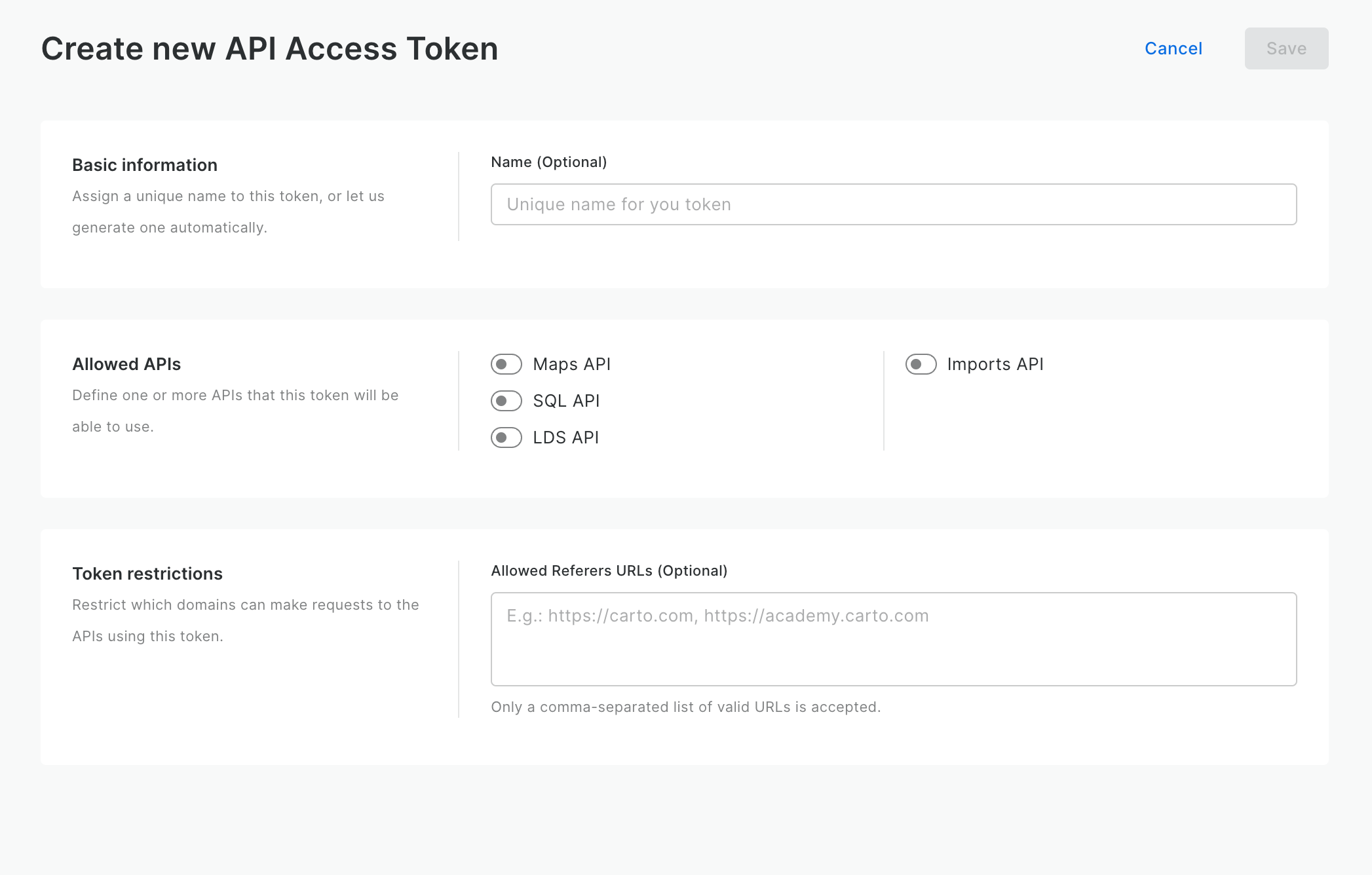
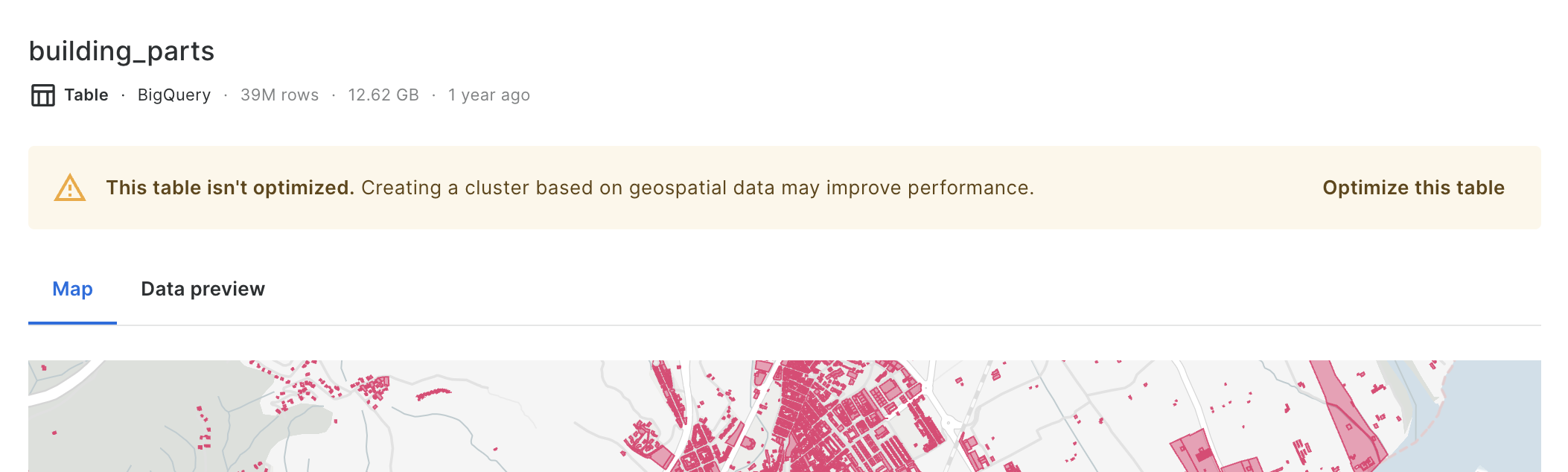
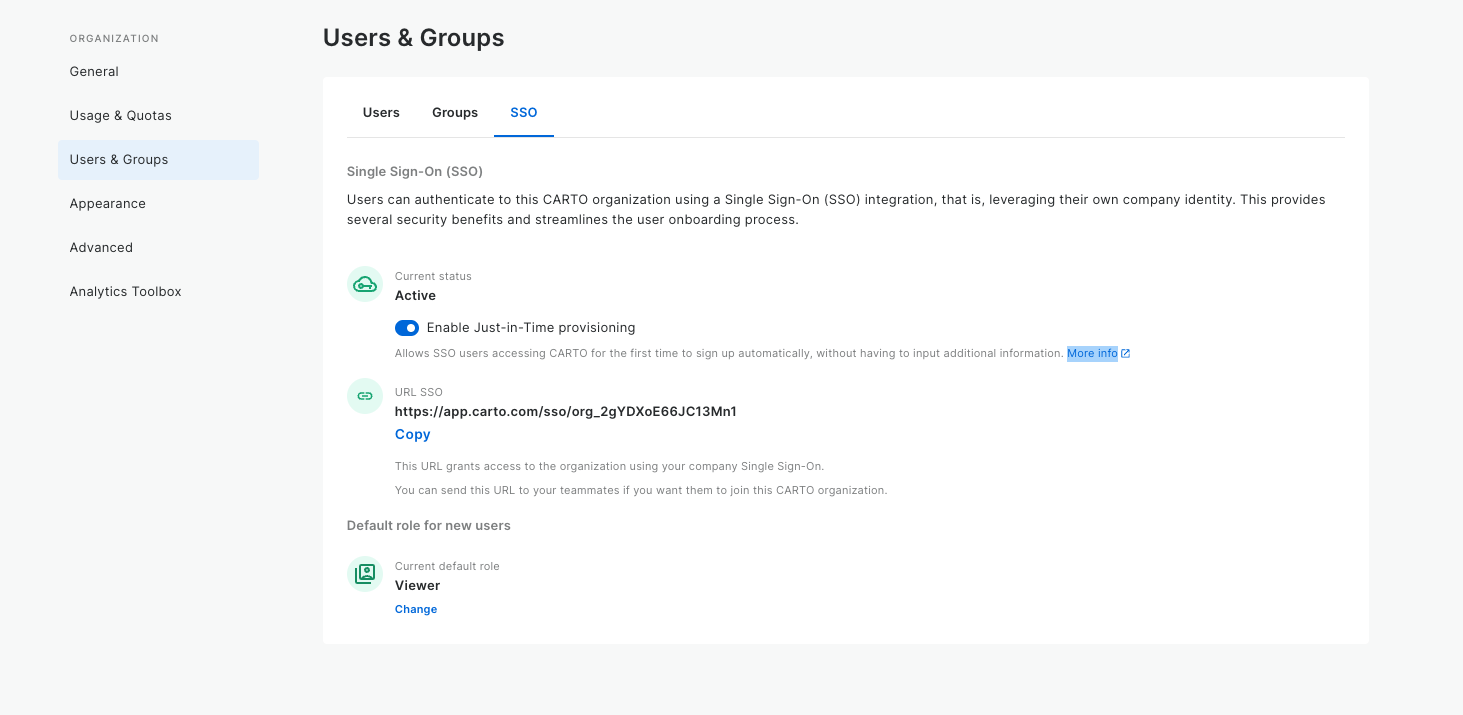
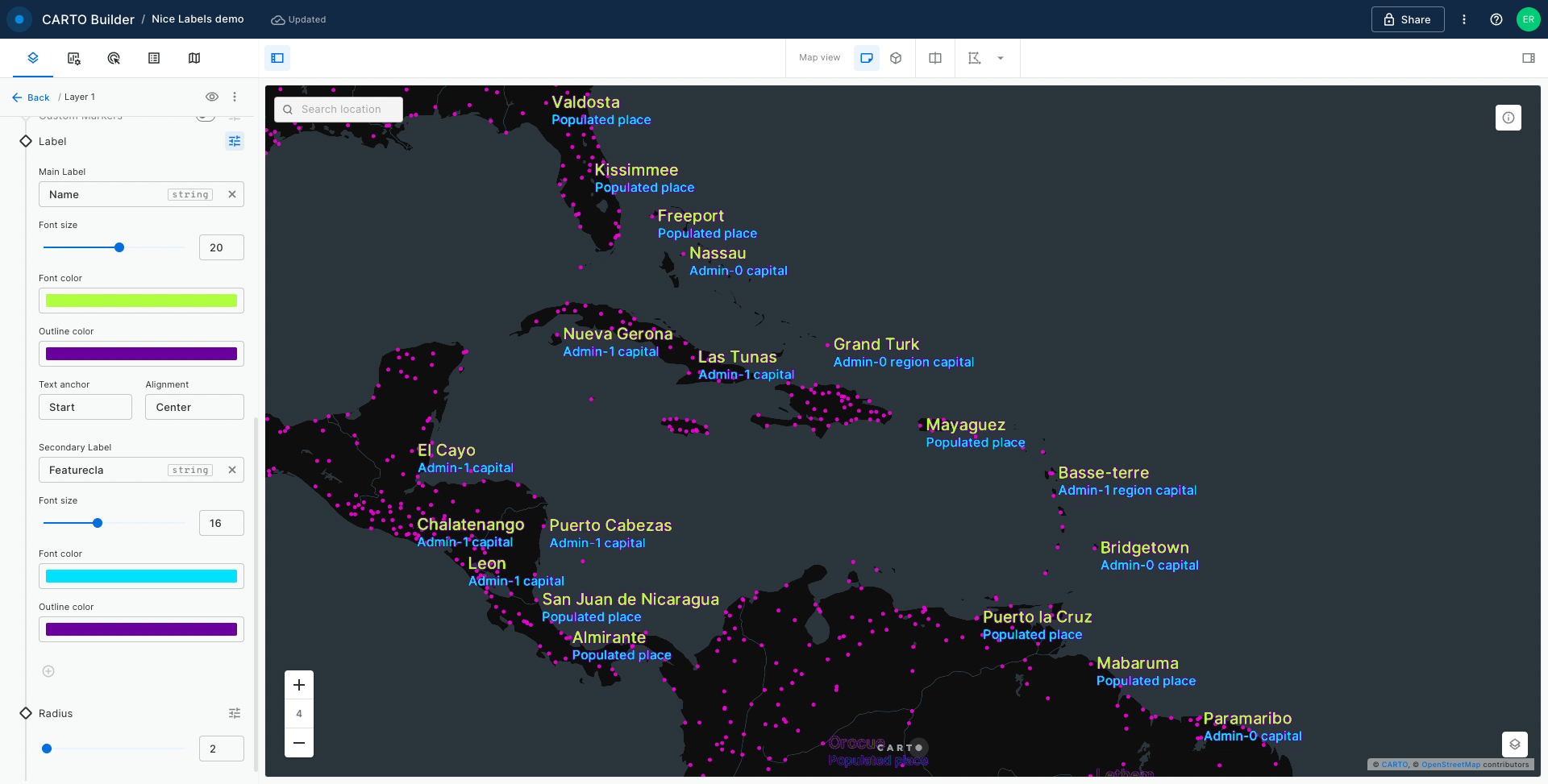
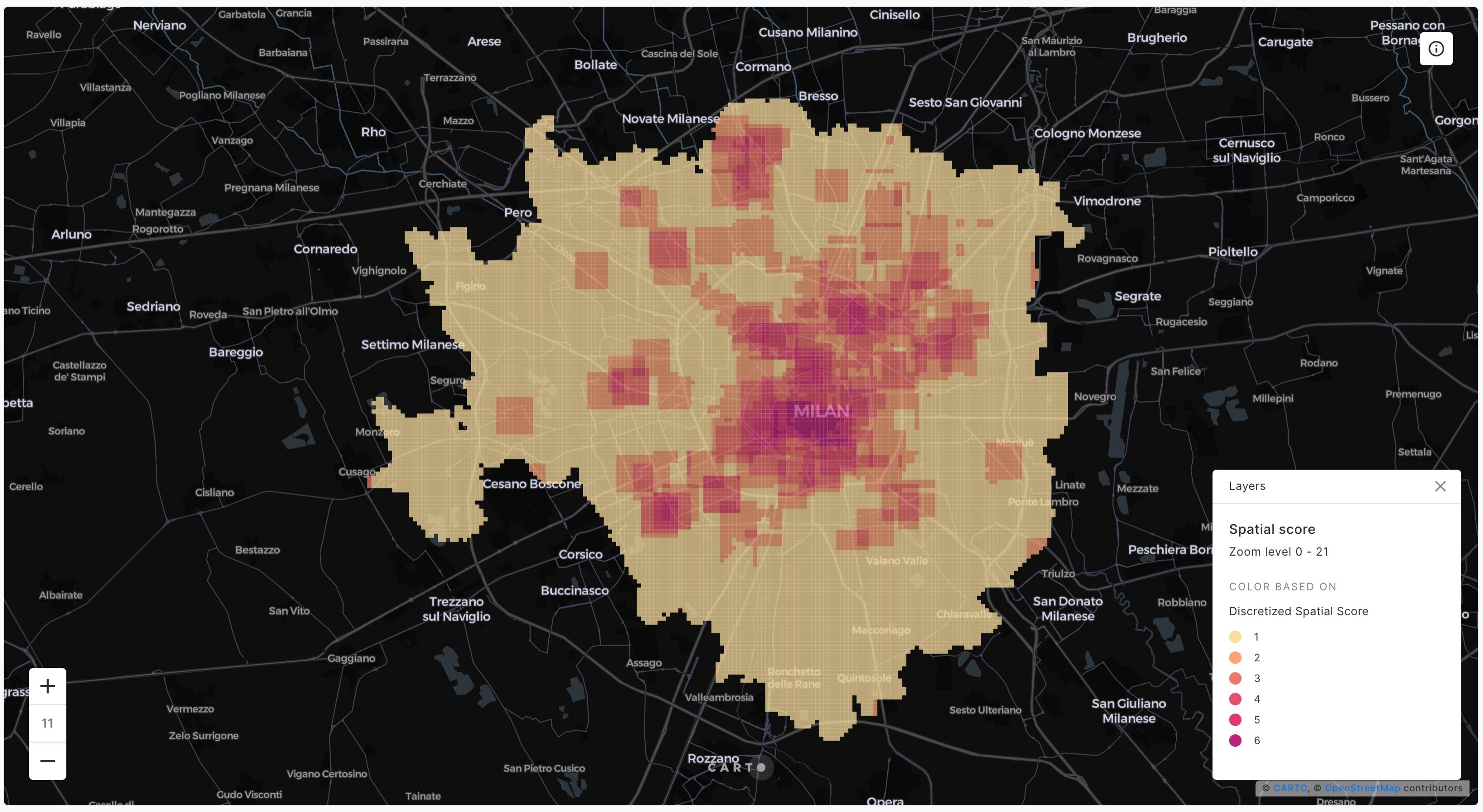
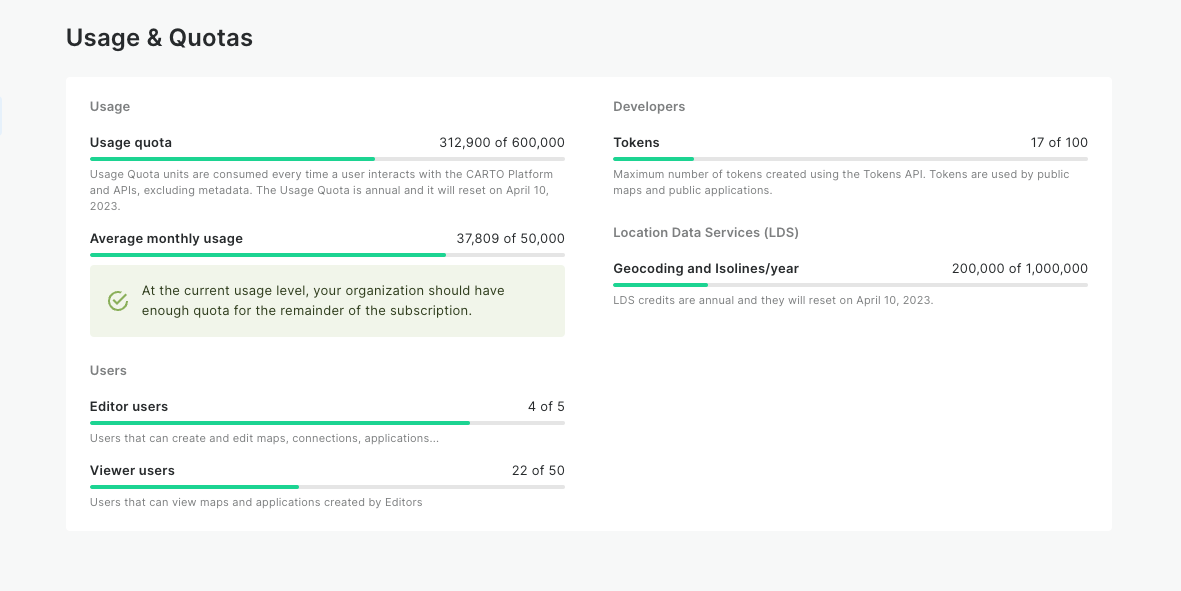
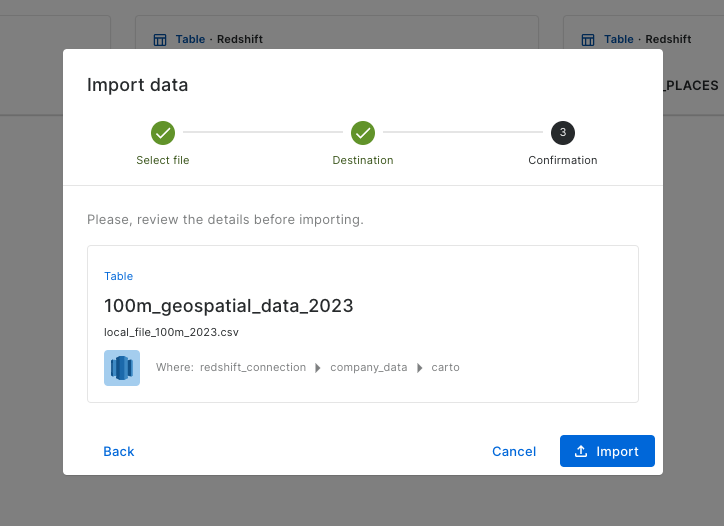
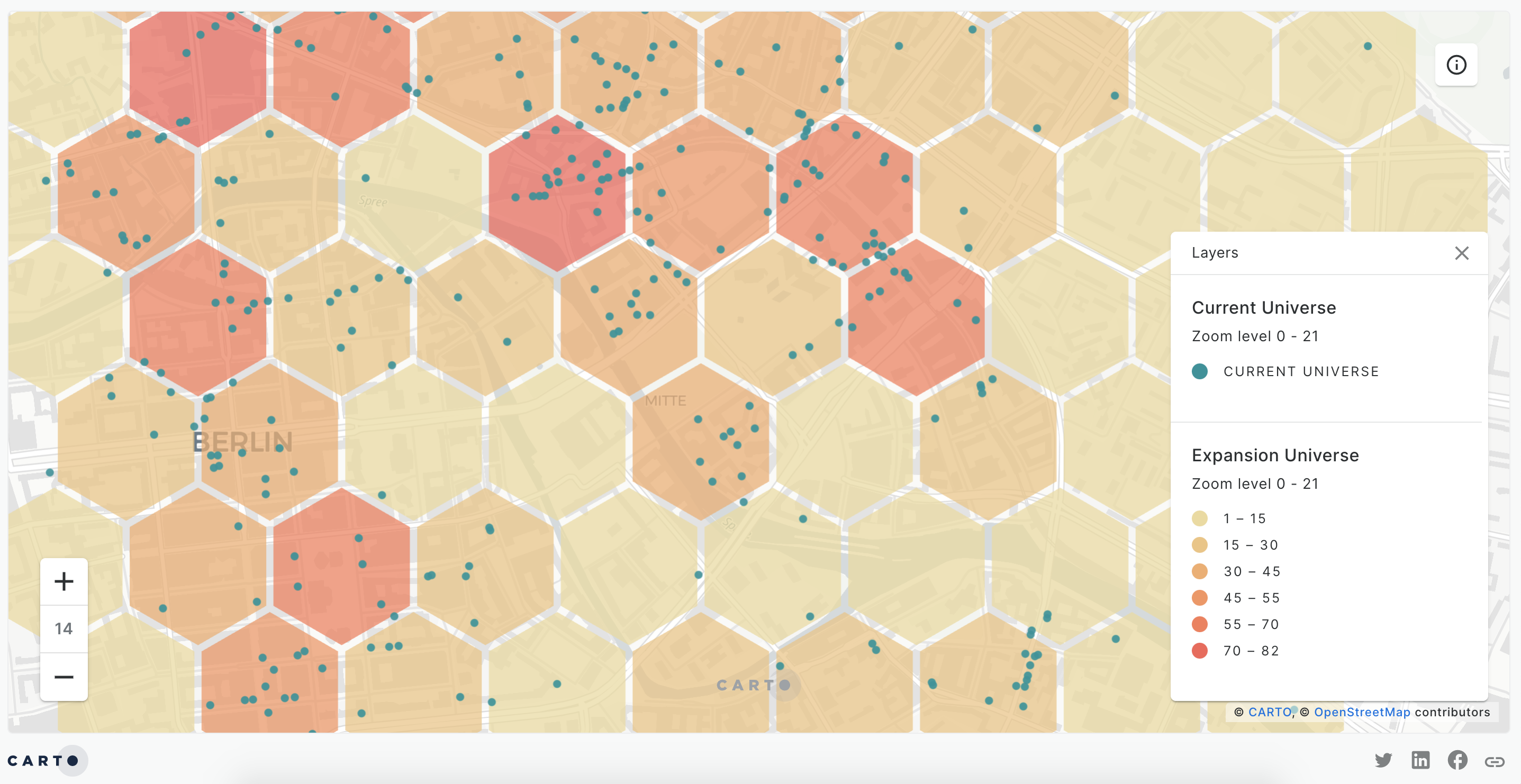
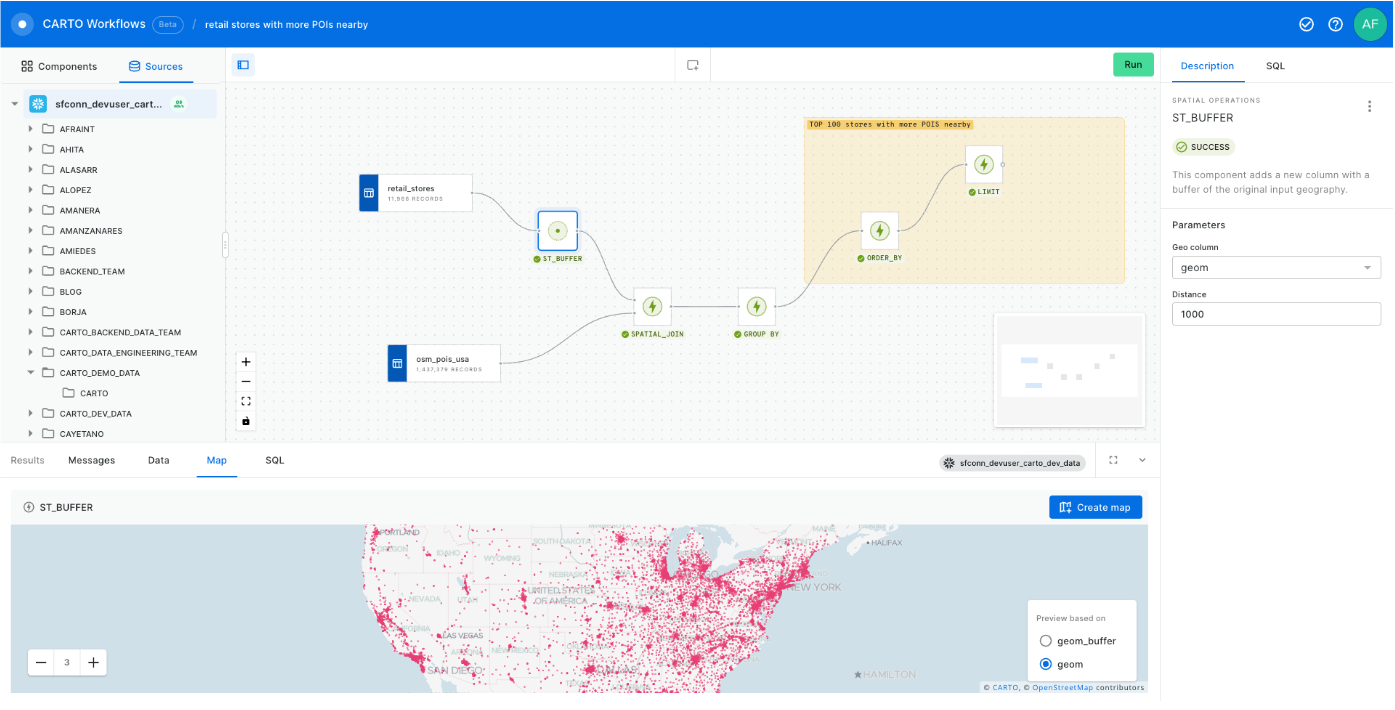
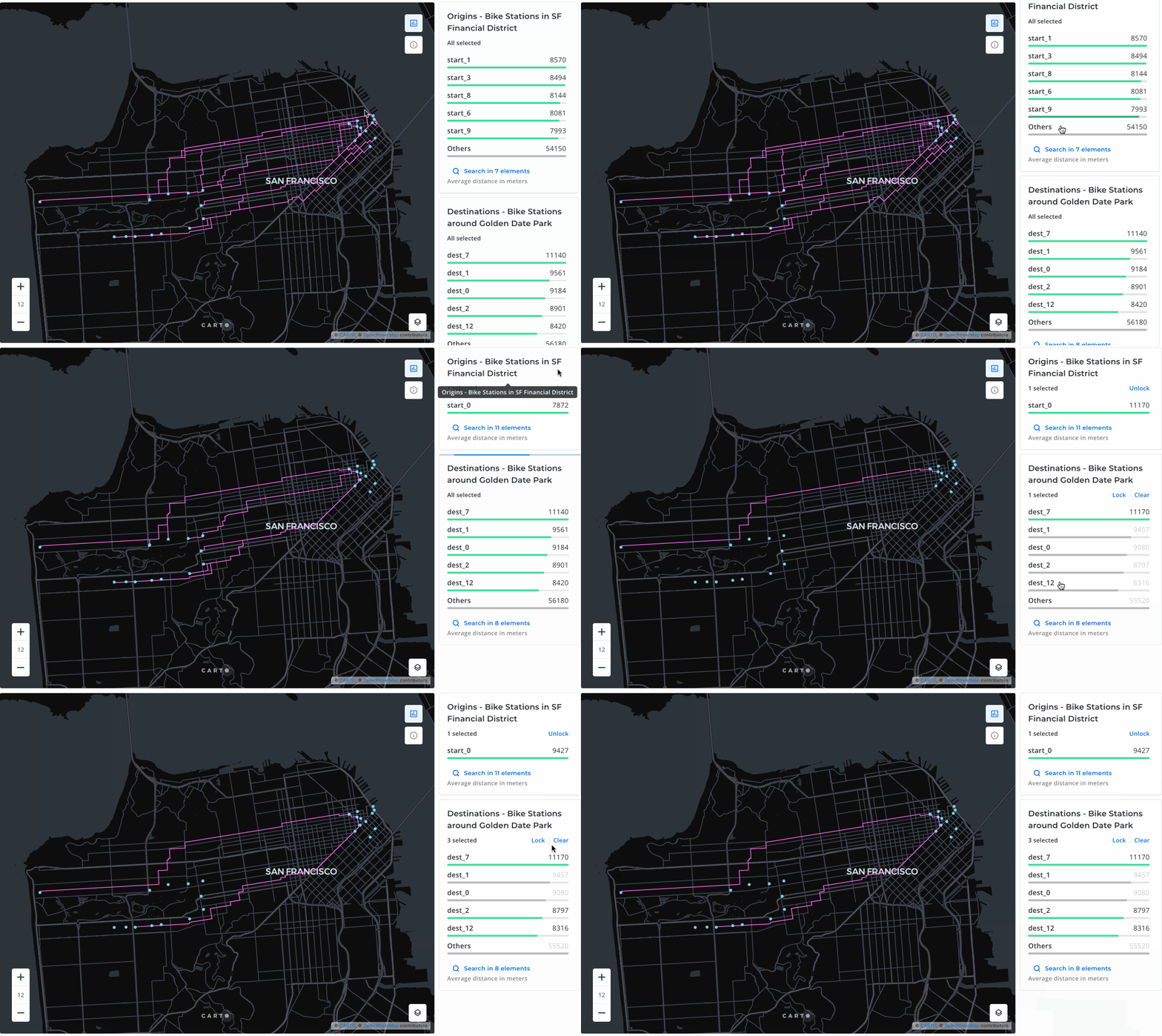
.png?alt=media)